CALREC Putting Sound in the Picture 107
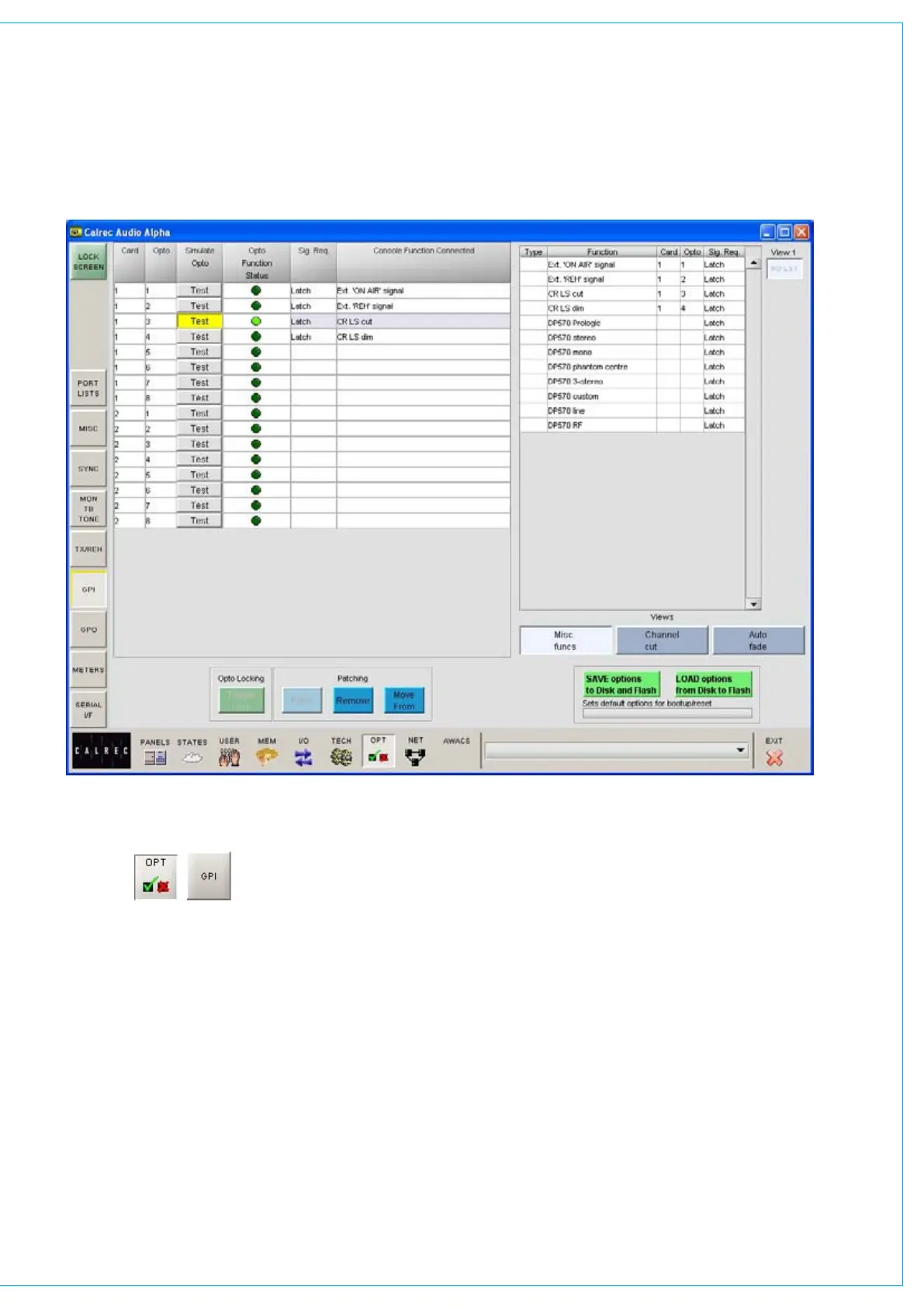
The GPI screen allows the general
purpose inputs to be set up.
“Misc Functions”, “Channel Cut” or
“Auto Fade”
Each opto-isolated general purpose
input can be assigned to up to 10
console functions (with “Misc Functions”
selected), or cut up to 10 channels (with
‘Channel Cut’ selected). With Auto
Fade selected, this screen allows general
purpose inputs to be assigned to one of
the console’s 192 Auto-Faders.
gENERAL PURPOSE INPUTS
To make an assignment, select an input
(left side of screen), and a function or
channel (right side of screen), and select
Patch. Assignment can also be moved
and removed, in a similar way to port
connections.
A test button allows each opto input to be
simulated for testing purposes.
For each opto input there is an indicator
which flashes when it is firing.
If optos are patched to input ports, when
fired externally, they will cut any channel
to which that input port is connected.
Once set up, opto assignments can be
locked using the Opto Lock button, to



 To Next Page