CALREC Putting Sound in the Picture 41
Clear, Aux Clear, Default Set-up and
Console Clear flash when pressed and
require the EXEC button to be pressed
before the operation is carried out. It is
recommended that settings are saved to
memory before these functions are used.
Channel clear
This button clears the currently assigned
channel from all settings apart from the
port assignment.
Channel aux clear
This button clears the aux send settings
for the currently assigned channel. On
a surround master, Aux Clear clears the
aux send settings of the surround master
and all its spill legs and sets the levels to
line up.
Default setup
This button recalls the default setup
configuration for the console, replacing all
settings.
The default set-up should be created upon
installation of the console using the TECH-
INFO screen. This could contain the fixed
port set-ups which match the studio wiring,
and any other settings which hardly ever
change. It could have all channel settings
OFF or flat, with no routes made, and would
be available as a start up memory, from
which more specific memories could be
created.
I/PS
FLTR
EQ
DYN
ALL
FDR
AUXRTG
ALL
A
ALL
B
WILD ASSIGN
4
3
2
1
CLR
ALL
CHANNEL COPY
ALLDYN
FADER
BARGRAPH
I/P
OFF
HOLD
PAN
FUNCTIONS
CA4724
O/P
DIR
STEREO
EXT
TEST TONE
><
ENABLE
MONO
EXT
INTERRUPT
TONE
LEVEL
L
2=R
1=L
SWEEP
FREQUENCY
1k
< >
OSCILLATOR
A
<
B
>
EXEC
FADER
FADERSCONTROLS
DEFAULT
REPLAY
CLEAR
CONSOLE
CLEAR
SET UP
CLEAR
AUX
CHANNEL
GLOBAL
WILDS
ON
MIX MINUS BUS
DIRECT INPUT
COPY
FADER
TO
-11. dB
1012Hz + 1. dB
FDR19A
Drums
LEV
REF
CLEAR
TONE
SURR
EXT
WILD
ALT
EXEC
ONLY
0
0
CONSOLE fUNCTIONS
Global console clear
This button clears the console of all
settings
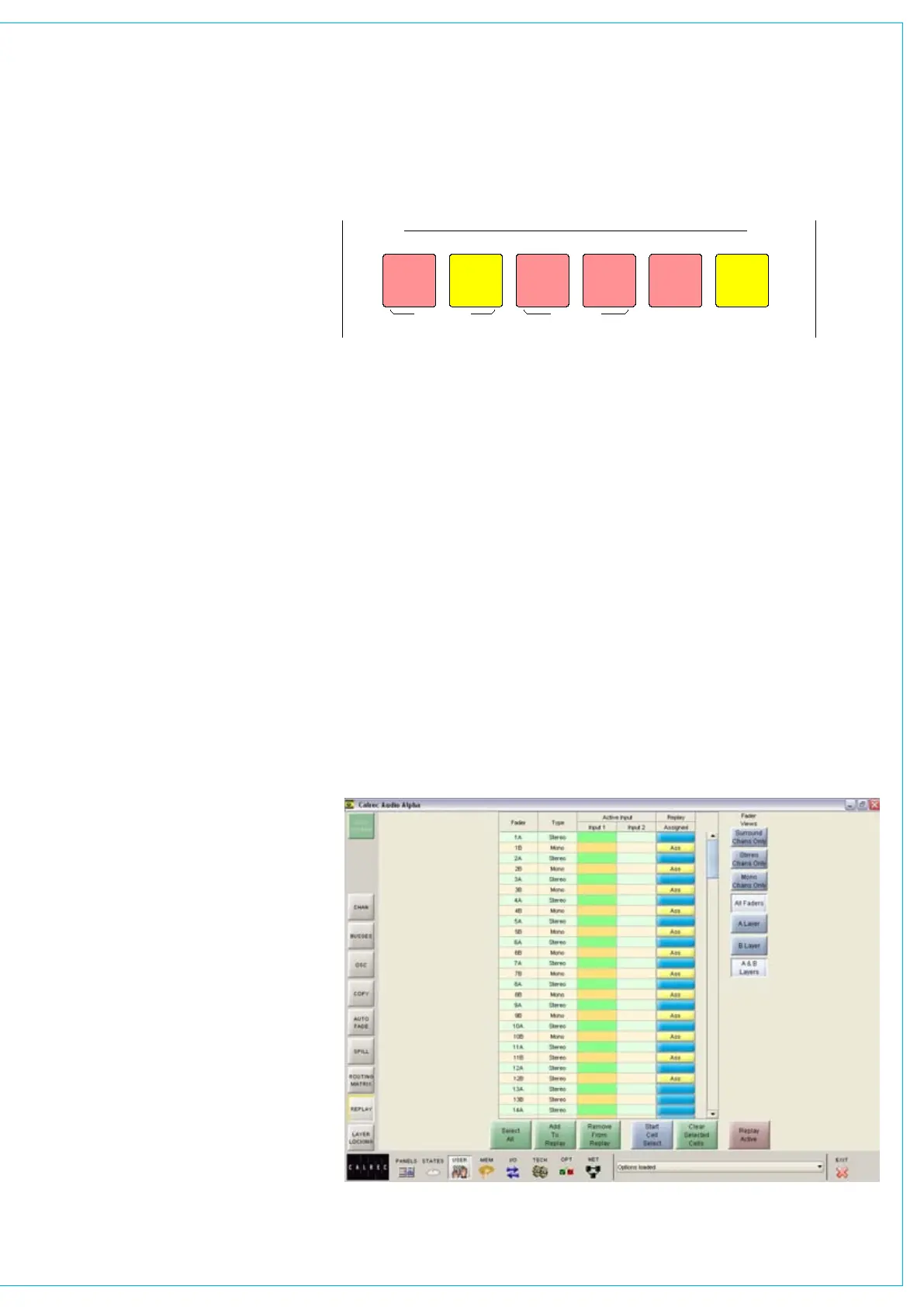
Replay
Activates Replay mode, causing all
channels selected for replay to switch to
input 2. When Replay mode is active, the
button will be lit.
Channels are selected for replay on the
User-Replay screen, by selecting the
relevant cell in the “Assigned” column.
The cell will change colour to show that
assignment is made.
The User-Replay screen also has a button
with which Replay mode can be activated.
Many channels can be added to or
removed from replay at once, by selecting
“Start Cell Select”, and then choosing a
number of channels. Once selected, “Add
to Replay” and “Remove From Replay” will
add or remove those channels from the
replay selection.
If a surround channel master has the
replay function assigned then the replay
function shall be assigned to all its spills.
It is not possible to assign the replay
function to individual spills of a surround
channel independently.
Replay selections are stored with user
memories. Partial memories restore the
channels inputs and replay assignment
(unless isolated) but the current replay
state shall not be restored.



 To Next Page