CALREC Putting Sound in the Picture 83
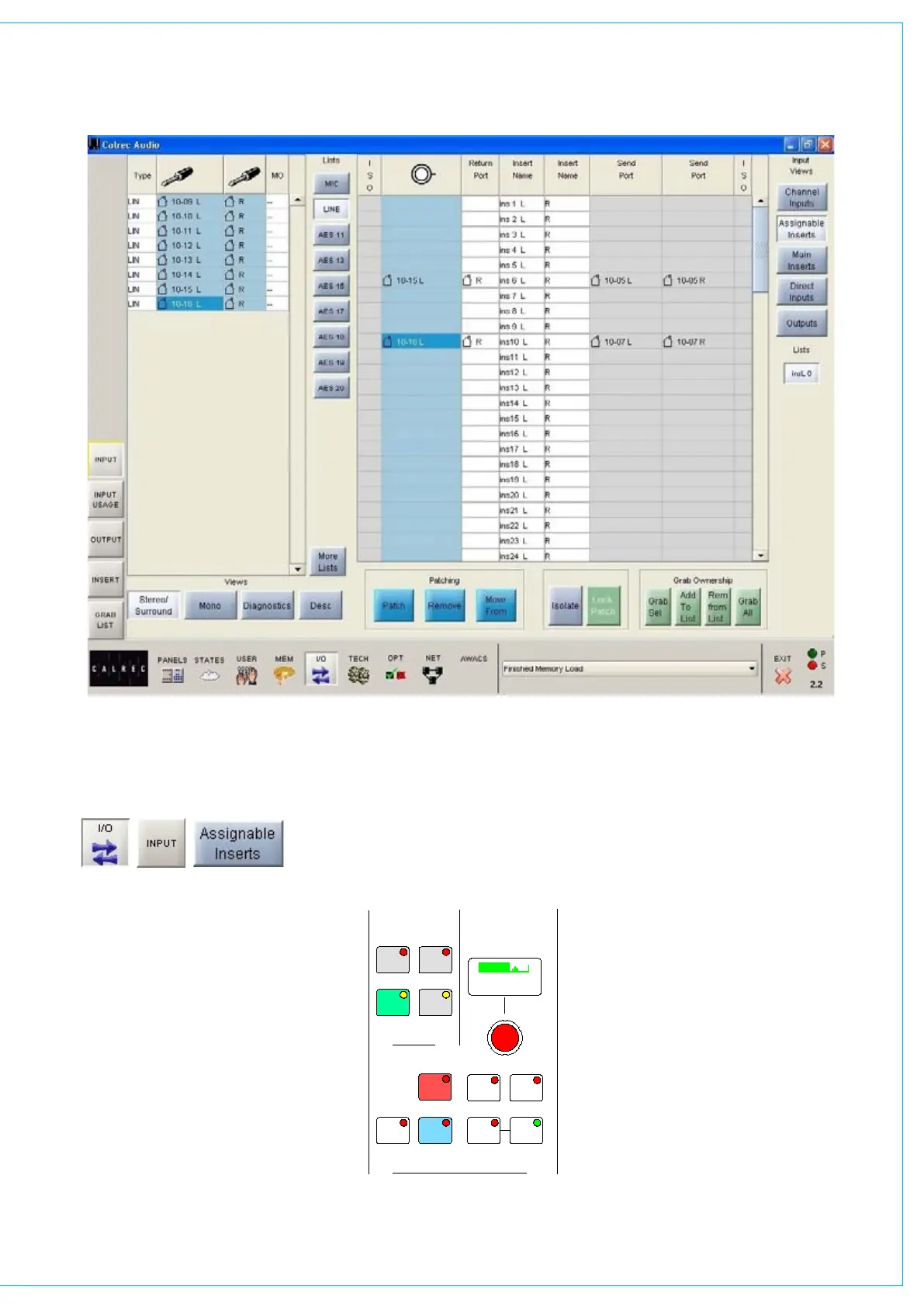
The input sources for assignable insert
returns can be patched, moved and
removed here in the same way that
channels inputs are patched.
The output ports connected to the insert
send can also be seen. These are set
up on the I/O - Output screen.
<< >>
LB RB
OL
/ /
OR
2
48L 48R
TONE M/S
IN
EQ
PRE
EQ
PRE
BUS
TONE
TB
MIX
MINUS
IN IN
GAIN
INPUT SELECTION
STEREO WIDTH
FRONT/BACK PAN REAR PAN DIVERGENCE
FRONT PAN
BALANCE
DIRECT OUTPUT
SURROUND SOUND
IN
IN
REAR
LEVEL
1
LFE
L-C-R
ON
INPUT
INSERT
FDR
PRE
FDR
PRE
INPUT
PY4885
OUTPUT
DIRECT OUTPUT
AFL
SRC
MAIN
GP
DIRECT
C
ONLY
- 9.0 dB LS >RS - 7.5 dB L 4 R
FDR19A
Drums
- 4.6 dB
+56.0 dB
MIC L R M S >W L C >R
5.0
LEVEL
IN
AUTO
FDR
ASSIgNAbLE INSERT RETURNS
Once this is done the insert can be
connected to any channel or group via the
Insert screen or by using the I/O Matrix
panel on the control surface.
Once connected, the insert is switched into
the channel path using the buttons on the
Input/Output panel (shown).



 To Next Page