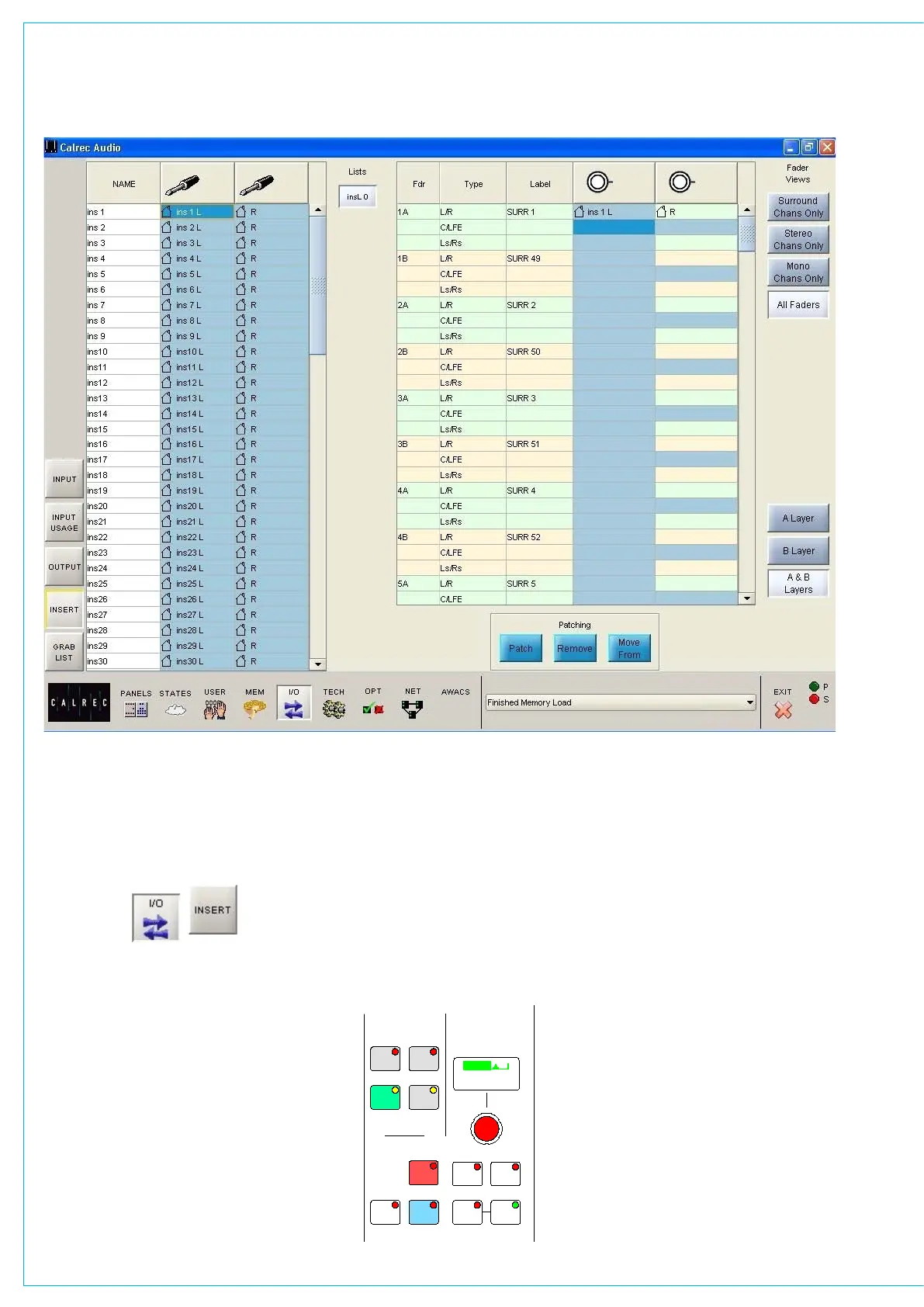
The Fader View buttons select which
paths are on display.
All the inserts can be accessed on the left
hand side of the screen. Most inserts are
treated as pairs in the labelling. L and R
are used to distinguish the two halves of
the pair. This makes it easier for them to
be used as a stereo insert but does not
<< >>
LB RB
OL
/ /
OR
2
48L 48R
TONE M/S
IN
EQ
PRE
EQ
PRE
BUS
TONE
TB
MIX
MINUS
IN IN
GAIN
INPUT SELECTION
STEREO WIDTH
FRONT/BACK PAN REAR PAN DIVERGENCE
FRONT PAN
BALANCE
DIRECT OUTPUT
SURROUND SOUND
IN
IN
REAR
LEVEL
1
LFE
L-C-R
ON
INPUT
INSERT
FDR
PRE
FDR
PRE
INPUT
PY4885
OUTPUT
DIRECT OUTPUT
AFL
SRC
MAIN
GP
DIRECT
C
ONLY
- 9.0 dB LS >RS - 7.5 dB L 4 R
FDR19A
Drums
- 4.6 dB
+56.0 dB
MIC L R M S >W L C >R
5.0
LEVEL
IN
AUTO
FDR
INSERT SCREEN
necessarily mean they are stereo. The two
halves of the pair can be used for separate
mono signals. The inserts can be viewed
as pairs (best for patching to stereo paths)
or individual (best for patching to mono
paths).
The assignable inserts can also be
patched to channels and groups by using
the I/O Matrix panel. Once connected, the
insert is switched into the channel path
using the buttons on the Input/Output



 To Next Page