124 A L P H A with Bluefin
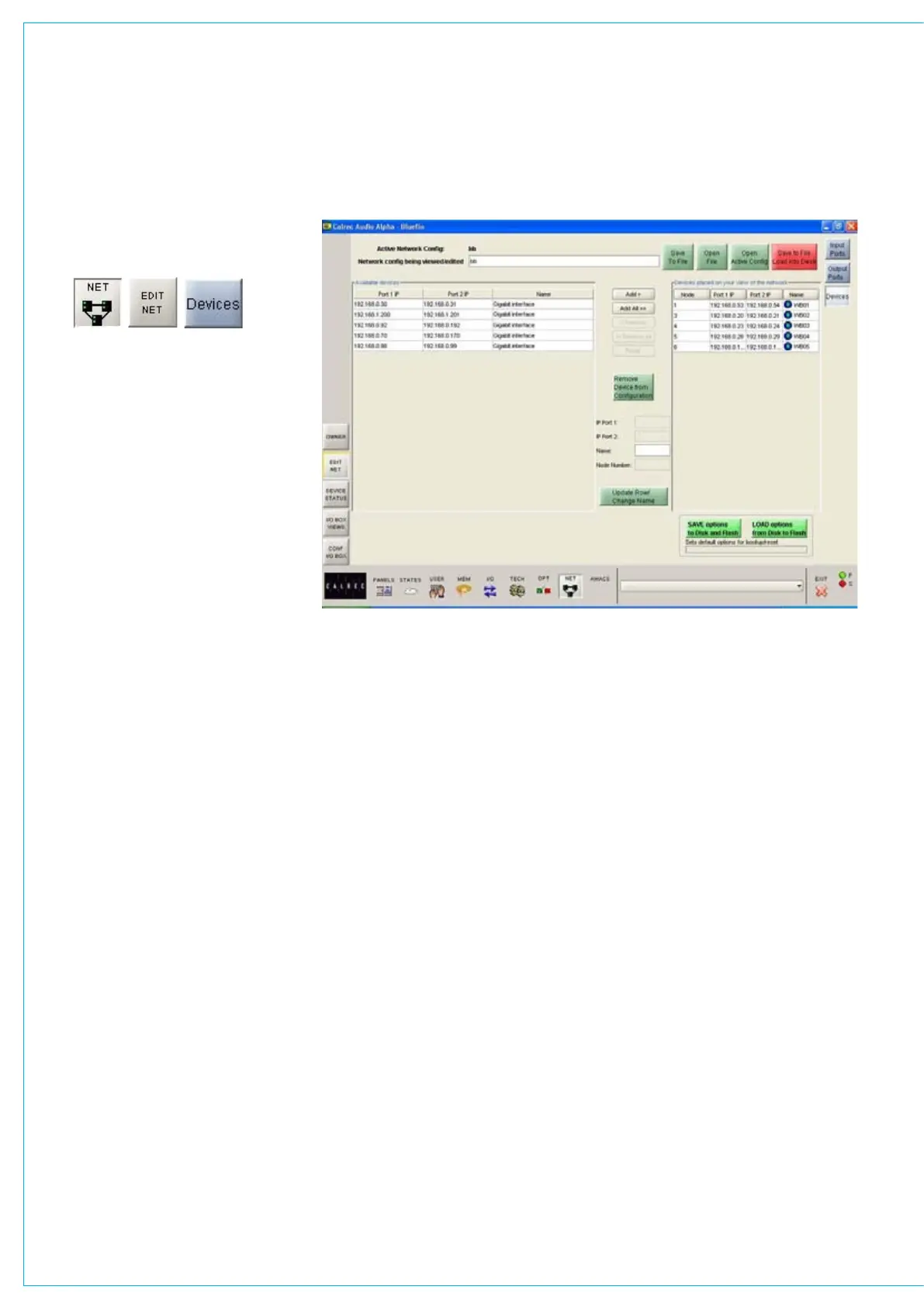
The window on the left side of the screen
shows the devices available to the
console. These devices will have been
loaded via the
CONF I/O BOX screen.
The window on the right side of the screen
shows the devices the user selected for
this session.
The Add and Remove buttons are used
to add or remove devices to and from
the session. The Remove and Remove
All buttons are only available when the
console is in Technician Mode. Once
the required devices are added, the input
and output lists may be setup using
the EDIT NET-INPUT PORTS screen.
Configurations can be saved and restored,
to allow use on a job by job basis. This
allows multiple setups to be configured
offline, and stored for later use.
Saving Network Configurations
Changes to the network configuration will
not take effect until “Save to File, Load
Into Desk” is selected. Then, the changes
become active and the configuration is
saved to the hard disk. If any subsequent
changes are made, the “Save to File, Load
Into Desk” button will flash to indicate that
the configuration on the screen does not
match the active configuration.
Open File allows a previously saved
configuration to be opened. When
opened, the configuration will be loaded
onto the screen, but will not take effect
until “Save to File, Load Into Desk” is
selected. The button flashes to indicate
that the configuration on the screen is
different to the active configuration. The
NETwORk CONfIgURATION
console checks that the configuration is
compatible with the system. If there are
discrepancies, an “Error Showing Active
Config” message will appear.
“Save to File” saves the configuration to
the hard disk without loading it onto the
console. “Open Active Config” retrieves
the settings that the system is currently
using and displays them on the screen,
replacing the current configuration being
viewed.
Options
Network configurations are not saved
with the user memories, so it is important
to save the options to disk and flash
once the network is configured using the
buttons at the bottom of the screen.
If they are not saved, the next time the
desk boots up the console will revert to
its previous settings, which could mean
that a different network configuration is
loaded. This could cause problems should
the console have to be reset during a live
broadcast. It does however allow changes
to be tried out without losing the original
settings and these original settings can
be restored without having to re-boot the
system.



 To Next Page