132 OffLINE EDITOR Digital Broadcast Production Consoles
The Offline editor works by
providing an emulation of the Calrec
console PC application on any
other PC such as a laptop. To avoid
confusion, this Calrec supplied rack
mounted PC will be referred to as
‘the console PC’ and the computer
on which the offline application is to
be run is referred to as ‘the laptop’,
though of course it could be any
desktop PC.
The version of the Calrec Offline Editor
application to be installed on the laptop
must mirror the version of the console
software in use. If the laptop is going to be
used with non Bluefin desks, it will need
the offline application for version 1.36 and
if it is also needed to prepare sessions
for Bluefin desks, it will also need the
offline application for software version 2.6
installing. Desks must be running 1.36
(non-Bluefin DSP) or 2.6 (Bluefin) to work
with the offline editor. If later versions
are used on a console, additional offline
application programs will need to be
installed.
When installing a new version of the
Offline Editor, be sure to remove any
previous versions from your machine
Preparing for offline working
The Calrec main application on the
console PC relies on an up to date version
of Java being installed. The laptop also
needs to have a current Java version
installed. If there is none, or if any of the
offline editor displays seem incorrect,
download the latest version from:
www.java.com/en/download/manual.jsp.
Creating the Application
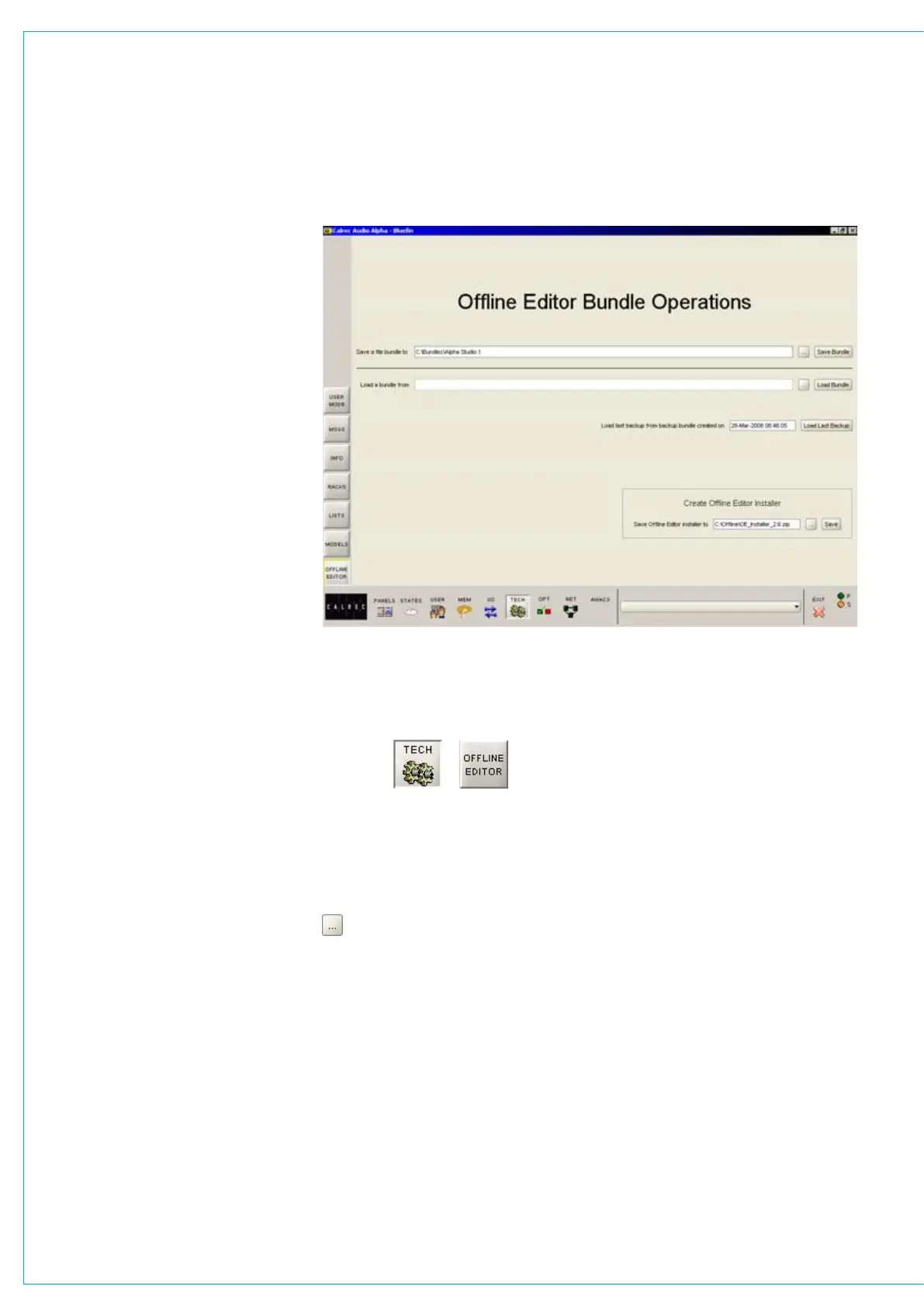
The application program is created from
the console PC by going to the Offline
Editor page.
The editor installation application can be
created anywhere on the console PC,
including removable USB or drives, or
when the PC port is appropriately linked, it
can be a network location.
In the ‘Create Offline Editor Installer’
section, click the browse button to browse
to the required location then press Save.
PART 1 - ON THE CONSOLE PC
Bundles
As most Calrec consoles have a unique
configuration by way of fader quantity,
I/O port numbers, surface panels etc. the
Offline Editor has to know all the specific
details about the desk which is being
emulated and it does this by reference to
a file “bundle”.
This same screen allows a location to be
specified for the console’s file bundle to
be created.



 To Next Page