CALREC Putting Sound in the Picture 127
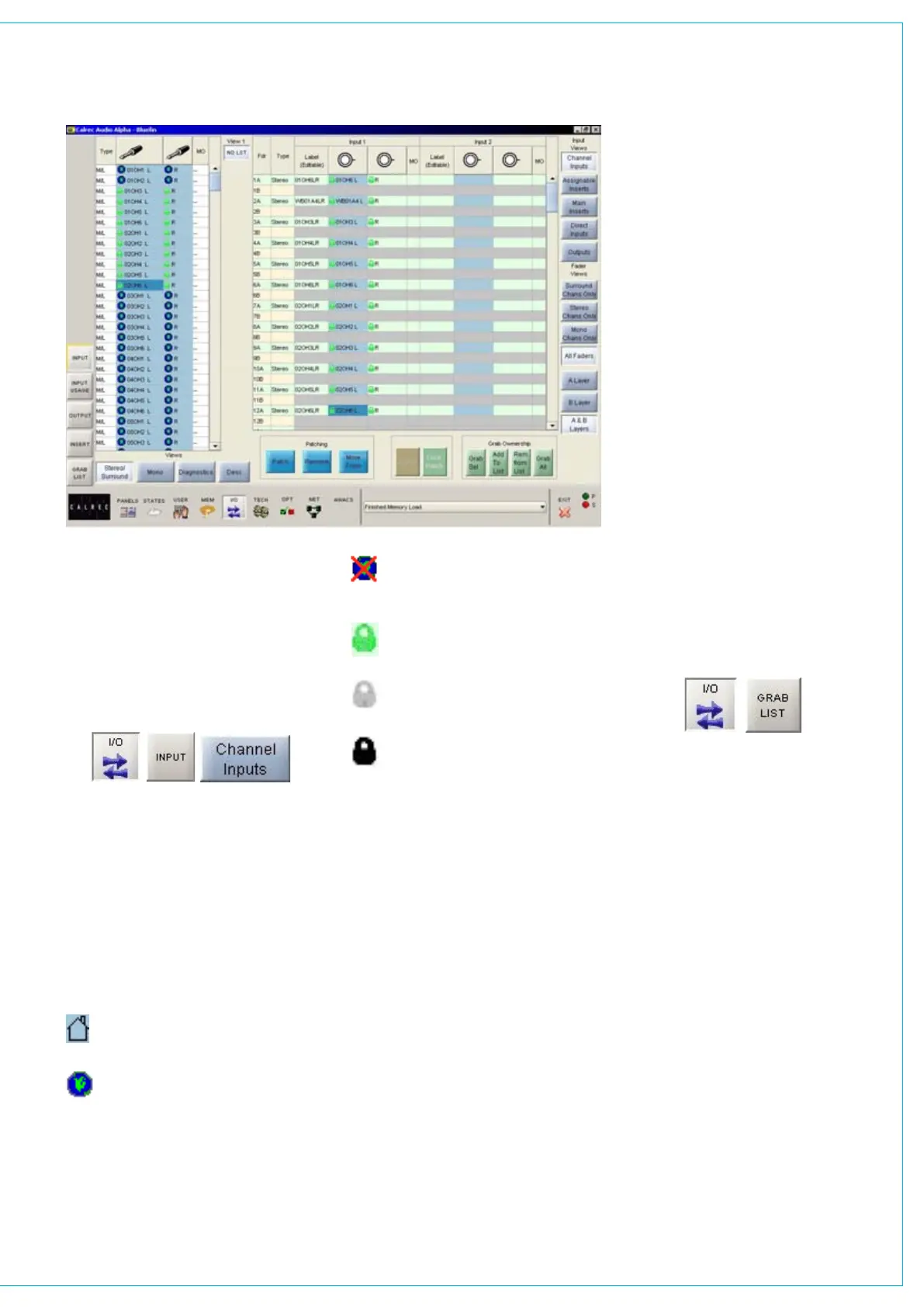
Hydra ports can be allocated to lists on
the Options - Port Lists screens, just like
local ports. Hydra ports are displayed on
the left side of the screen alongside local
ports, and are patched to console inputs
on the right side of the screen. Like local
sources, networked sources and their
settings are saved with the memories.
Sources have icons to denote their type,
they are as follows:
House - A source which is local to the
console
World - A Hydra source on a device
which is heartbeating
PATCHINg HyDRA SOURCES
World with a red cross - A Hydra
source on a device which is not
heartbeating
Green Padlock - The console has
ownership of this Hydra source
Grey Padlock - Another console has
ownership of this Hydra source
Black Padlock - The source has
been added to a grab list.
Patching
Assignment is made by selecting a source,
and an input or output, and selecting Patch.
The source’s name can be edited in the
label column. The new name is stored with
the channel input and replaces the source
label on the fader display.
Once patches are
made, they can be removed when selected by
clicking REMOVE.
Connections can be moved between
channel inputs when selected using
the MOVE FROM button. The Input
1 or 2
field will be highlighted and the
PATCH, REMOVE and MOVE FROM
buttons will be replaced with MOVE TO,
and CANCEL. Upon selection of a new
patch point, pressing MOVE TO will move
the connection. CANCEL will cancel the
operation.
Surround Signals
It is not recommended that ports on
a Modular Hydra I/O box should be
combined with ports on a standard Hydra
I/O box to create a 5.1 surround signal.
Grab Ownership
When a networked port is patched,
ownership of it assigned to the console.
In the case where several consoles
share sources on the same network, the
console that connects to the port first
will be given control (ownership) over that
source/destination.
Other consoles that
subsequently connect the same port will not
be able to control it.
In circumstances when the ownership
needs to be overridden, the grab buttons
allow the console to grab ownership of the
patched network port, either altogether,
individually, or by adding them to a “Grab
List”. When one or more Hydra ports
are added to the grab list, the “Grab All”
button changes to “Grab List”.
The grab list can be viewed on the Grab
List screen, accessed on the left side of
the I/O screens.
Patching Hydra inputs to Hydra
outputs
Once of the strengths of the console
patch system is that local inputs can
patched to local outputs without needing
to pass via a console channel. This makes
for a flexible system with A-D and D-A
conversion as necessary. Hydra input
ports can also be patched to local console
outputs and local console inputs can be
patched to Hydra outputs.
The architecture does not allow the direct
patching of Hydra input ports to Hydra
output ports on the Hydra network. When
required, this result can be achieved by
patching a Hydra input port to a MADI
output and a MADI input to the required
Hydra output. The MADI output ports
should of course be linked back to the
MADI input ports. As the Calrec MADI
interface unit provides two MADI ports,
either the full capacity of 128 audio legs
can be linked or just half of the system.



 To Next Page