PRE
ON
11 12 13 14
15 16 17 18
8765
4321
11
19
9
20
10
PAN
AUXILIARY
AUXILIARIES
AX4886
+ 3.5 1 -12.0 2 + 1.0 3 -18.0 4
-12.0 5 - 7.0 6 -12.0 7 - 7.0 18
-10 - 6
PRE
ON
12
PAN PRE
ON
13
PAN PRE
ON
14
PAN
PRE
ON
15
PAN PRE
ON
16
PAN PRE
ON
17
PAN PRE
ON
18
PAN
PRE
ON
19
PAN PRE
ON
20
PAN
The ON button switches the feed from
the currently assigned channel or group
to that auxiliary output bus. Each feed
is post the channel or group fader, but
can be pre-fader, selected using the PRE
button.
There are 20 mono auxiliary output
busses, which can be paired up to be
used as stereo auxiliary output busses.
The busses are pre-set to be mono or
stereo on the USER-BUSSES screen.
If, for example, aux 9 is set to be stereo,
then aux 19 will not be available (and aux
19 will not work on the Monitor Selector
panel). When a pair of auxes are changed
in this way, all settings of the pair are
cleared.
On mono auxiliaries, buttons 11 to 20
switch the control to aux sends 11-20.
On stereo auxiliaries a dual level display
will be shown. For example, aux 9 and
10. Here buttons 19 and 20 will be
inoperative.
AUxILIARy SENDS
PAN makes the control into a Pan control
(balance on stereo channels). Any pan
offset will be shown as an offset between
the two bars of the display.
The aux output levels and direct input
switching and levels are controlled on the
auxiliary output panels.
Pre-send cut options are available on the
USER-BUSSES screen.
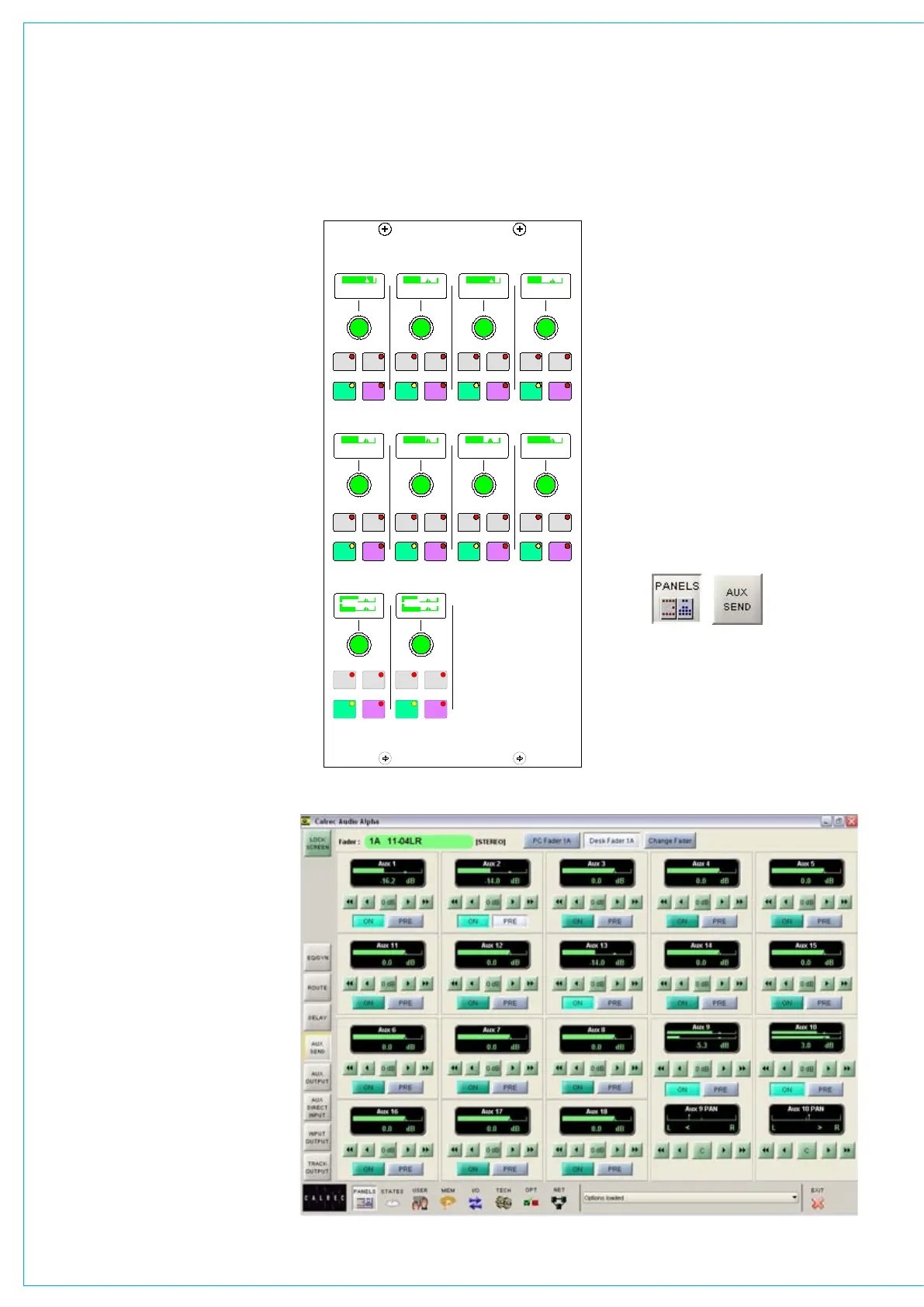
Panels - Aux Send Screen
The user can view and adjust the Auxiliary
send controls using the Panels - Aux
Send screen.
All of the controls available on the
Auxiliary panel are also available on this
screen. In addition, the user can choose
whether to adjust the aux send settings
of the currently assigned fader path, or to
select a different fader, known as the “PC
Fader” to which aux send settings can
be applied independently of the current
assignment.



 To Next Page