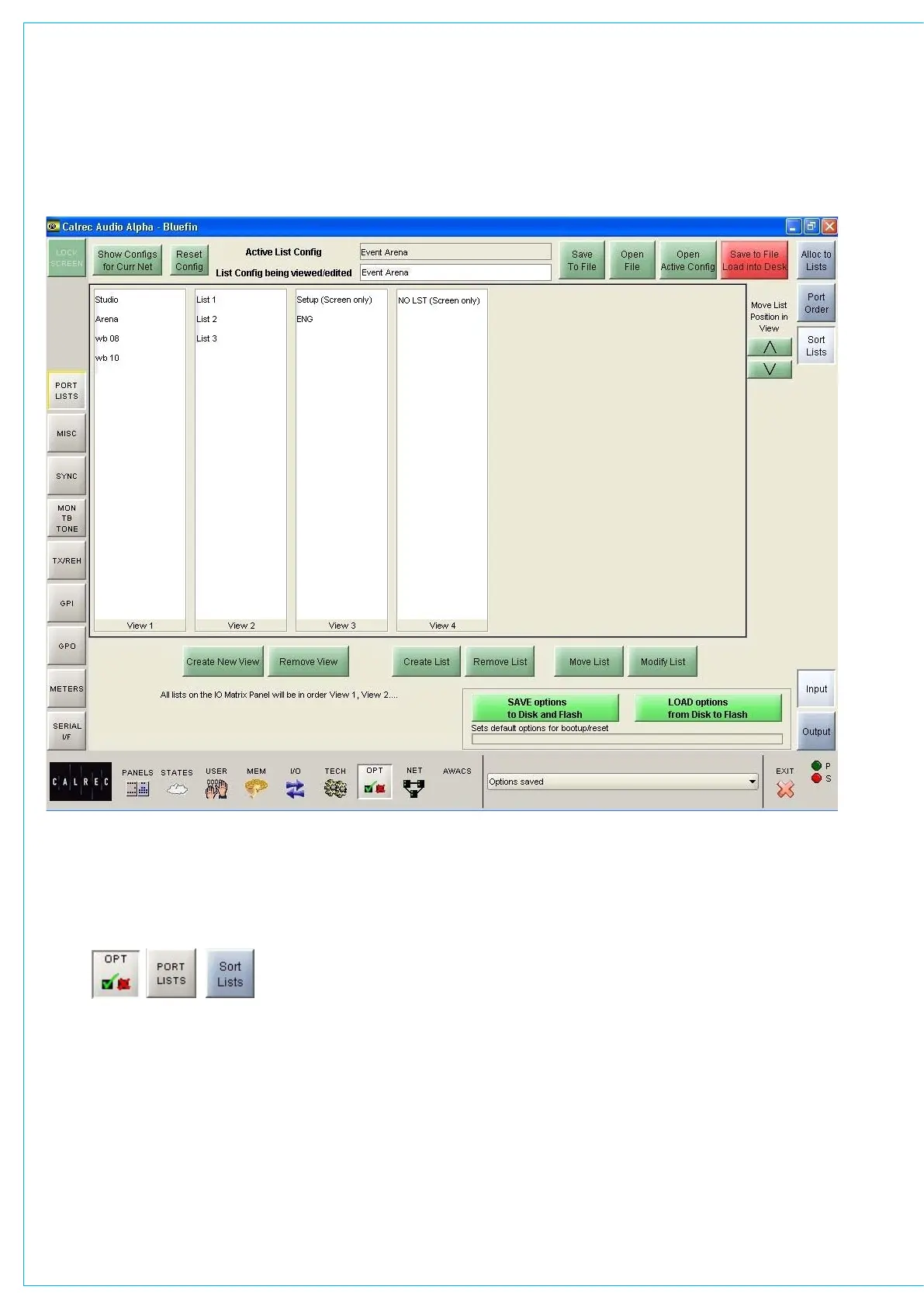
SORTINg AND MANAgINg PORT LISTS
“Create New View” and “Remove View”
allow list views to be created and removed.
When a view is removed, any lists
occupying it will move to previous view.
“Create New List and Remove List” allow
lists to be created and removed (once lists
are removed from a configuration they are
deleted permanently).
“Modify Lists” allows each list to be
renamed, moved to a different view and set
to be screen only. Screen only lists will be
denoted as such.
On the I/O patching screens, all the lists
in View 1 will be available for selection in
the main patching area. Lists allocated
to subsequent views will be accessed
using the “More Lists” button on each
I/O patching screen. Placing views
under “More Lists” means that they are
hidden from immediate view on the I/O
patching screens. This ensures that only
the relevant lists of ports are at the user’s
fingertips during operation.
Lists appear on the port selection controls
in the order View 1, View2, View 3 etc. The
order of lists within a view can be shuffled
using the nudge buttons on this screen.



 To Next Page