CALREC Putting Sound in the Picture 109
When an audio signal from a Router is
connected to the console, its associated
label is transmitted to the console via a
serial interface. The console can use
these labels as input names, and they can
then be displayed and used on the control
surface and front end application.
The console can support up to 256
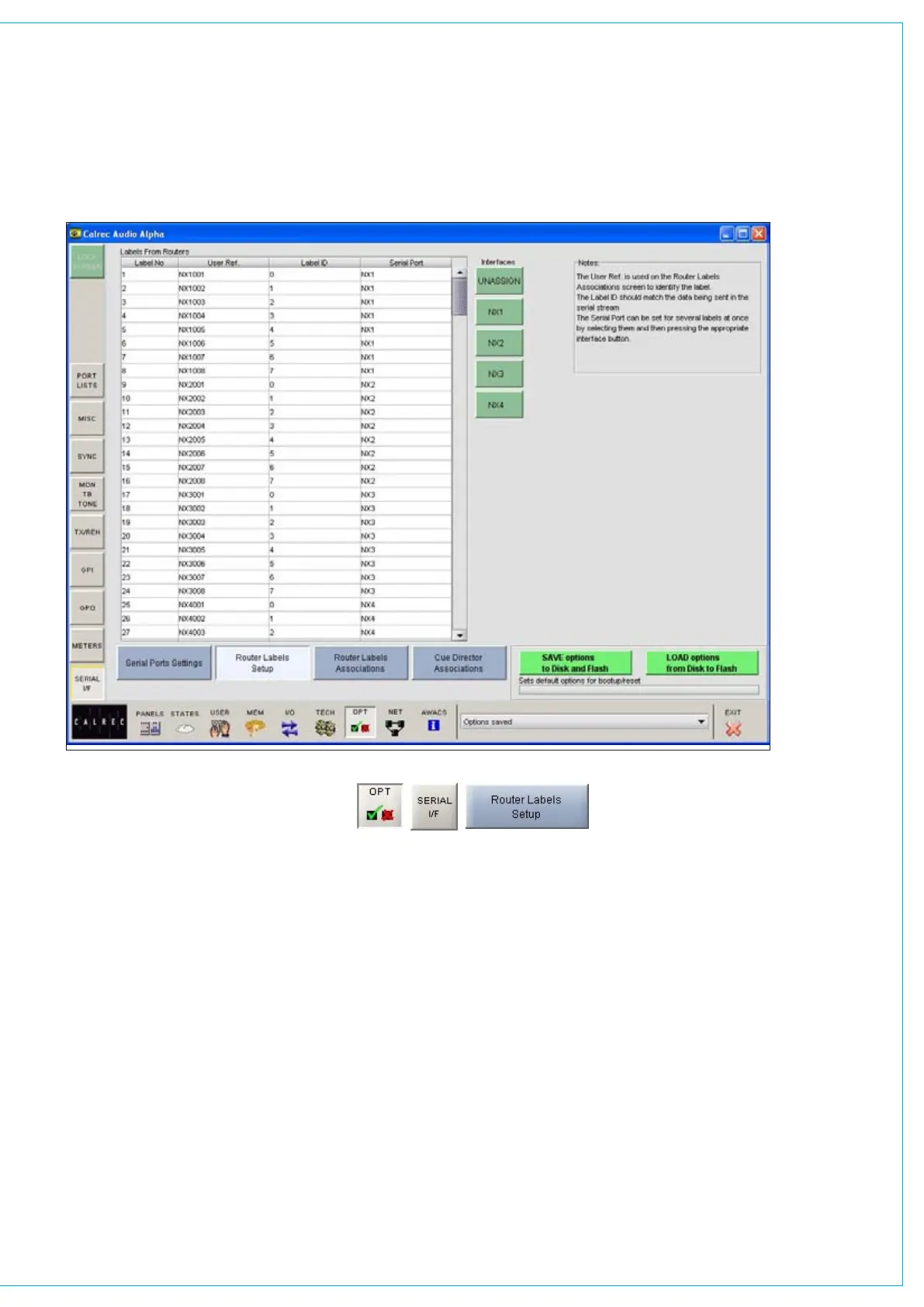
Router labels. The Serial I/F - Router
Labels Setup screen allows the link
between messages from the router to be
associated with one of the console’s 256
labels.
ROUTER LAbEL SETUP SCREEN
There are buttons next to the table, for
each serial port function previously set
up on the Serial Port Settings screen.
To associate labels with a serial port
interface, select the label, or region of
labels, and select the required serial port
function button. The serial port column
tells the user which serial port function the
label is linked to. The UNASSIGN button
when selected will remove any assignment
from the selected label(s).
A Router uses a reference code to define
each of its output ports The user must
enter these reference codes into the
Label ID column for each label.
The User Reference column allows the
user to give the label a friendly name of up
to six characters.



 To Next Page