CALREC Putting Sound in the Picture 95
SAVINg AND RESTORINg LISTS
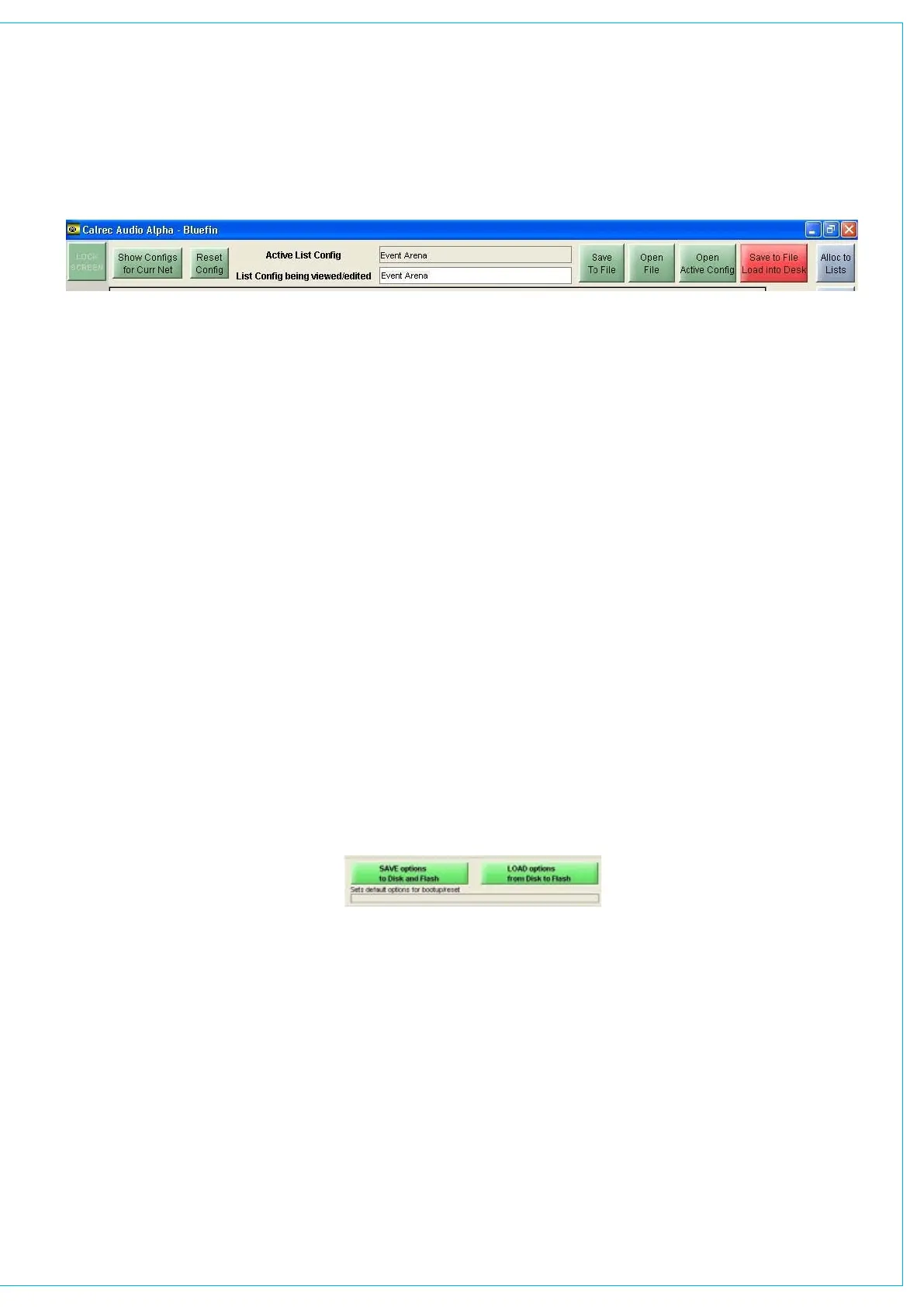
The currently active configuration will be
shown at the top of the screen, and the
configuration currently being viewed/
edited is shown in a box underneath.
When creating a new configuration, a
name for it must be entered in this box.
Save to File, Load into Desk
Changes to the configuration being
viewed/edited will not take effect until
Save to File Load into Desk is selected.
Then the changes will be transmitted
to the console and saved to C:/alpha/
cust1/lists. If any changes are made to
the configuration, this button will light
in red (until selected) to indicate that
the changes to the configuration being
viewed/edited have not yet been saved
and loaded onto the console.
Open File
Open File allows a previously saved
list configuration to be restored. When
opened, the configuration is loaded into
the screens as “the list configuration
being viewed/edited”, it is not sent to the
console. When the configuration is ready
to be used, select Save to File Load into
Desk, and the configuration will be saved
and the settings sent to the console.
Save to File
This button saves the configuration being
viewed/edited without loading it onto the
console.
Open Active Config
This button retrieves the settings that the
control surface is using and displays them
on the screens as the list configuration
being viewed/edited. This allows
amendments to be made.
Show Configs for Curr Net
This button allows list configurations which
use the current network configuration to
be opened.
Reset Config
This button clears the current list
configuration of all its settings. All ports
are transferred to the NO LST screen only
list. A confirmation box must be accepted
before this action is carried out.
Save Options to Disk and Flash
As the list configuration screens are part
of the options set of screens, it is important
to save the options to disk and flash once
the list configuration is set up. Although
the list configuration itself is saved
separately, its active state on the console
has to be saved using these buttons.
The Options screens are used to pre-
set the system to the required settings.
These settings are not stored in the
individual console memories but are saved
and loaded separately.
Changes to options take effect as soon
as they are made, but, if they are not
saved, the next time the desk boots up
the options will revert to their previous
settings. This could mean that a different
list configuration is loaded onto the
console, which could cause problems
should the console have to be reset during
a live broadcast. It does however allow
changes to be tried out without losing
the original settings, and these original
settings can be restored without having to
re-boot the system.



 To Next Page