CALREC Putting Sound in the Picture 71
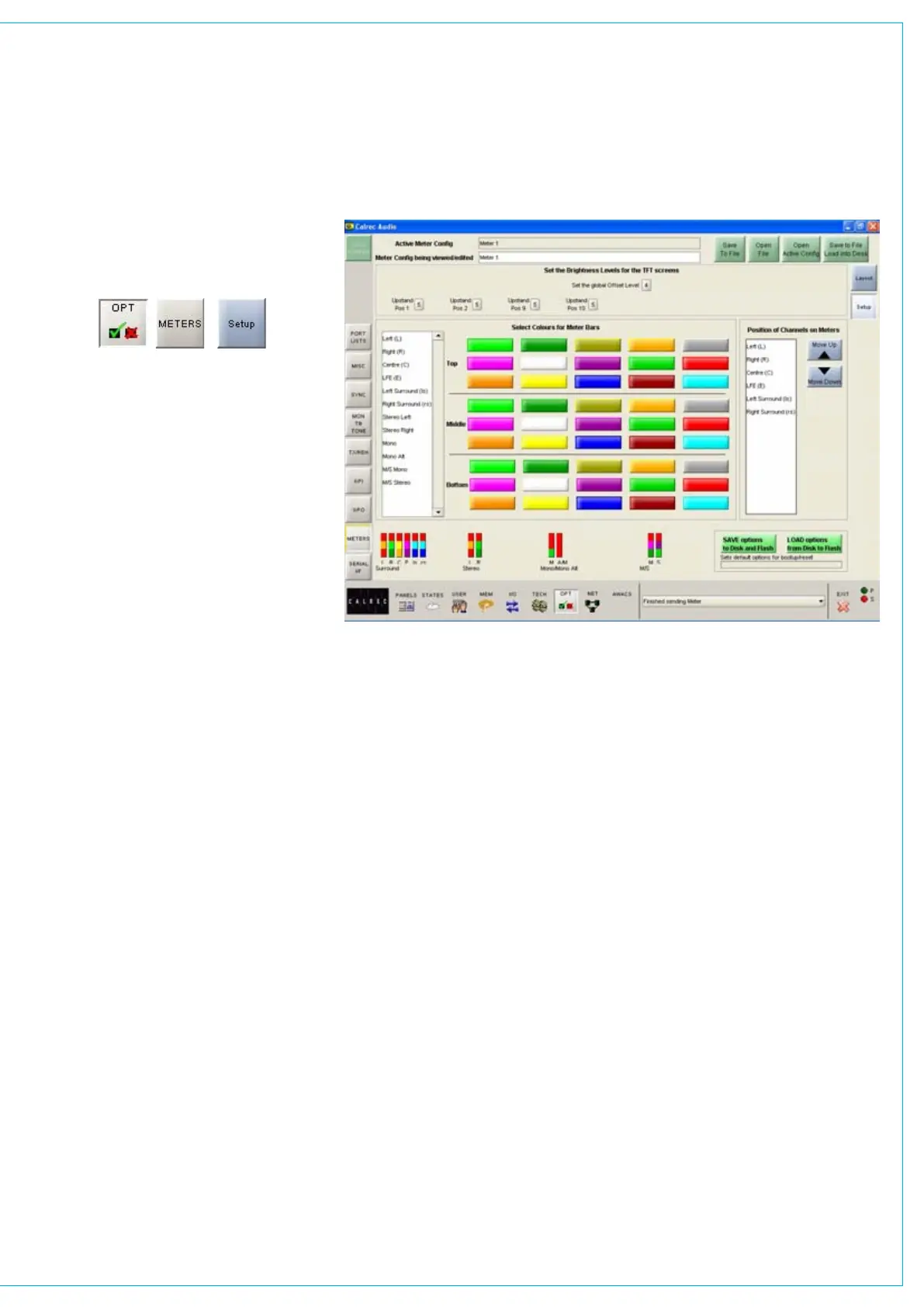
Bar colours
The user can select the colours to be
used on the meters. The top/middle/
bottom colours for each signal can be
selected independently. Select the signal
from the list, then select the colours from
the pallette. The selected colours for
each signal are shown at the bottom of
the screen.
Signal Order
The user can select the order that the
surround signals appear. The order can
be shuffled by selecting a signal from the
list and using the Up and Down buttons.
The order chosen will be used for all
surround meters.
Screen Brightness
Over time, the brightness of TFT screens
can degrade. For this reason, a set
of controls are provided to adjust the
brightness of each screen individually and
globally.
The screen in each upstand position can
be adjusted from 0-9 using the selection
buttons (0 is off). A selection window will
appear with the current level highlighted.
Selecting a different level will close the
window and the new level will be shown
on the screen. The global offset level will
adjust the brightness of all screens by the
value selectable in the same way, from -5
to +4.
TfT METER SETUP SCREEN



 To Next Page