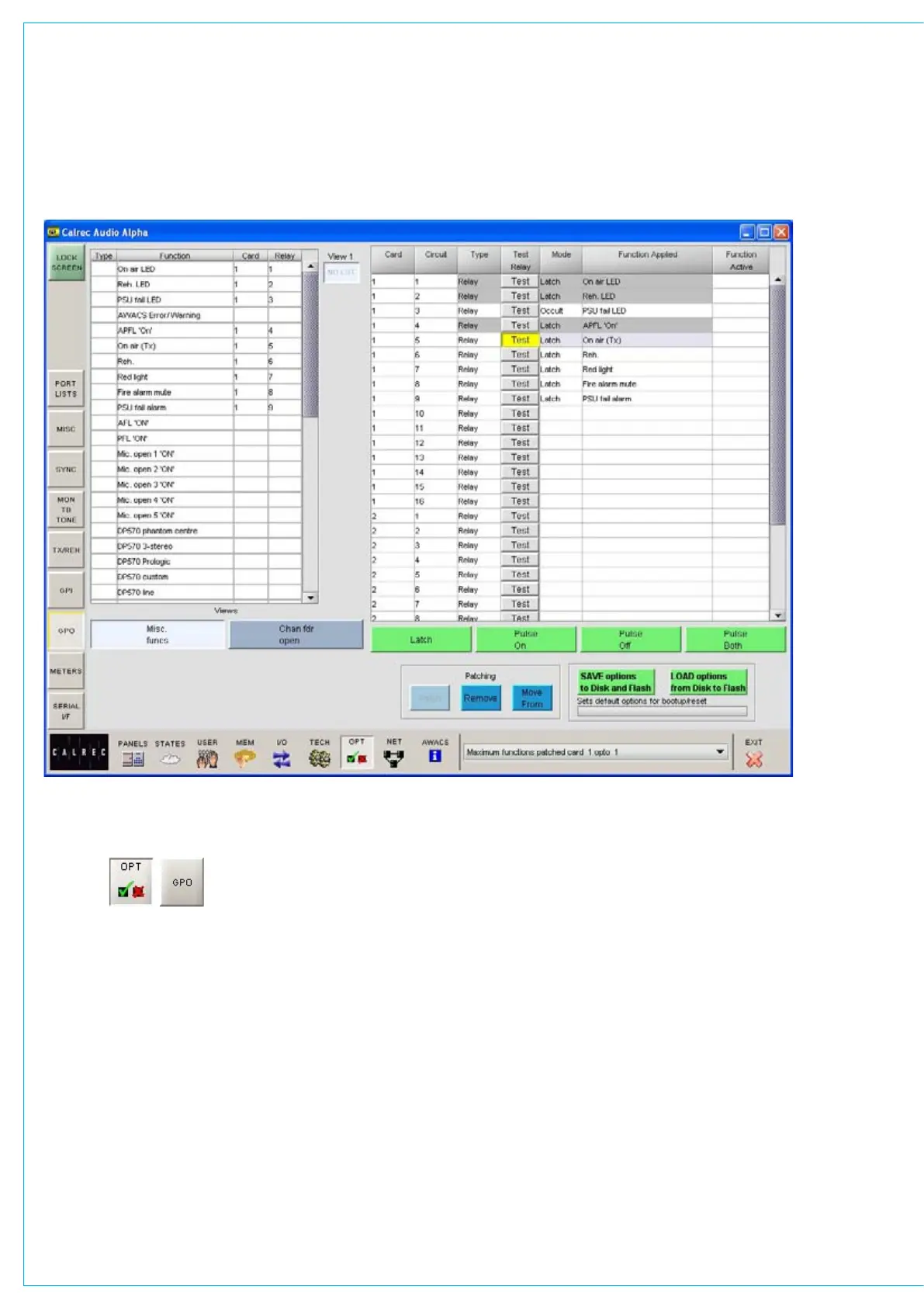
The GPO screen allows the general
purpose outputs to be set up.
“Misc Functions” or “Channel Fader
Open”
The relay-isolated general purpose
outputs can have various console
functions assigned (with “Misc Functions”
selected), or they can be set to operate
when particular faders are opened (with
“Channel Fader Open” selected). Console
functions can be assigned to more than
one output.
gENERAL PURPOSE OUTPUTS
GPO Patching
To make an assignment, select a
function (left side of screen), and an
output (right side of screen), and select
Patch. Assignment can also be moved
and removed, in a similar way to port
connections.
Latch or Pulse
The relay can be set to latch or pulse for
100 ms, when the console function is
activated. When setting the relay to pulse,
there are three different options.
Pulse On - Relay is set to pulse when the
function is activated.
Pulse Off -Relay is set to pulse when
the function is de-activated.
Pulse Both - Relay is set to pulse once
when the function is activated, and
again when the function is de-
activated.
A test button allows each relay output
to be simulated for testing purposes.



 To Next Page