Select the fader path you wish to copy,
by pressing its fader assign button. The
nudge buttons (< and >), plus A and B,
can also select the channel to be copied.
Select the controls you want to copy,
using the selection buttons I/PS, EQ,
FLTR, DYN, PAN, FDR, RTG, AUX, WILDS
or ALL.
Press TO FADER (flashes) then select
the required destination/s. Destinations
can be chosen by selecting fader assign
buttons, or using the ALL A or ALL
B buttons. In addition to any multiple
I/PS
FLTR
EQ
DYN
ALL
FDR
AUXRTG
ALL
A
ALL
B
WILD ASSIGN
4
3
2
1
CLR
ALL
CHANNEL COPY
ALLDYN
FADER
BARGRAPH
I/P
OFF
HOLD
PAN
FUNCTIONS
CA4724
O/P
DIR
ST ERE O
EXT
TEST TONE
><
ENABLE
MONO
EXT
INTERRUPT
TONE
LEVEL
L
2=R
1=L
SWEEP
FREQUENCY
1k
< >
OSCILLATOR
A
<
B
>
EXEC
FADER
FADERSCONTROLS
DEFAULT
REPLAY
CLEAR
C O NS OL E
CLEAR
SET UPCLEAR
AUX
CHANNEL GLOBAL
WILDS
ON
MIX MINUS BUS
DIRECT INPUT
COPY
FADER
TO
-11. dB
1012Hz + 1. dB
FDR19A
Drums
LEV
REF
CLEAR
TONE
SURR
EXT
WILD
ALT
EXEC
ONLY
0
0
CHANNEL COPy
destinations set, an individual destination
can be chosen using the nudge buttons
and the keypad on the I/O Matrix panel.
Once all destinations have been chosen,
the EXEC button executes the Copy.
If a surround channel is copied to stereo
or mono channels, or a stereo channel’s
settings are copied to mono channels,
only the relevant settings are copied.
Other settings will be reset to the cleared
down state. Any groups or main outputs
included in the selected destinations will
be ignored.
If the source fader is a surround channel
and the destination is a surround channel
the appropriate settings of the surround
master and all its spills are copied, Master
to Master and spill to corresponding spill.
Groups cannot be copied.
If the source is a stereo or mono channel
and the destination is a surround master
the master receives the copied settings
and then applies them to all its non-
independent spill legs.
Surround spill paths cannot be copied
independently of their surround master. It
is not possible to select a spill fader as the
destination for a channel copy.
I/Ps copies LB, RB, ØL, ØR, M/S and
balance settings (only Ø for mono
channels) for inputs 1 and 2, and also the
input gains, SRC or phantom power when
the inputs are of the same type.
EQ and FLTR copy EQ and filter settings
(includes IN/OUT, Alternate, CH or DYN
and surround spill independence settings).
DYN copies the dynamics settings but not
whether the EQ or filters are switched in
the dynamics. Any surround spill control
and link independence settings are
copied.
PAN copies pan and width settings as
appropriate.
FDR copies the fader and CUT settings,
but not PFL/AFL selections or VCA group
assignments.
RTG copies the routing to main outputs
and groups but not the routing to tracks.
AUX copies the routing and levels to the
auxiliaries.
WILDS copies the Wild assignments but
not their settings.
ALL copies all of the above.
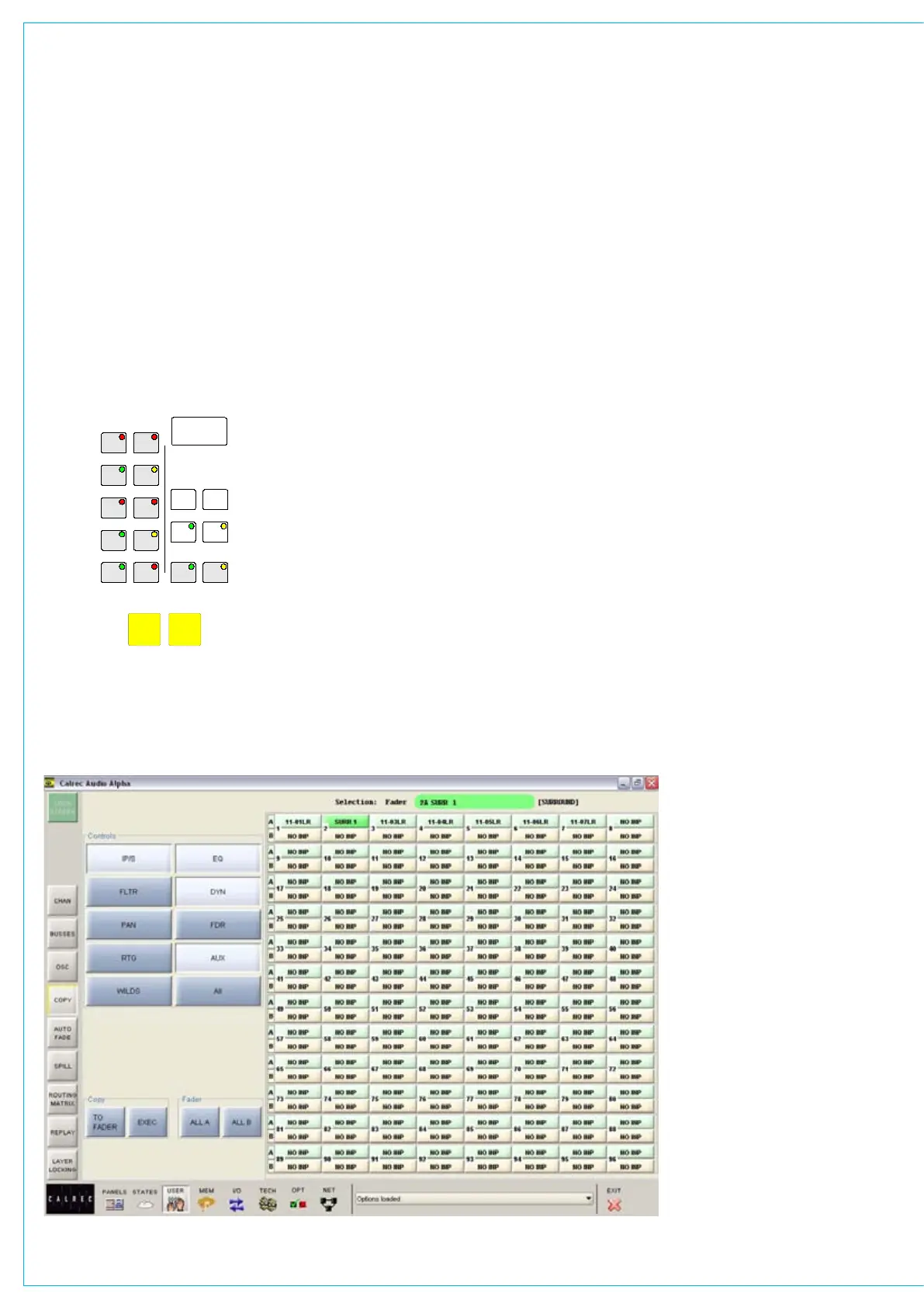
User-Copy Screen
In addition to the controls
on the Functions Panel, the
User-Copy screen allows copy
functions to be carried out
from the screen.
The right side of the screen
shows the fader paths A and
B. To make changes, select
the required fader path either
from the screen or by pressing
its fader assign button, and use
the controls on the left side of
the screen.



 To Next Page