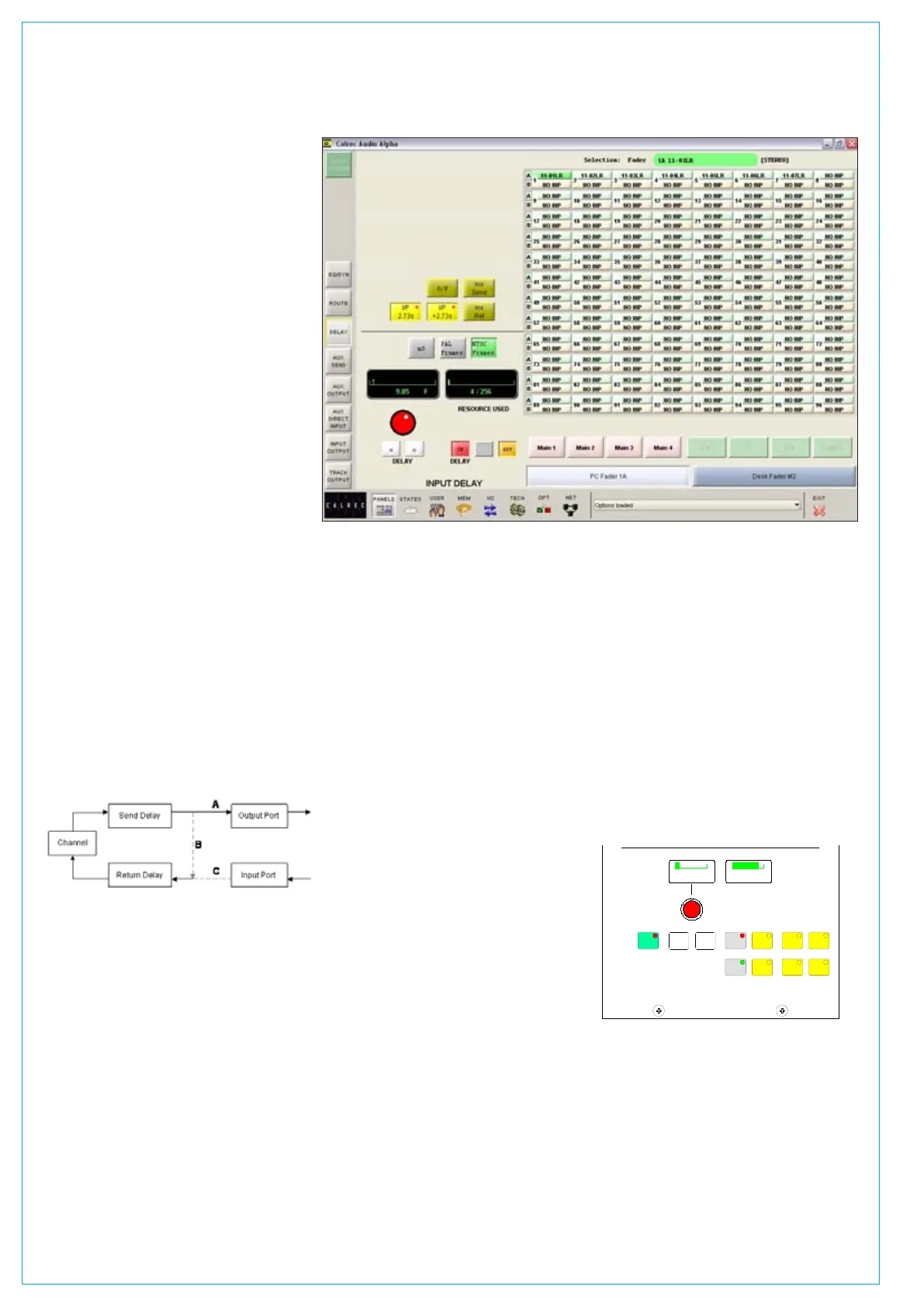
Panels - Delay screen
This screen allows specific amounts
of delay to be applied to the currently
assigned channel path. Alternatively, the
user can choose to control a different
fader, known as the “PC Fader” to which
settings can be applied independently of
the current assignment. Control is chosen
using the screen’s selection buttons. Delay
is assignable in the following places:
Inputs:
Either or both channel inputs (1 & 2)
•
Channel, group and main insert returns•
A second leg of delay on either or both •
channel inputs (allows up to 5.46 secs)
Outputs:
Channel, group and main insert sends
•
Channel and group direct outputs•
In addition, group inputs each have 2.73
seconds of delay permanently allocated.
Insert send/return delay
The output of an insert send can be looped
directly back into the insert return input
providing the capability for an in-line delay
either pre EQ, pre fader or post fader.
Insert send delay is always available,
providing an output port is patched (A).
If insert send or return delay is assigned
with the insert switched out, then the send
signal is looped back into the return to
provide delay at the insert position (B). The
send audio is still routed to any output port
that may have been patched.
Switching the insert in breaks the loop and
the return acts as before taking the return
signal from any input port that may have
been patched (C).
With delay assigned to both send and return
it is possible to have up to 5.46 seconds of
DELAy
extra delay in the channel or group. This is
also available for the main inserts although
a single leg of delay only can be applied to
the insert return.
Assigning delay
Select the path either by pressing its fader
assign button or by selecting it from the
screen. The yellow selection buttons allow
the user to specify where the delay will be
assigned. The delay value is adjustable
in 0.1ms steps using the rotary control,
and 10ms steps using the nudge buttons.
The RESOURCE USED display shows the
number of legs assigned. If there are not
enough free delay blocks then delay is not
assigned to any part of the channel.
The ASS button is used to assign the
delay, and the IN button switches the set
value of delay in and out of the path.
Interrogation
Holding down the interrogate button will
indicate the channels which have delay
assigned by lighting their fader assign
buttons. It is not possible to perform
interrogation when controlling a “PC
Fader”.
PAL frames, NTSC frames or ms
The selection buttons on the screen allow
the information to be displayed in ms, PAL
frames or NTSC frames. Changing the
display units changes the resolution of the
delay shaft, nudge up and nudge down
buttons accordingly.
Delay on surround channels
On 5.1 surround channels, delay is
assigned and adjusted using the surround
master. Each spill leg of a surround
channel will always have the same delay
properties. The delay settings of an
individual spill leg can not be assigned,
adjusted or cleared independently of its
surround master.
Optional delay panel
The Delay panel provides a set of delay
controls on the control surface in addition
to those already available on the Panels-
Delay screen. Display units are not
adjustable on the optional delay panel.
Delay controls can be assigned to Wild
controls, such that the delay value can be
adjusted using the channel control module.
If the wild shaft push feature is enabled
on the Options-Misc screen, then the wild
delay control shaft can be used to switch
the delay in and out of the channel’s path.
If the optional Input Delay panel is not
used, delay can still be assigned to Wild
controls using the User-Chan screen. A
screen button is provided, for use instead
of the rotary control push-switch.
ASS
DELAYDELAY
<< >>
PD5580
12/256
20.0 ms
RESOURCE USED
DELAY
INTER
I/P
2.73s
IN
I/P
+2.73s
INS
RET
INS
SEND
O/P



 To Next Page