36
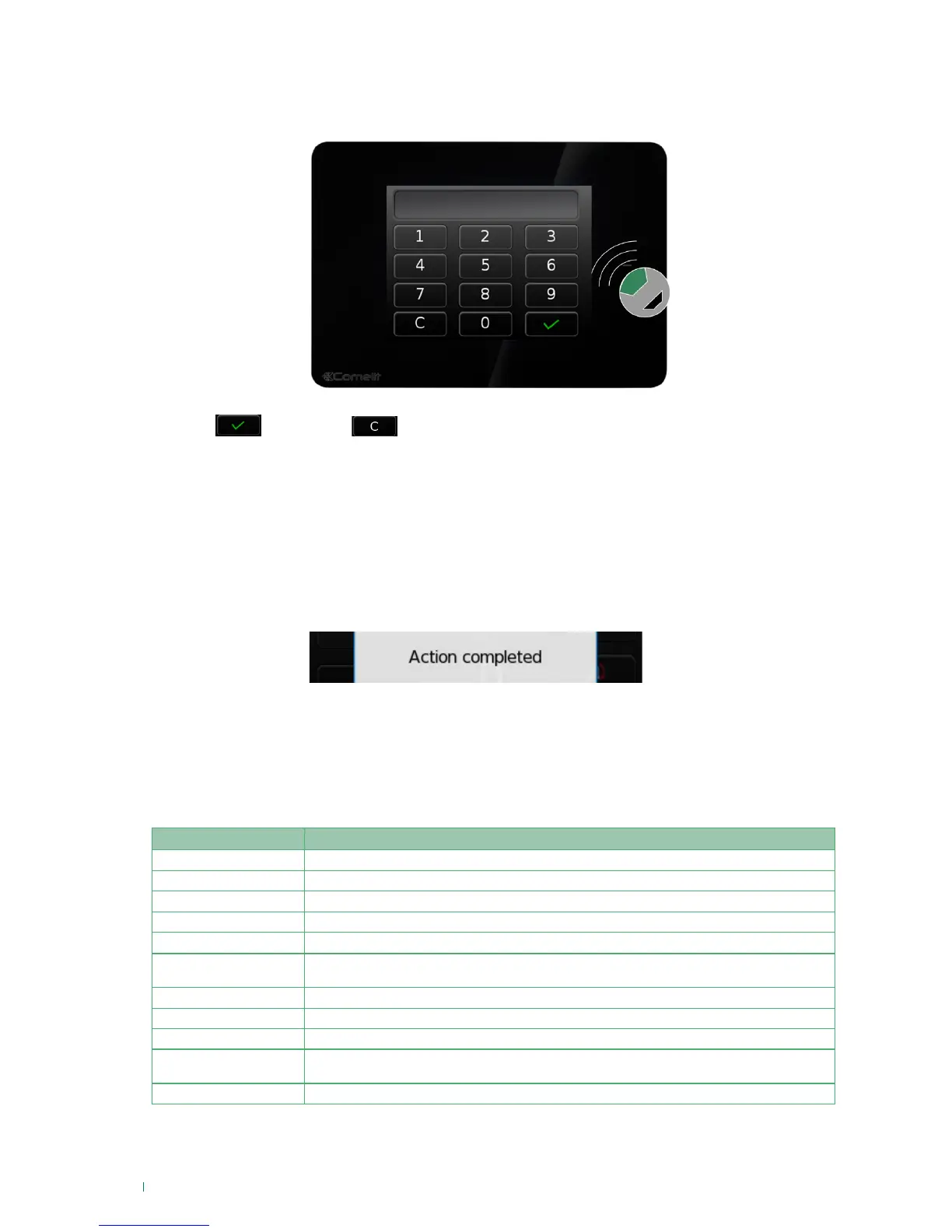
Screen: code entry
To perform most operations, you must log in with a user code or an RFID key. When the code is required,
the following screen will appear:
1. Enter your password (6 digits) and
2. Press
to confirm or to cancel.
hold the key next to the sensing area to enter the code and perform authentication.
IMPORTANT: When the product leaves the factory, only User 1 is available and enabled with the code 111111.
OR:
Screen: Action completed
After completing an action (such as enabling timed activations), when the execution is complete the
following action completed screen appears.
Vedo Touch signals
IMPORTANT: if the screen is not touched for one minute, it switches off and enters energy saving mode.
Buzzer
The buzzer integrated in Vedo Touch beeps when any valid key is pressed. Furthermore, depending on the
options selected during the programming stage, the buzzer can signal:
To enable/disable the buzzers see page "Buzzer" on page 8.
*The symbol "•” represents a short beep, the symbol “—” represents a long beep. The distance between the “•” symbols
represents the time frequency of the beeps. The size of the symbols represents the relative volume of the beeps “•·”
Beep* Alerts
• Key pressed
— (1 sec.) Activation confirmed
— (2 sec.) Total deactivation confirmed
•••••••• (2 sec) Failed activation
•••••••••••••••••••• At least one zone is in alarm condition
••••••••••••••••••••
At least one zone is in "pre-alarm" condition (time period between zone violation and Alarm
event generation).
• • • • • • • Automatic activation pre-alert time
• • • • • • • At least one zone is in "Exit time" condition
• • • • • • • • • • At least one zone is in "Entry time" condition
•·•·•·•·•·•·•·•·•·•·•·•·•·
Signals that a zone with the chime attribute (zone opening alert chine) has been opened. The
buzzer is activated only if the violated zone is not activated
• • • • • • • • • • • • • Waiting for key to be presented for acquisition of RFID key












 To Next Page