53
Options menu
IMPORTANT: for all parameters edited using the 'Options' menu, successful editing is confirmed by the
'action executed' and 'configuration update in progress' screens.
Change PIN
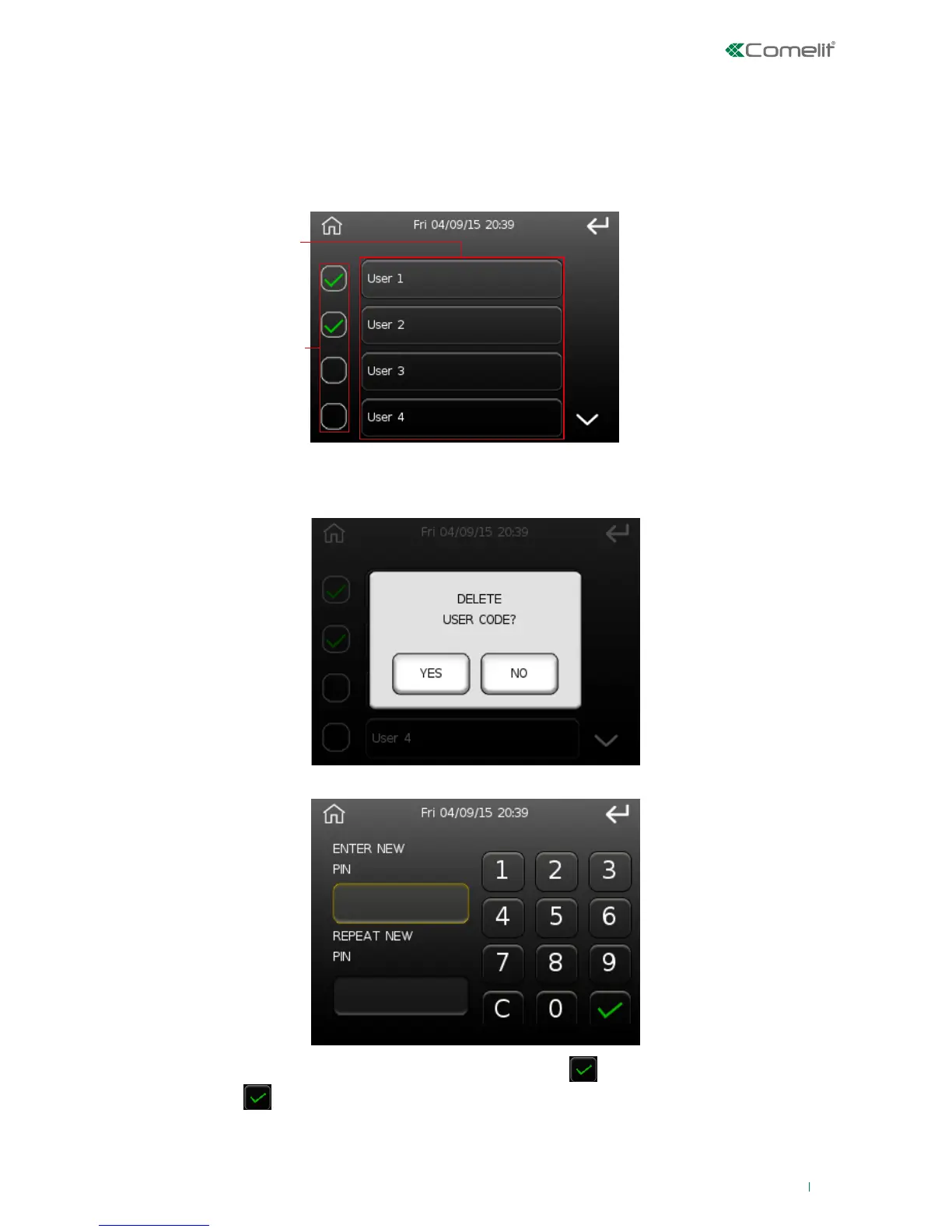
This option can be used to change the 6-digit user code.
1. User description
2. User active indication (a green tick appears to indicate the user is active)
Press button '2' to delete the corresponding user code, the following will appear to confirm deletion:
To change the code, enter the new code and then press
to confirm, repeat the new code and
press
to confirm.
Press the user description ('1', if the user is active); the following screen will appear:












 To Next Page