50
Output commands
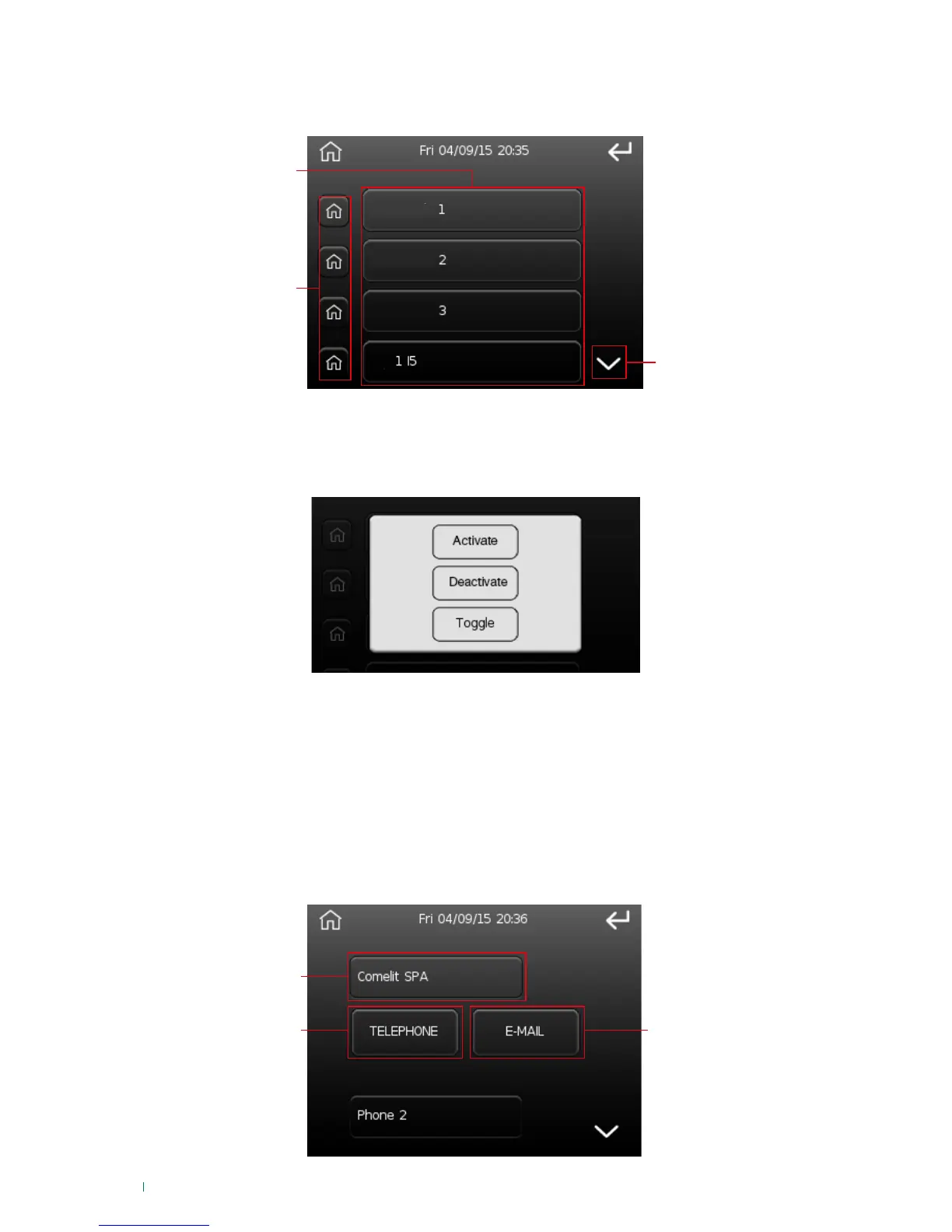
This option can be used to work on the status of the system outputs.
1. List of system outputs
2. Output activation buttons
3. Scroll through the list of outputs
Press the buttons on the list of outputs ('1') or the activation buttons ('2') to change the output status;
after pressing the button the following screen will appear:
After pressing the button corresponding to the action, command execution is confirmed by the 'Action
executed' screen.
IMPORTANT: 'Deactivate' and 'Toggle' commands will only take effect if the output has been configured
as bi-stable by the installer.
• Activate: to activate the output
• Deactivate: to deactivate the output
• Toggle: to change the status, if active it will be deactivated and vice-versa
Telephone contacts list
This option can be used to edit the phone book memorised on the control unit.
The buttons have the following meanings:












 To Next Page