EasyManua.ls Logo

Comelit VEDO - Edit Email Address; Options; Keyboard Emulation

Comelit VEDO
84 pages
Print Icon
To Next Page IconTo Next Page
To Previous Page IconTo Previous Page
Loading...
1
2
3
4
3
52
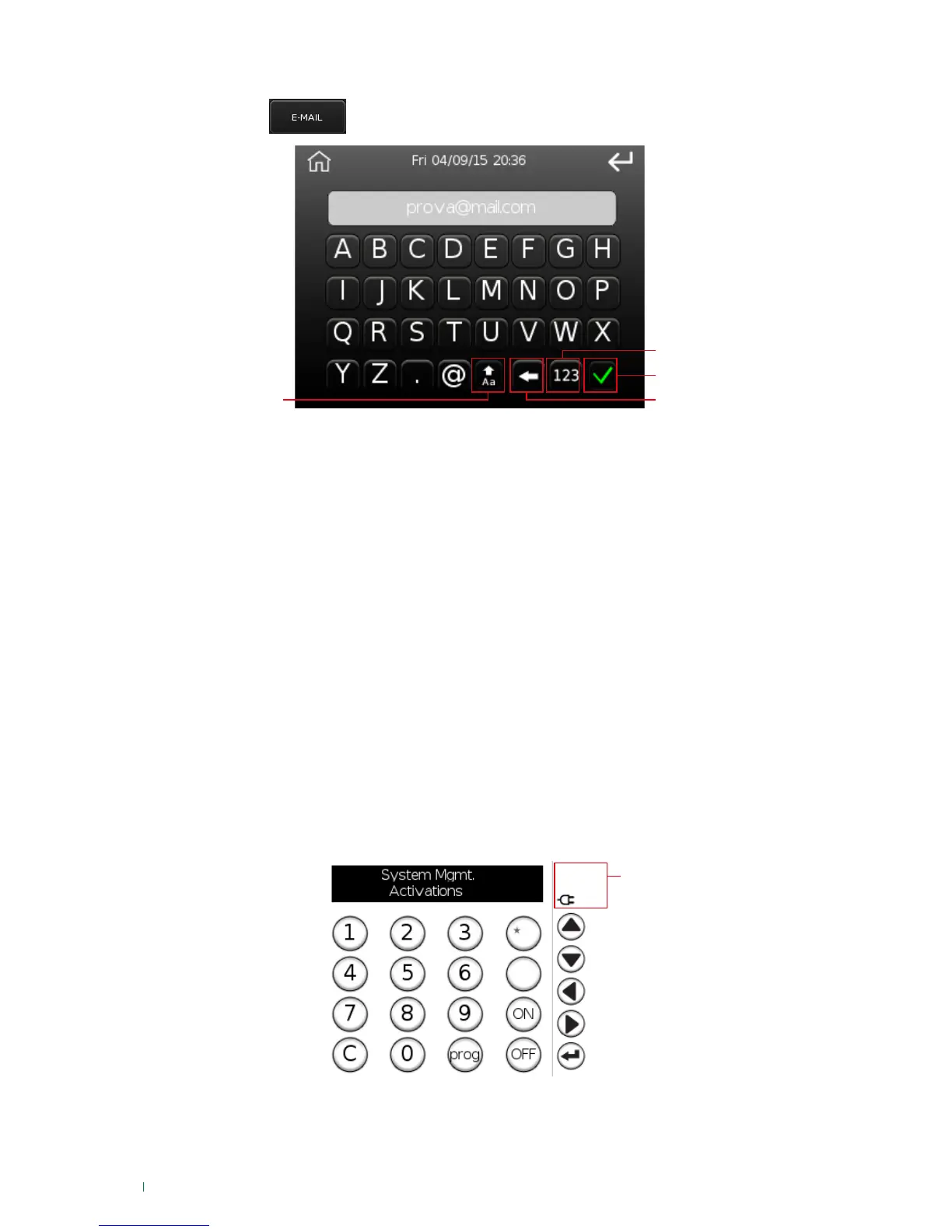
Edit email address
Press the button and enter the email address on the following screen.
1. Upper/lower case mode, in upper case mode the button turns green
2. Number mode
3. Confirm key
4. Delete character
Options
Press the 'Options' menu to access another menu containing the following options:
Change PIN
Set date and time
Voice menu
Installer
Register key
Delete key
Auto-activations
Timer
LED management
Organize desktop
Buzzer
Configuration
Keyboard emulation
This menu generates a screen replicating the functions of the user menu shown by the keypad.

Table of Contents

Other manuals for Comelit VEDO

Related product manuals