U U U UU U
14:20 07-07-2015
Fault:
Touch Fault
8
If an event occurs, the keypad will display it on both lines, with the first line displaying the type of event
(fault, open zone, tampering) and the second displaying a description of the event.
To move from the event display screen to the standby screen and vice-versa, simply press 'C'.
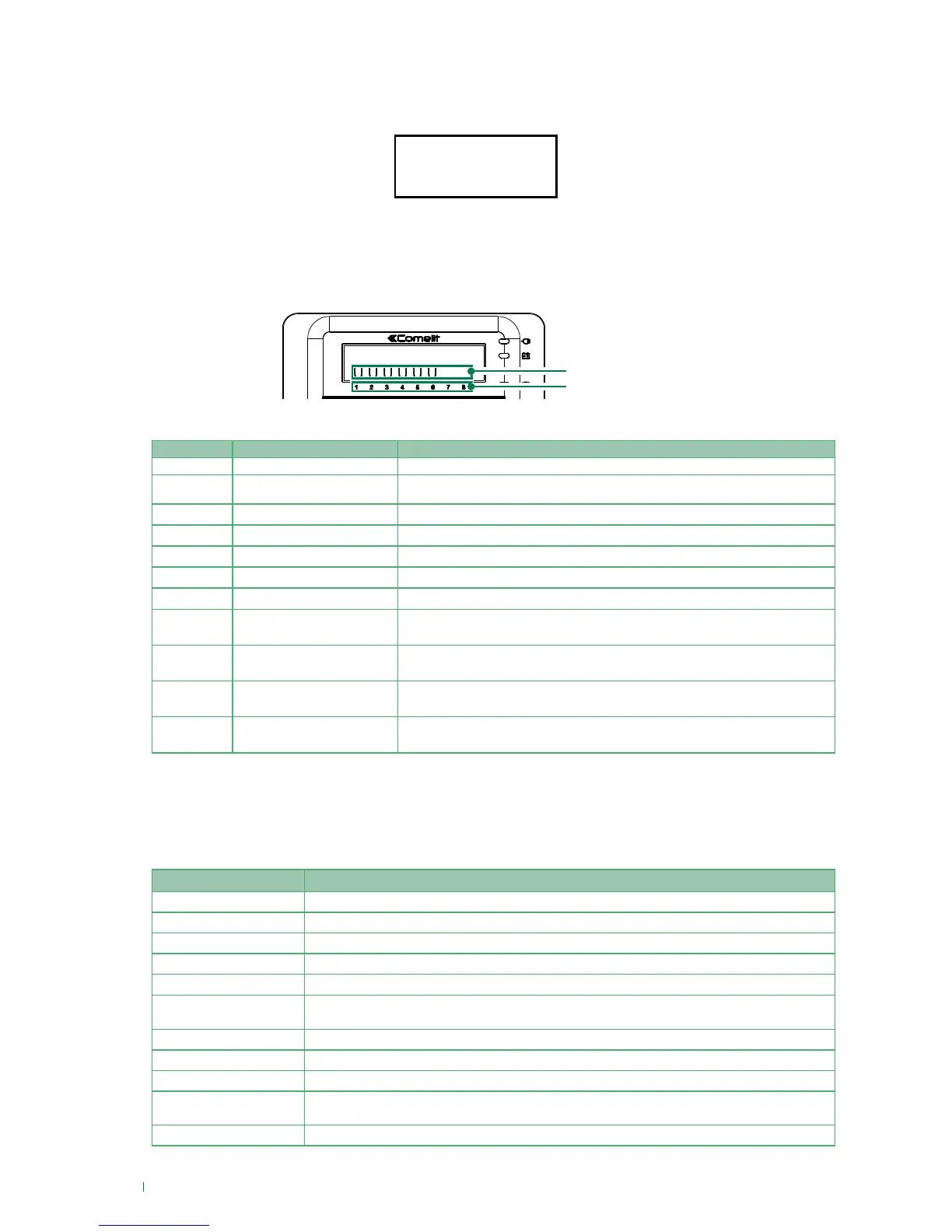
The table below provides a key to characters used in the second line to describe the area status.
√ To display the areas, the screen must be in the mode”System status display” see page 7
Character Area Status Notes
A Alarm
A zone belonging to this area is in alarm condition
T Tamper
A zone belonging to this area or a peripheral device that manages the area is in tamper
condition
S Activated total
All theft zones associated with the area are activated (they can generate alarms)
P Activated partial 1+2
The theft zones with partial 1 attributes and those with partial 2 attributes are activated
1 Activated partial 1
All theft zones associated with partial 1 are activated (they can generate alarms)
2 Activated partial 2
All theft zones associated with partial 2 are activated (they can generate alarms)
U Deactivated
No zones activated
F Fault
Area fault; indicates the presence of at least one fault.
N Not ready for activation
Area not ready for activation; indicates the presence of at least one condition preventing
activation.
> Entry time
A theft zone belonging to the area is set with an "entry time" to allow the user to deactivate
the alarm.
< Exit time
A theft zone belonging to the area is set with an "exit time" to allow the user time to exit the
building before the alarm is activated.
Buzzer
The buzzer in the keypad beeps when any valid key is pressed. Furthermore, depending on the options
selected during the programming stage, the buzzer can signal:
*The symbol "•” represents a short beep, the symbol “—” represents a long beep. The distance between the “•” symbols
represents the time frequency of the beeps. The size of the symbols represents the relative volume of the beeps “•·”
Beep* Alerts
• Key pressed
— (1 sec.) Activation confirmed
— (2 sec.) Total deactivation confirmed
•••••••• (2 sec) Failed activation
•••••••••••••••••••• At least one zone is in alarm condition
••••••••••••••••••••
At least one zone is in "pre-alarm" condition (time period between zone violation and Alarm
event generation).
• • • • • • • Automatic activation pre-alert time
• • • • • • • At least one zone is in "Exit time" condition
• • • • • • • • • • At least one zone is in "Entry time" condition
•·•·•·•·•·•·•·•·•·•·•·•·•·
Signals that a zone with the chime attribute (zone opening alert chine) has been opened. The
buzzer is activated only if the violated zone is not activated
• • • • • • • • • • • • • Waiting for key to be presented for acquisition of RFID key
Area status display
area status
area number
Events display












 To Next Page