20:41 11-11-2015
User 1
U U U U U U U U
20:41 11-11-2015
U U U U U U U U
7
Keypad signals
LCD screen
System status display
In standby mode, the time appears on the first line of the display, while the second line is empty and the
LEDs are off.
When a 6-digit user code is entered, the code is validated on the sixth digit; if the user is authorised, the
name associated with that user appears on the first line.
Once a valid user code has been entered, the system switches to 'System Status Display' mode, where
the user can view the status of the Areas on the second line of the display (as described in "Area status
display" see page 8) and the system status is indicated on the LEDs (as described in "Key to the
indicator LEDs" see page 7). The system will remain in System Status Display mode for the period of
time set by the installer during the programming phase; the factory setting is 120 seconds. If the time is set
as unlimited, the code does not need to be entered in order to view the system status on the display and
via the LEDs; it will always be visible.
Until the time has elapsed, the standby screen appears as follows:
Pressing C again will return the screen to standby mode, with no indication of the current status of the
areas (immediately hiding the information on display).
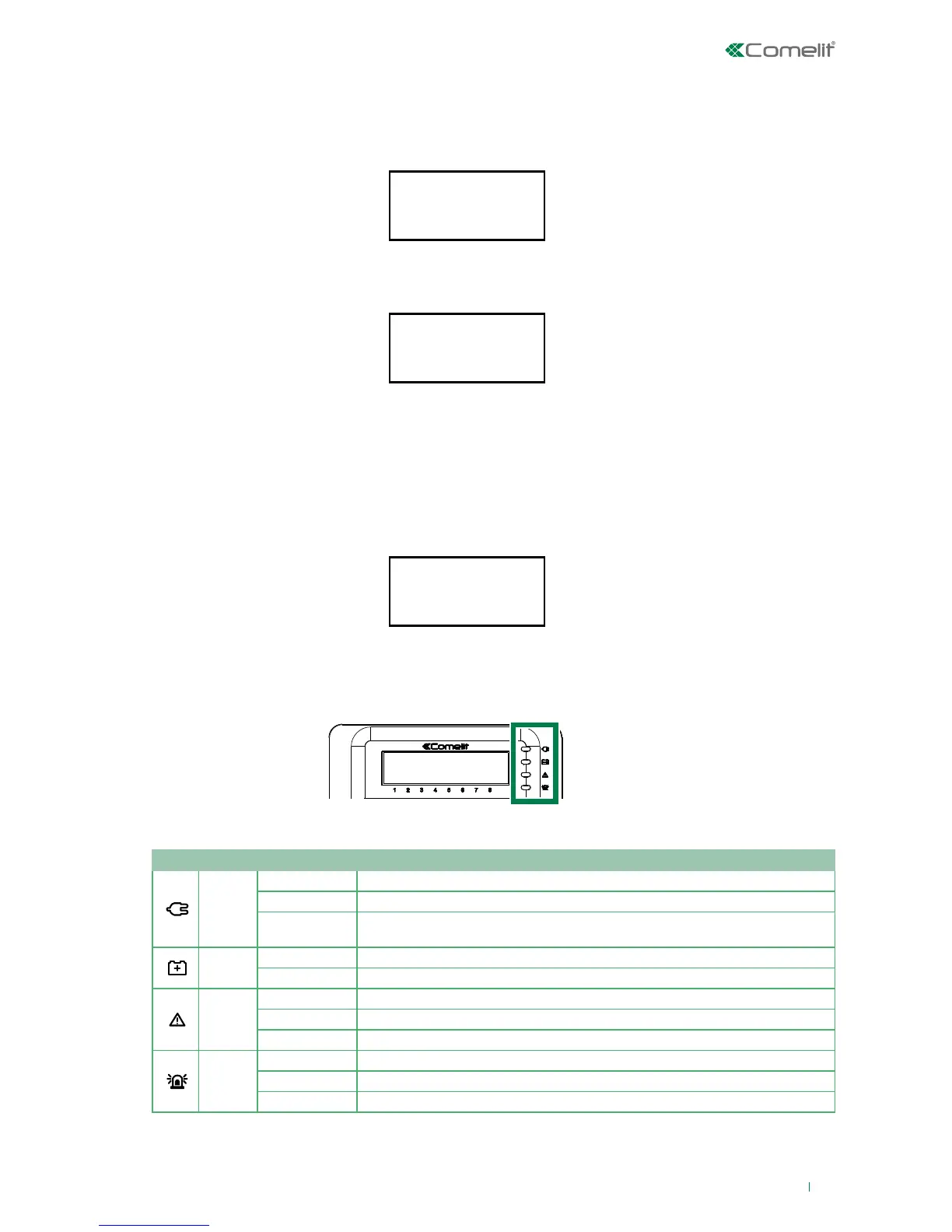
Key to the indicator LEDs
The keypad is fitted with 4 indicator LEDs, the meanings of which (working from top to bottom) are
described in the table below.
IMPORTANT: The event log resets every time the system is enabled or disabled.
LED Colour Status Function
Green
O Mains power o (device on standby)
On Mains power present
Slow flash
Mains power OK, but system not ready for enabling or there are (non excluded) open
zones
Yellow
O Battery OK
On Indicates an anomaly in the battery of the control unit and/or of a bus power supply unit
Yellow
O No problem
On Problem detected
Slow flash Presence of isolated or excluded zones, or of temporarily excluded faults/tampering.
Red
O No active alarms
On Active alarm
Slow flash Alarm event log












 To Next Page