1
2
51
1. Edit telephone number description
2. Edit telephone number
3. Edit email address
IMPORTANT: after editing the phone book parameters the 'action executed' and 'configuration
update in progress' screens are displayed.
Edit telephone number description
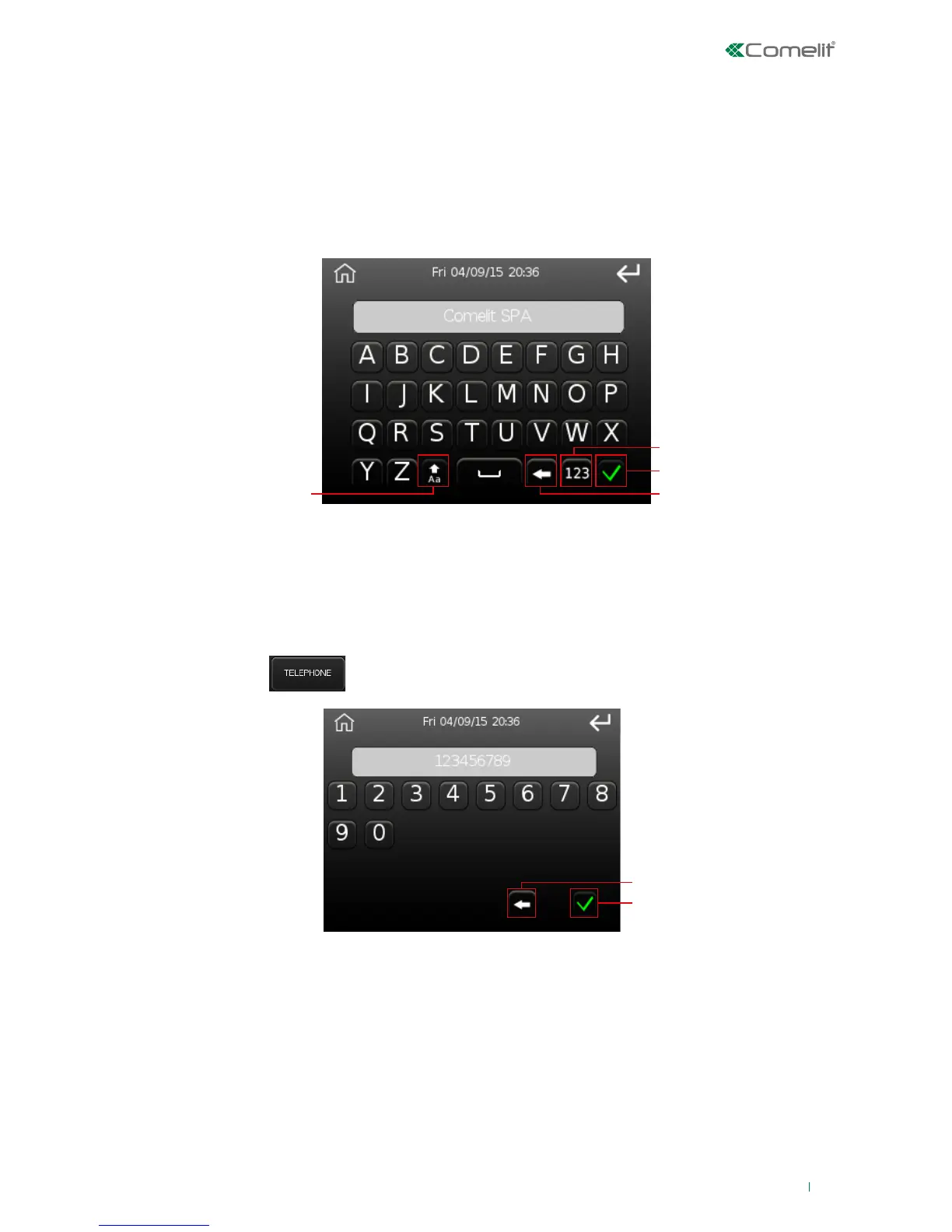
Press the corresponding button and use the following screen to enter a description of the user to
whom the telephone number and/or email address belongs.
1. Upper/lower case mode, in upper case mode the button turns green
2. Number mode
3. Confirm key
4. Delete character
Edit telephone number
Press the button and enter the telephone number on the following screen.
1. Delete character
2. Confirm key



 To Next Page