44
Settings/Cameras
This option of the Settings menu can be used to activate live streaming from any configure camera and
to view the camera status.
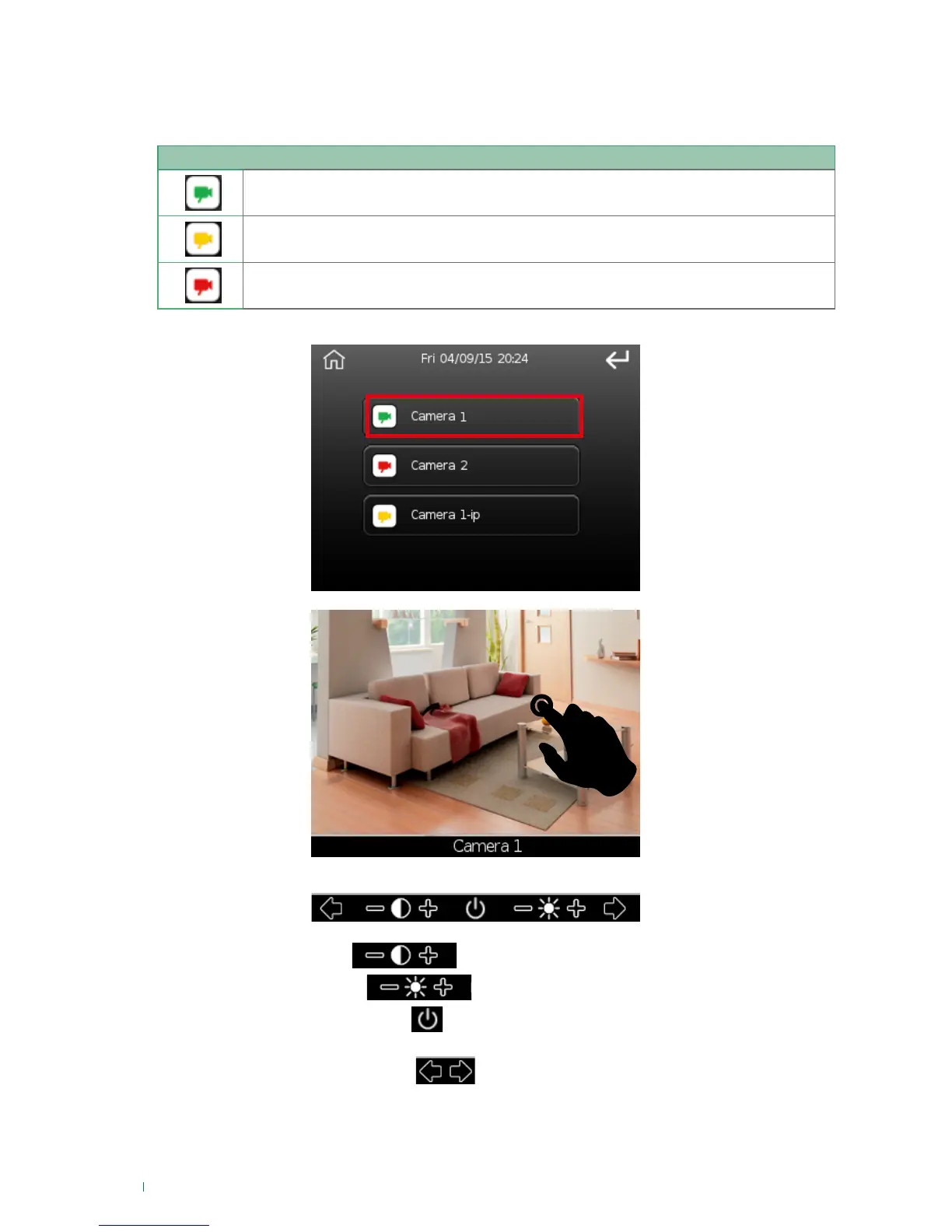
Press the button of desired camera to view the live streaming.
Touch the screen at any point to activate the commands toolbar.
Adjust the contrast using
Adjust the brightness using
Switch off the camera by pressing
If the user can manage more than one camera, forward and back keys will also be displayed to allow
access to all the available cameras
Camera status
Camera enabled and operating
Camera not connected (Art. VEDOCCTV is not in communication with the control unit, but
it is nonetheless still possible to view streamed images from the camera).
Camera fault












 To Next Page