Comelit VEDO
SETUP
HOME
Comelit VEDO
SETUP
HOME
2
1
Zone status
Connected
Open
• door
3
4
78
WEB server
If the control unit has IP expansion (art. VEDOIP), the system can be operated from any browser.
The web page can be used to view the status of the areas and zones, activate the system, authorise the installer,
update the product and carry out "Comelit DNS" registration.
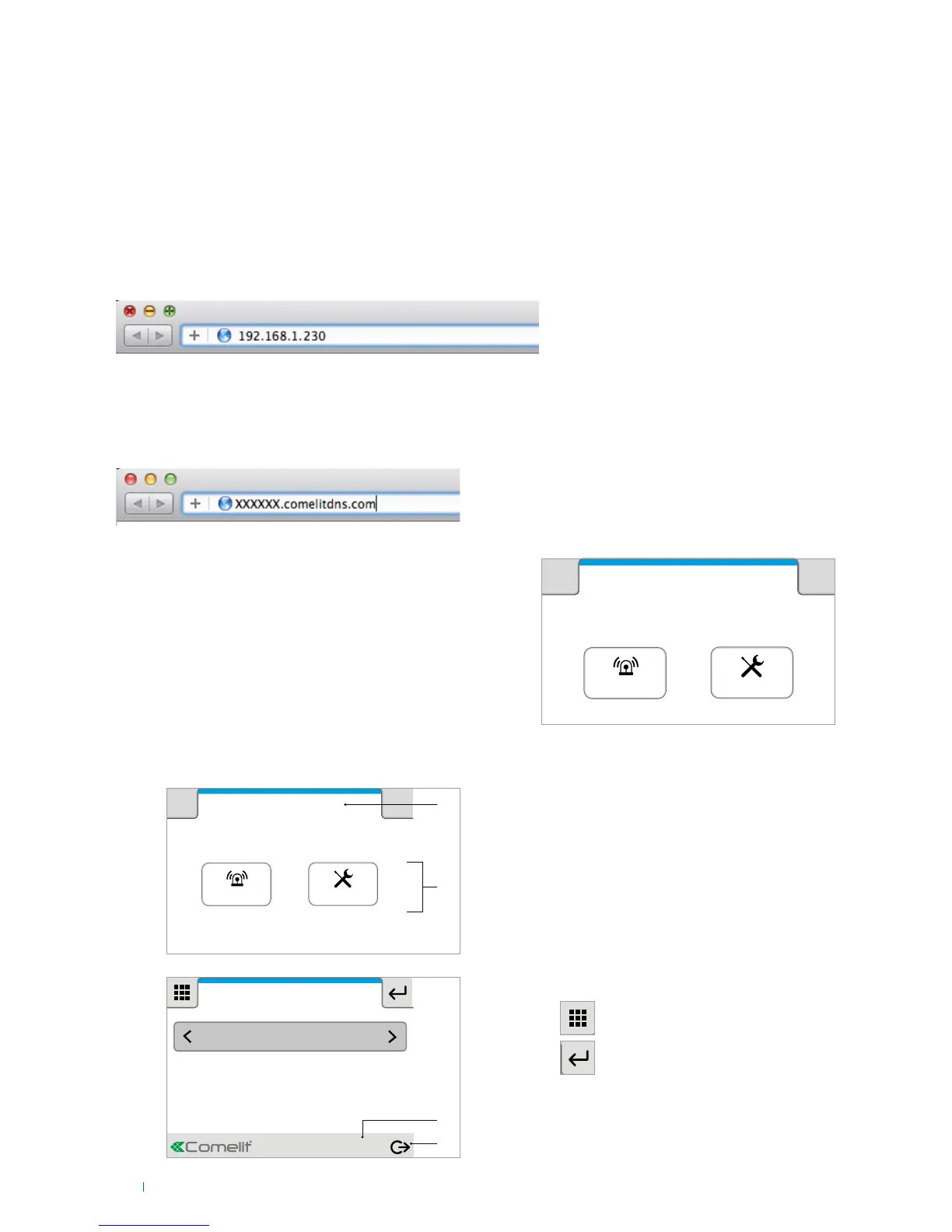
The adjacent figure shows the first screen displayed when
accessing the control unit web page.
To access web pages from a browser (on a PC, tablet, smartphone...):
1. Open your browser.
2. Enter the address 192.168.1.230 (or the IP address provided by your installer) in the address bar and press
Enter.
1. With an active internet connection: open your browser.
2. Enter the hostname provided by your installer (e.g.:"XXXXXX.comelitdns.com") in the address bar and
press Enter.
Local connection:
Remote connection
Description of the interface
1. Title of current page
2. Buttons used to access internal pages for the
display and control of the available functions and
for device configuration.
3. Connection and authentication status message
(connected, not authenticated, not authorised...)
4. Logout button.
Press Home/Setup.... to access the respective
sections.
Press
Configurazione
Data e ora
Abilitazione Timer
Consumi
Codici utente
DNS dinamico
Avanzate
Firmware:
Indirizzo IP: 172.24.2.186
Subnet Mask: 255.255.0.0
Gateway: 172.24.255.254
DNS primario: 172.24.0.30
DNS secondario: 172.24.0.44
MAC address: 00:04:A3:CE:D5:75
Connesso
17:14 - 07/04/2014
Configurazione
Data e ora
Abilitazione Timer
Consumi
Codici utente
DNS dinamico
Avanzate
Firmware:
Indirizzo IP: 172.24.2.186
Subnet Mask: 255.255.0.0
Gateway: 172.24.255.254
DNS primario: 172.24.0.30
DNS secondario: 172.24.0.44
MAC address: 00:04:A3:CE:D5:75
Connesso
17:14 - 07/04/2014












 To Next Page