1 2
3
61
IP Address
Subnet mask
Gateway
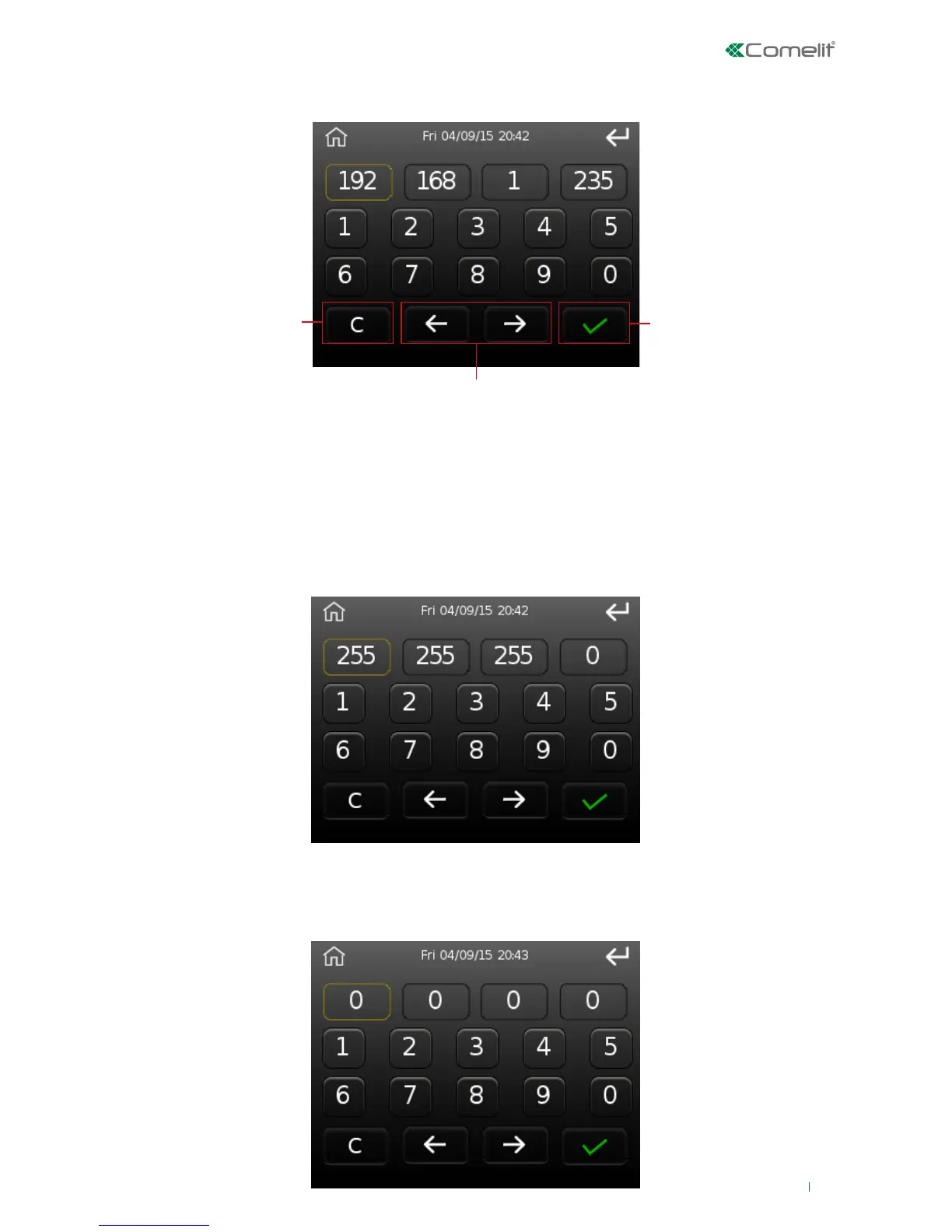
This option can be used to change the IP address of the product.
This option can be used to edit the subnet mask.
The editing procedure is the same as that used for the IP address.
This option can be used to change the Gateway address.
The editing procedure is the same as that used for the IP address.
1. Cancel button
2. Confirm button
3. Byte selection arrows
The example depicted shows the IP address: 192.168.1.23.
Use the arrows to select the byte to change, then delete the current value using the 'C'
button, enter the desired value using the number keys, and finally press 'Confirm' to
complete the procedure.












 To Next Page