4 5 6
38
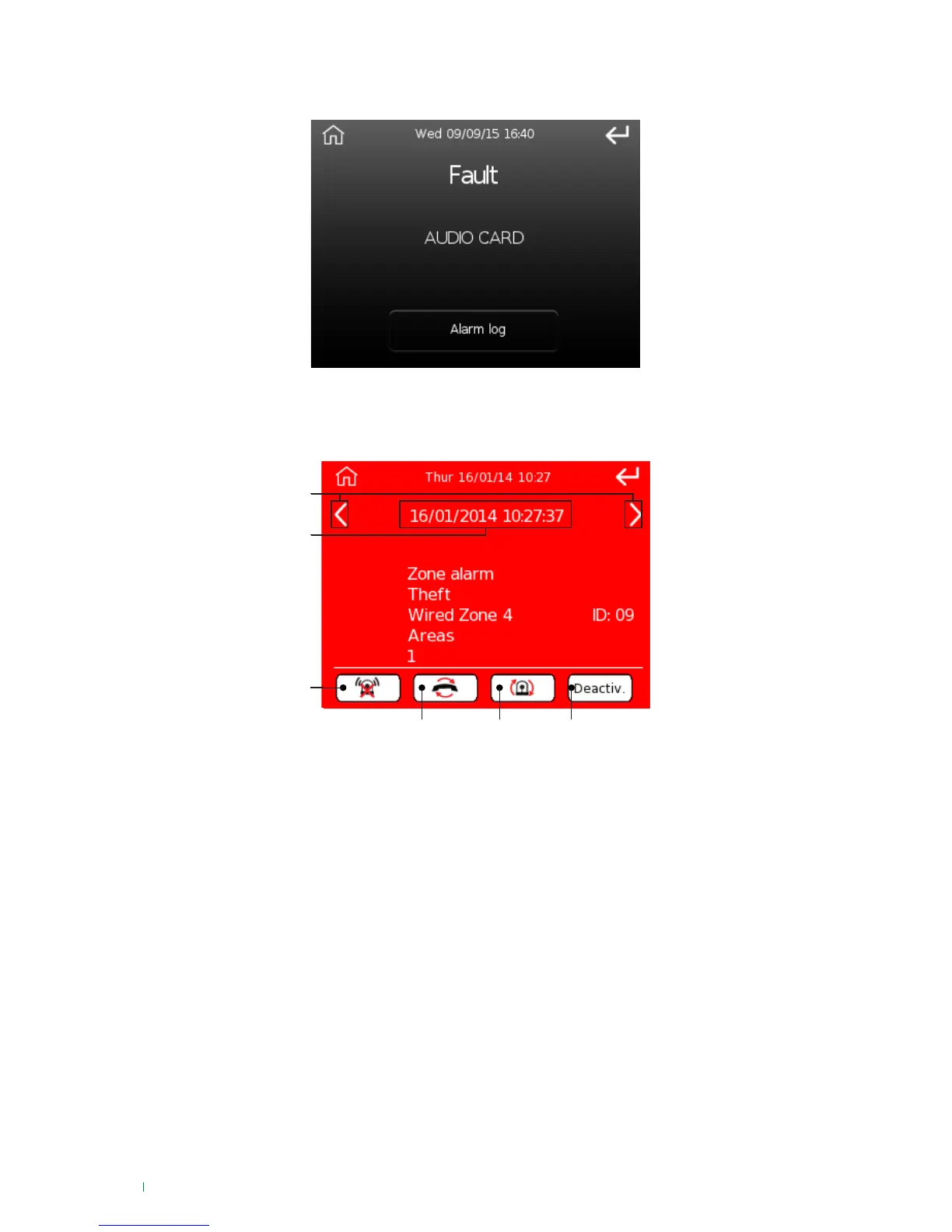
Alarm or tampering alert screen
If a fault or tampering occurs, the following screen appears:
1. Scroll through events
2. Date/time at which the event occurred
3. Stop alarms command
4. Reset telephone calls command
5. Reset alarms command
6. System deactivation
If the "system status" icon is flashing, this indicates the presence of faults/tampering; to view the details,
simply touch the icon. The screen below illustrates an example:
The log of fault/tampering alerts is available in the menu 'Events log/Events memory' (see page "Events
log" on page 47).












 To Next Page