User's Manual
123
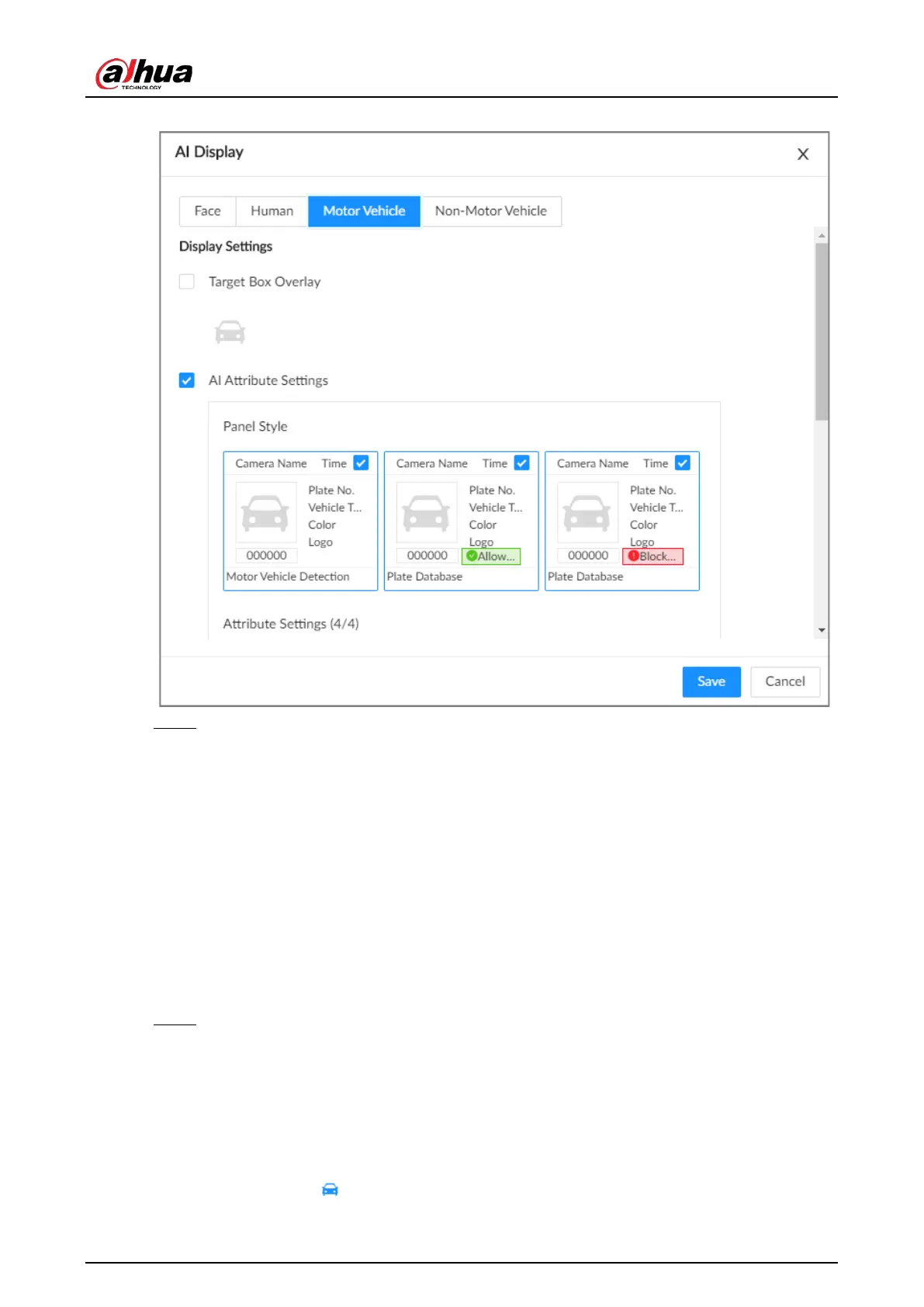
Figure 6-39 Motor vehicle
Step 4 Configure AI attributes settings.
With
AI Attributes Settings
enabled by default, when the system detects a target, a
features panel appears on the live video. You can configure the style of the features panel
and the attributes that you want to display.
1) Select the panel styles.
2) Select the attributes that you want to display.
●
You can select up to 4 attributes.
●
4 attributes have been selected by default. To select other attributes, cancel the
selected attributes, and then select the ones you need.
3) On the
AI Attributes
section, select the attribute groups for video metadata.
Each attribute is broken down into more specific groups. For example, you can select
Bus
,
Heavy Truck
,
Van
and more for
Vehicle Type
.
Step 5 Click
Save
.
6.8.5.2 Live View
Log in to the PC client, and then under the
Live
tab, open a view window. The video image of the
view is displayed.
●
The target box is displayed in real-time in the video image.
●
The number next to at the upper-right corner of the
Live
page represents the number of







 To Next Page