User's Manual
272
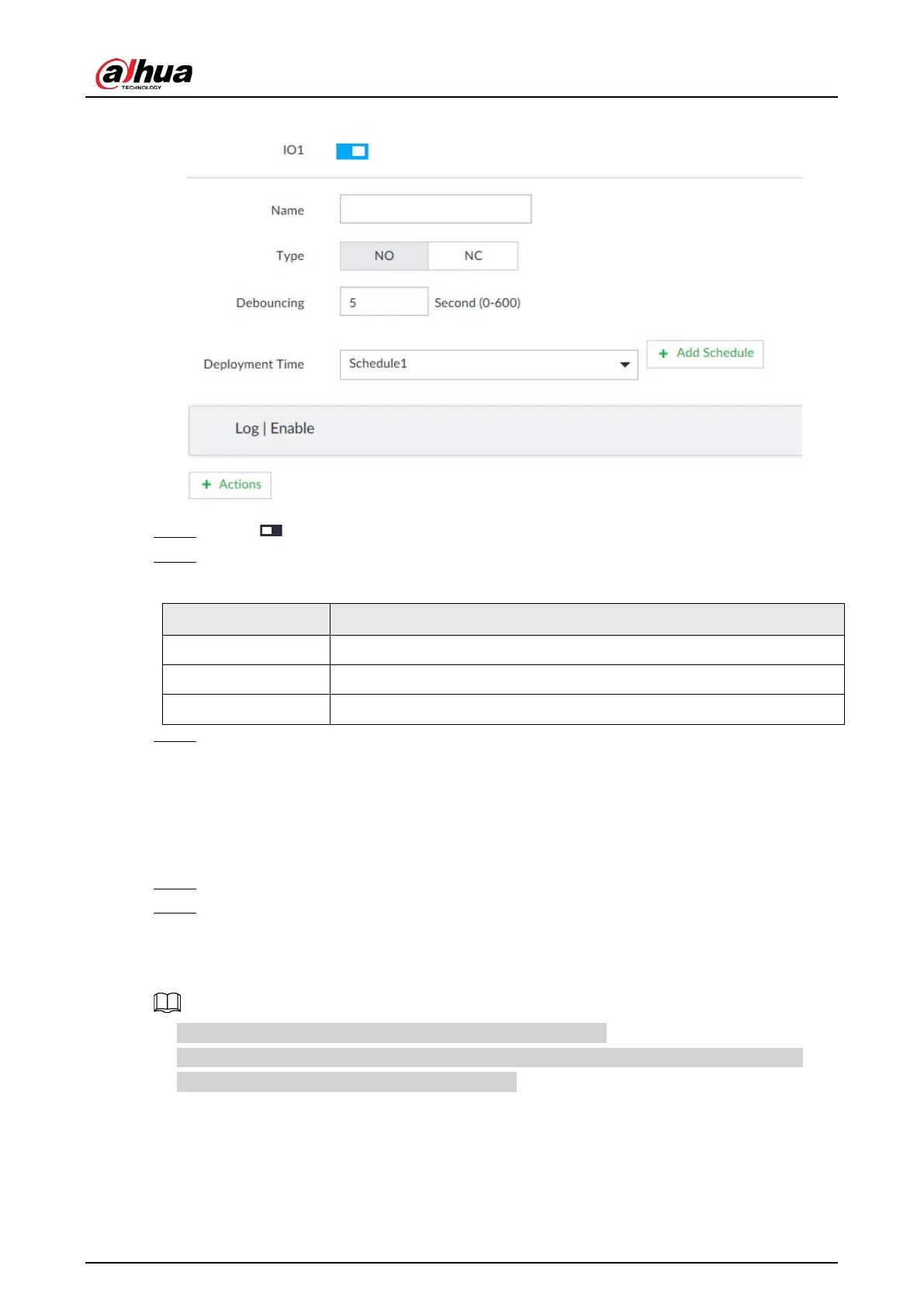
Figure 8-64 IO1
Step 4 Click to enable the alarm.
Step 5 Set parameters.
Table 8-24 Local alarm parameters description
Name In the Alarm name box, enter a name for the alarm.
Type Select alarm input device type. Both NO and NC are supported.
Debouncing The system records only one event during this period.
Step 6 Click Deployment Time to select schedule from the drop-down list.
After setting deployment period, system triggers corresponding operations when there is
a motion detection alarm in the specified period.
●
Click
View Schedule to view detailed schedule settings.
●
If the schedule is not added or the added schedule does not meet actual needs, click
Add Schedule. See "8.8.4 Schedule" for detailed information.
Step 7 Click Actions to set alarm actions. See "8.4.1 Alarm Actions" for detailed information.
Step 8 Click Save.
8.4.3.4 Thermal Alarm
●
Alarm types vary depending on the models of thermal cameras.
●
Make sure that configurations of thermal detections such as fire detection and temperature
detection have been done on the thermal camera.
Support the following thermal camera alarms.


 To Next Page
 Loading...



