User's Manual
170
This function is available only when the camera supports privacy masking.
1. Click to enable privacy masking.
2. Click
Add
, select the masking type and color, and then draw mosaic or color blocks
in the image as needed.
3. Drag blocks to the proper position.
4. Click .
Step 5 Click
Apply
.
8.1.3.5 Configuring Audio Parameters
Procedure
Step 1 Log in to the PC client.
Step 2 Click on the upper-right corner of the page and then click
Access Management
.
You can also click
Access Management
from the configuration list on the home page.
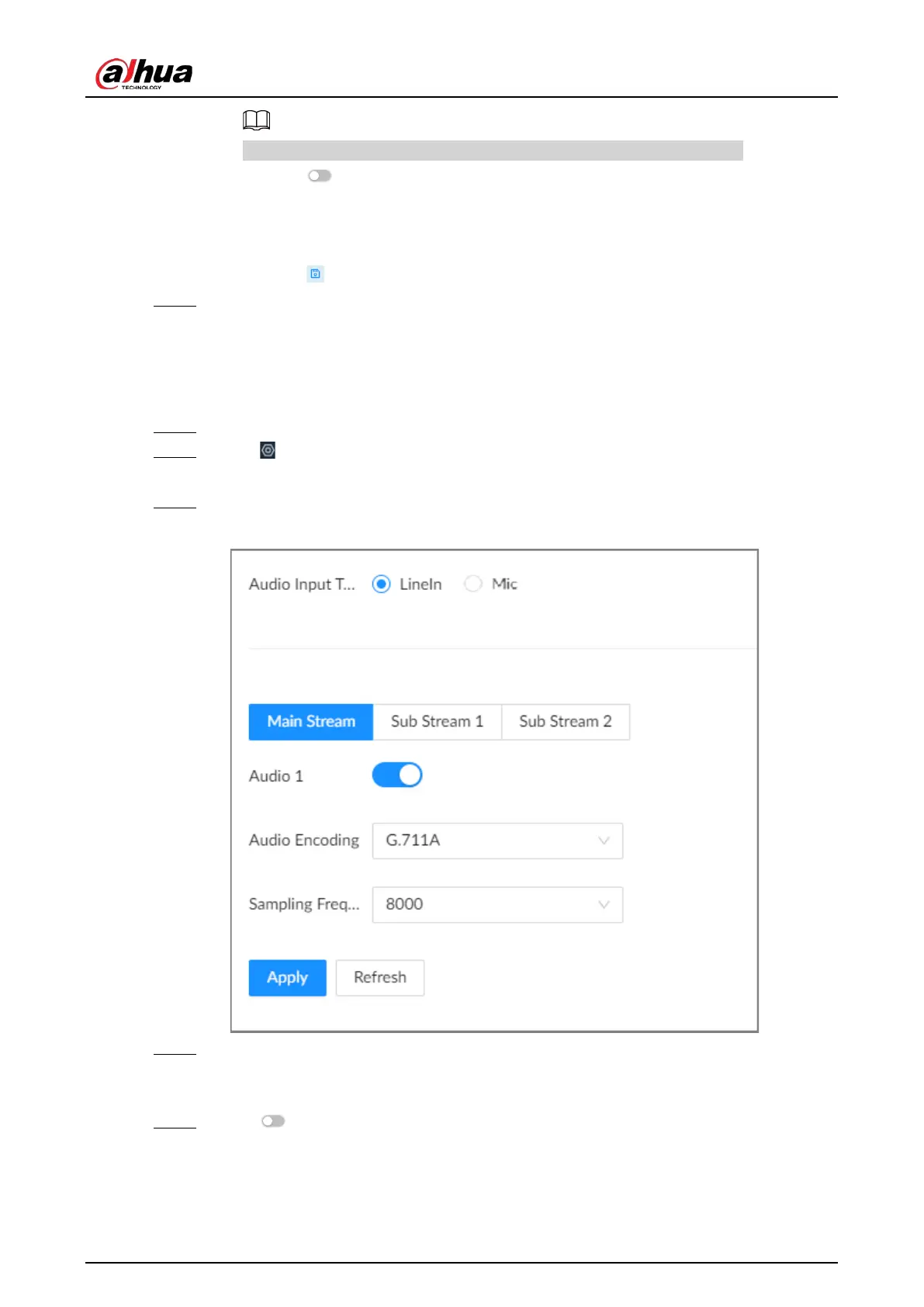
Step 3 Select a remote device from the device tree and then click the
Audio
tab.
Figure 8-9 Audio
Step 4 Select an audio output type.
●
LineIn: The Device acquires audio signals through the external audio device.
●
Mic: The Device acquires audio signals through internal microphone.
Step 5 Click to enable Noise Filter.







 To Next Page