User's Manual
158
●
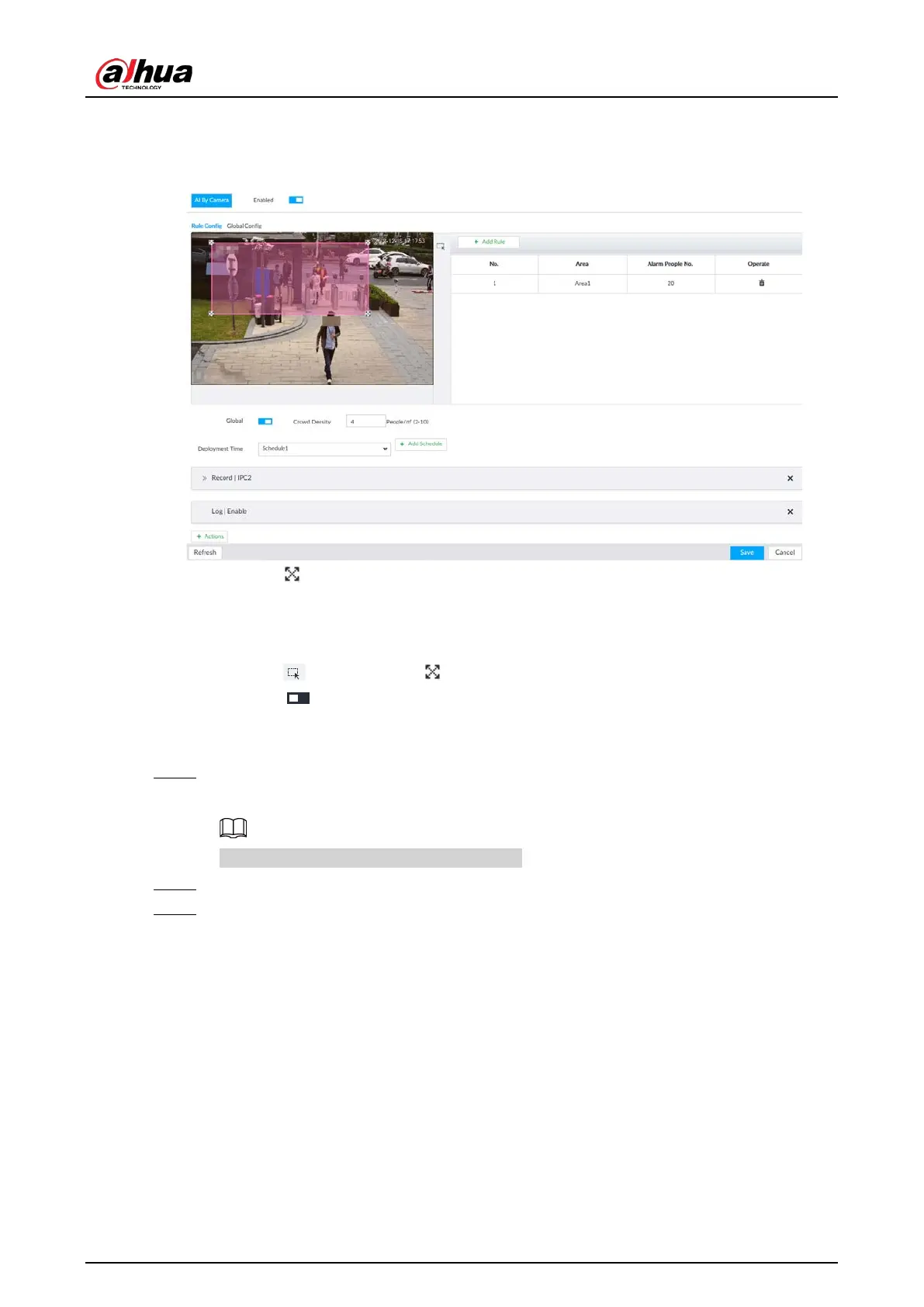
Set regional detection rules.
1) Click Add Rule.
Figure 6-133 Add Rules
2) Drag to adjust the size.
3) Configure alarm threshold. Alarm is triggered when the detected people number
reaches the threshold.
●
Set global alarm.
1) Click , and then drag to adjust the size of the yellow area.
2) Click to enable global detection.
3) Set crowd density. Alarm is triggered when the detected crowd density reaches the
threshold.
Step 6 Select a schedule from the
Deployment Time drop-down list.
The alarm linkage action is triggered only during the scheduled period.
To modify the schedule, click Add Schedule.
Step 7 Click
Actions, and then select an action to be associated to the alarm.
Step 8 Click Save.
6.9.3 Live View of Crowd Distribution
On the LIVE page, open a view that contains the crowd distribution detection camera.
The video shows people numbers and distribution status in the detection areas in real time. The area
frame flashes red when there is an alarm in the area.







 To Next Page