User's Manual
33
Operating ambient temperature -30 °C to +70 °C
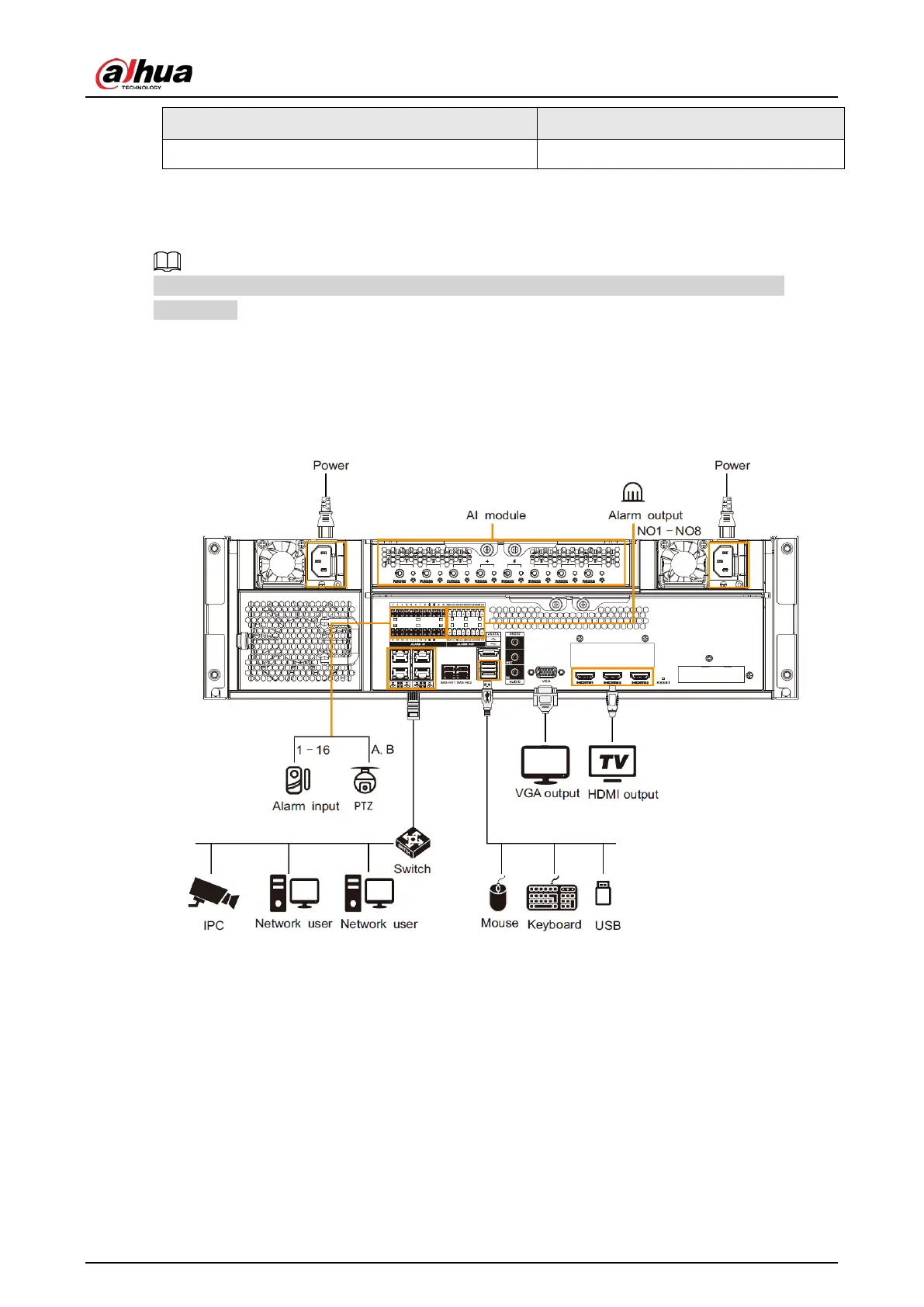
3.4.2 Connection Diagram
The following steps are to connect 16-HDD series device. See the actual product for detailed
information.
The following figure is for reference only. The actual product shall prevail.
●
Display, mouse and keyboard are needed for local operation.
●
Before using the smart detection functions such as face detection and face recognition, you shall
install the AI module first.
Figure 3-14 Connection diagram


 To Next Page
 Loading...



