User's Manual
174
then click
Delete
next to
Batch Import
.
8.2 Network Management
Log in to the PC client. Click on the upper-right corner of the page and then click
Network
. You
can set basic network parameters and applications.
8.2.1 Basic Network
Set basic network parameters of the Device, such as IP address, port aggregation and port number,
to make sure the Device can connect with other devices on the network.
8.2.1.1 Configuring IP Address
Set IP address of the Device, DNS server information and other information according to network
planning.
Make sure that at least one Ethernet port has connected to the network before you set IP address.
Procedure
Step 1 Log in to the PC client.
Step 2 Click on the upper-right corner and then click
Network
.
You can also click
Network
from the configuration list on the home page.
Step 3 Select
Basic Network
>
TCP/IP
.
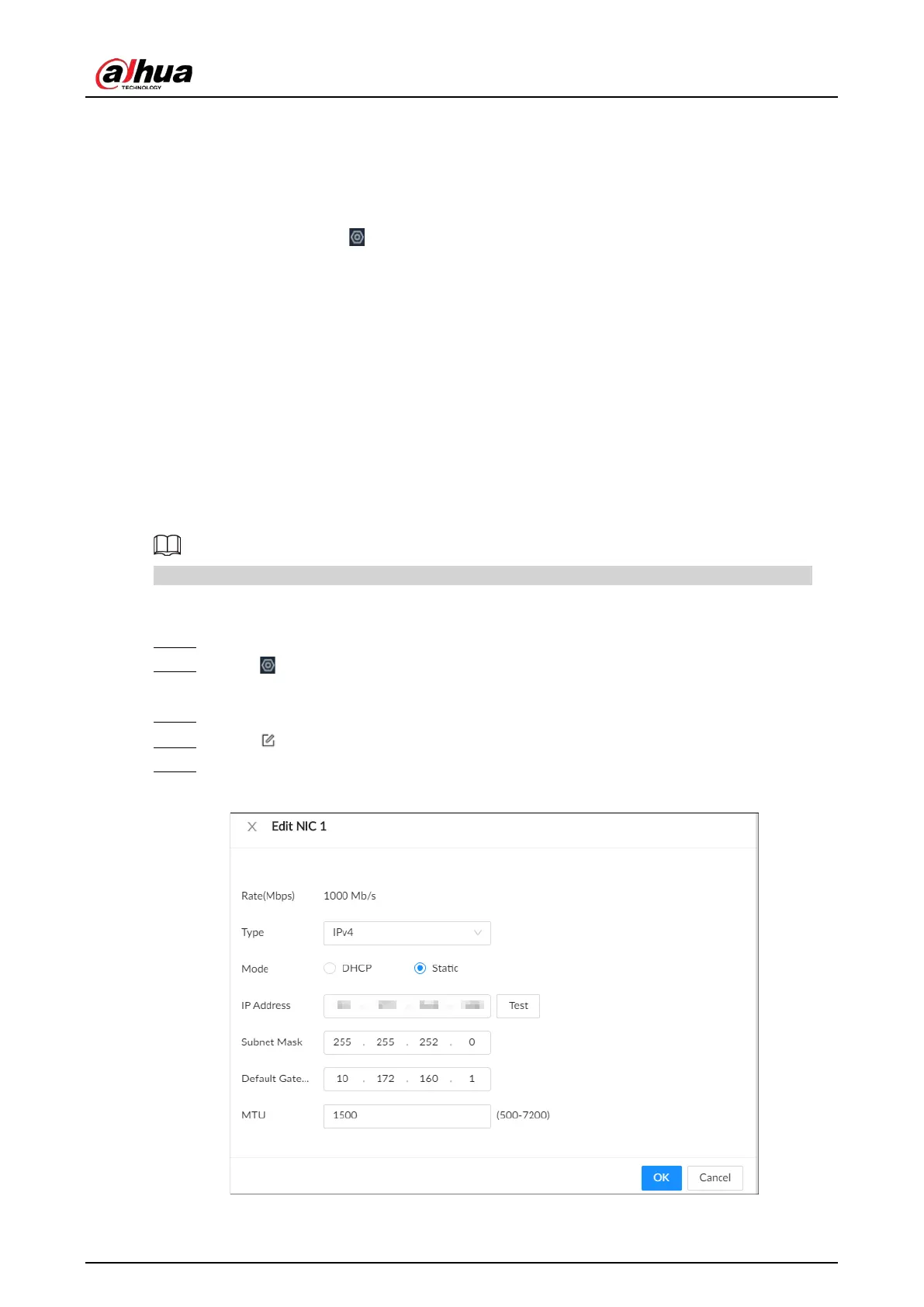
Step 4 Click to configure the corresponding NIC .
Step 5 Configure the parameters.
Figure 8-12 Edit Ethernet network



 To Next Page
 Loading...


