User's Manual
226
●
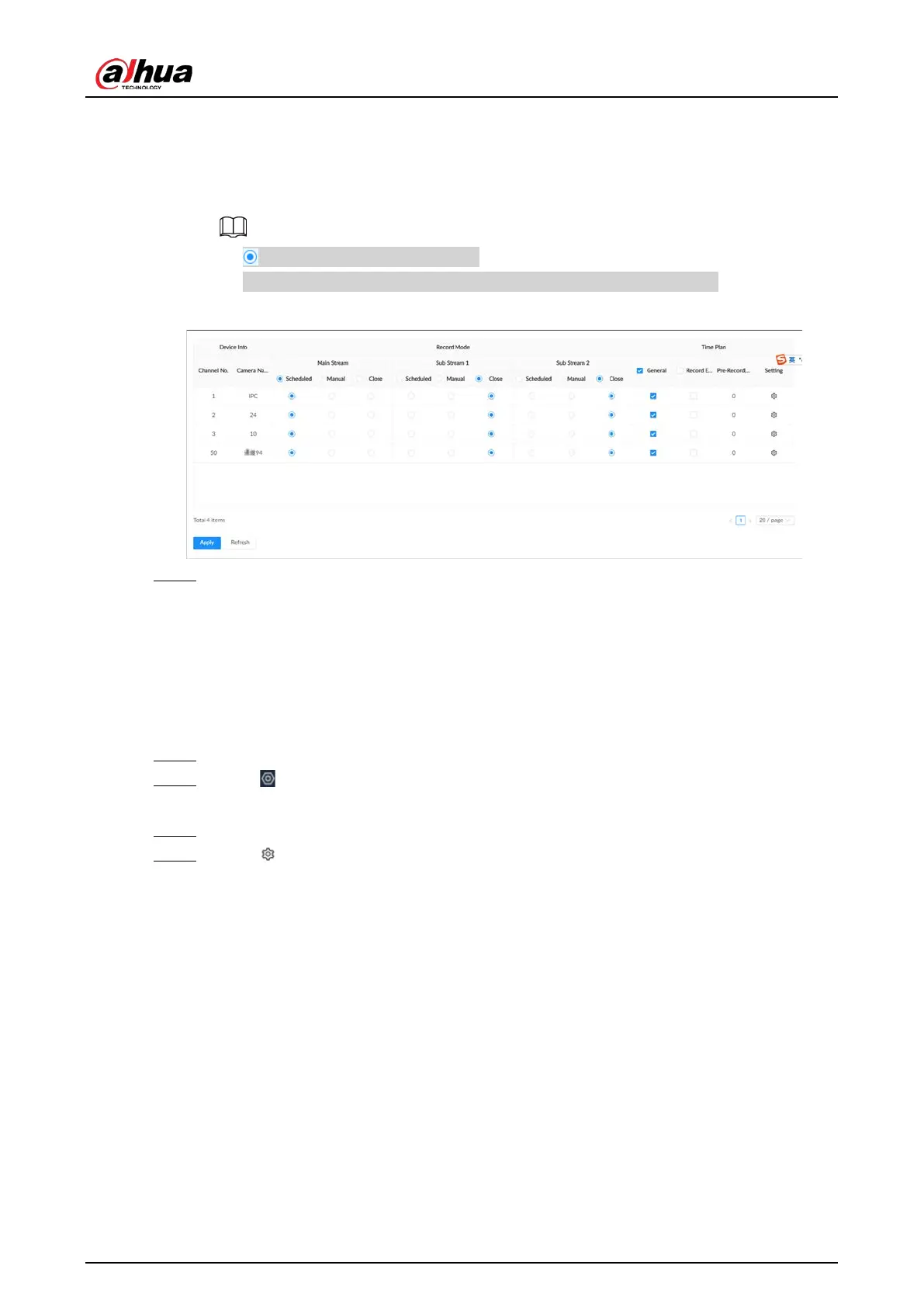
Scheduled
: The Device records automatically according to the schedule.
●
Manual
: The Device records around the clock and does not respond to the recording
schedule.
●
Close
: The Device does not records for the channel.
●
means that the type is selected.
●
Sub Stream 1
and
Sub Stream 2
cannot be enabled at the same time.
Figure 8-56 Recording Mode
Step 5 Click
Apply
.
8.4.2.2.2 Configuring Recording Schedule
Configure video and picture recording schedules so the Device records videos and captures pictures
as configured in the specified period.
Procedure
Step 1 Log in to the PC client.
Step 2 Click on the upper-right corner and then click
Storage
.
You can also click
Storage
from the configuration list on the home page.
Step 3 Select
Storage
>
Record Control
.
Step 4 Click , and then set a recording schedule.


 To Next Page
 Loading...



