User's Manual
78
Bin Import
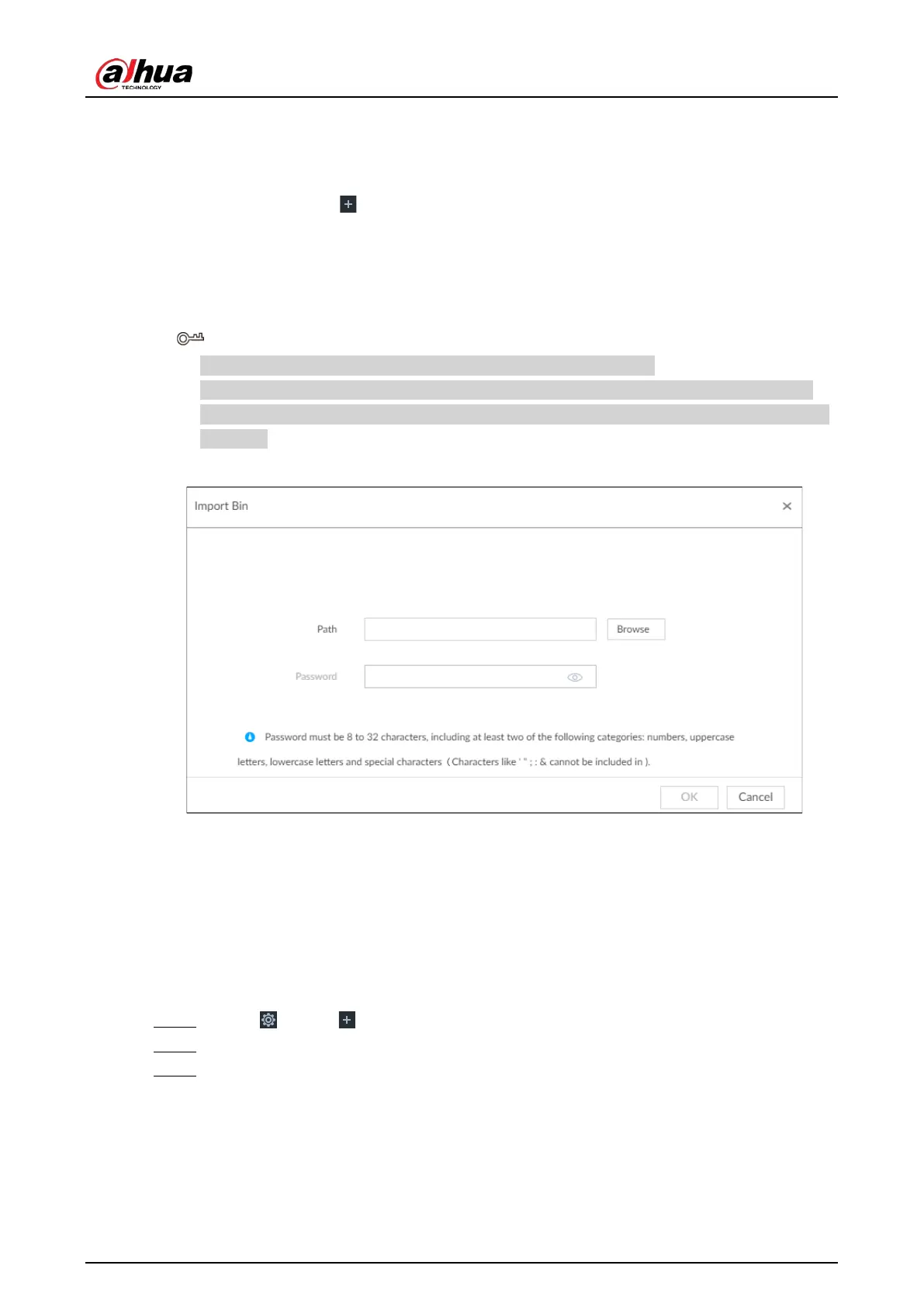
To import face images from another device into the current device, you can import a bin file of face
images exported from that device.
1. On the
LIVE page, click , and then select FILE > Face Management > Face Database >
Remote.
2. Double-click a face database.
3. Click
Bin Import.
4. Enter the file
Path and Password, and then click OK.
●
The
Password is the one created when the file was being exported.
●
A bin file is divided into multiple parts when being exported if it is larger than 4 GB. When
importing the file parts, you just need to select any one part of the file, and then all parts are
imported.
Figure 6-27 Import bin files
5. Click Save and continue to add or OK.
●
Click Save and Continue to add to save current face image information and add another
human face image.
●
Click
OK to save current face image information and complete registration.
6.3.2.4 Configuring Face Recognition (by Camera)
Configure face recognition rules.
Step 1 Click , or click on the configuration page, and then select
EVENT.
Step 2 Select remote device in the device tree on the left.
Step 3 Select AI Plan > Face Recognition.


 To Next Page
 Loading...



