User's Manual
70
Related Operations
●
View face database details and status.
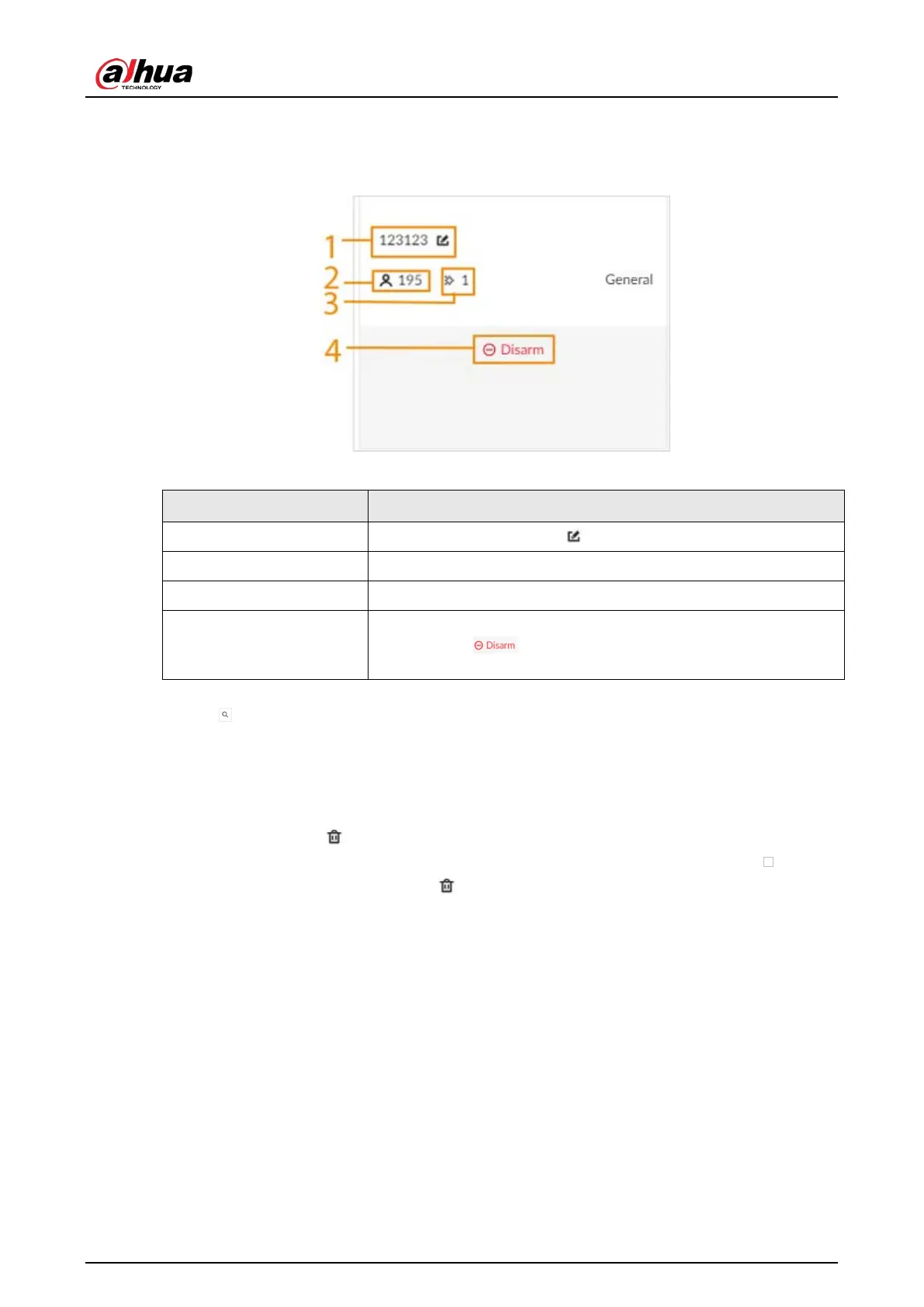
Figure 6-8 Face database
Table 6-5 Parameters of face database
No. Description
1 Face database name. Click to change the name.
2 Number of face images in the face database.
3 Number of face images that failed to be modeled.
4
Remote devices associated to this face database for face
comparison. indicates that no remote devices are
associated to the database.
●
Search for face images.
Click to search for images in the database by name, gender, birthday, credential type and
No., and modeling status.
●
Arm the face database.
For details, see "6.3.2.4 Configuring Face Comparison (by Camera)".
●
Delete face databases:
◇
One by one: Click .
◇
In batches: Hover over the face database, and then select the database by clicking . After
selecting multiple databases, click .
◇
Delete all: Select
Select All
, and then click
Delete
.
●
Clear a face database.
To clear a face database, select the face database, and then click
Clear
.
6.3.2.3.2 Adding Face Images for Remote Devices
Add face images to the created face database.


 To Next Page
 Loading...



