User's Manual
135
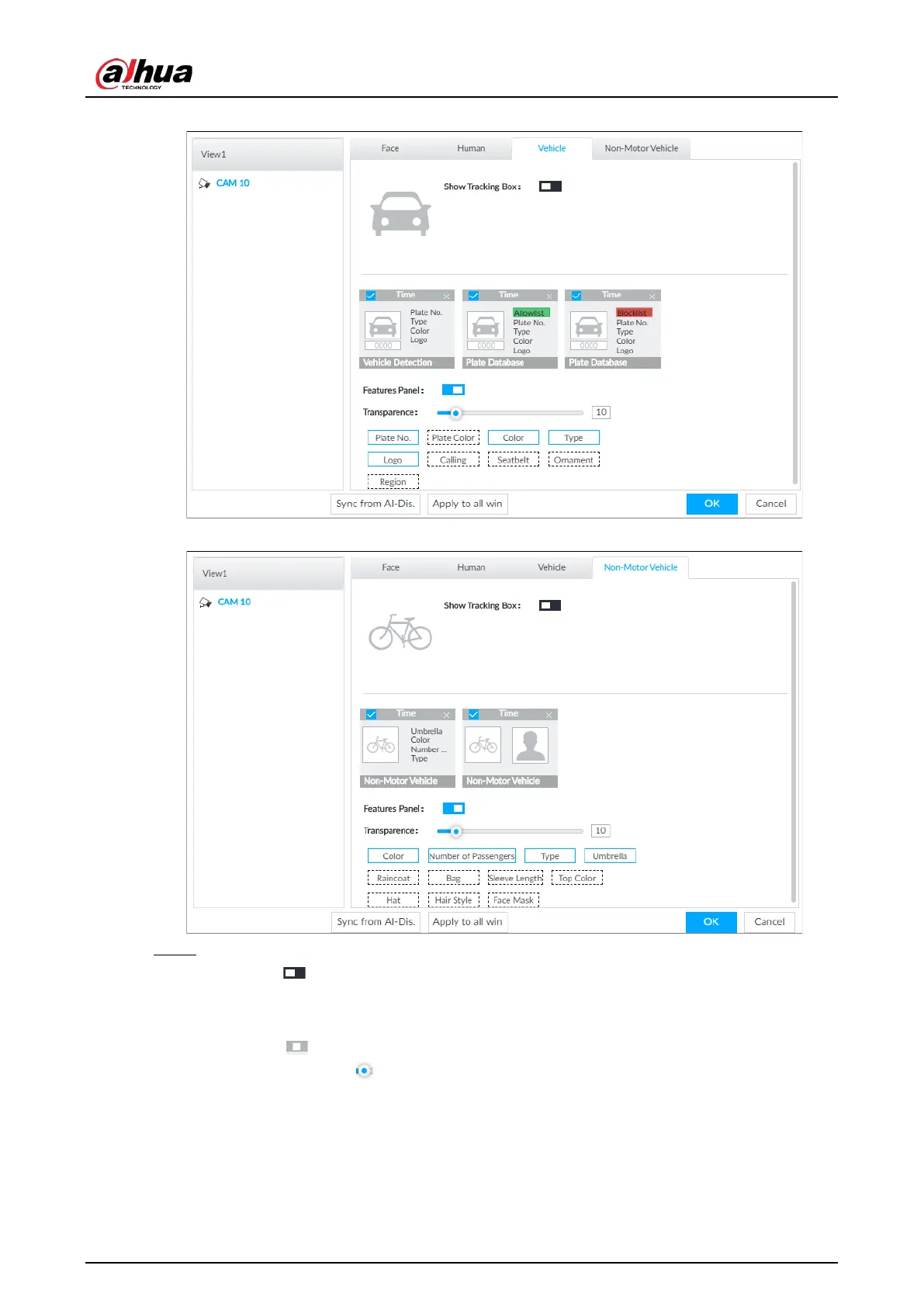
Figure 6-103 Vehicle
Figure 6-104 Non-motor vehicle
Step 3 Configure feature panel.
1) Click next to Features Panel to enable feature panel.
2) A features panel is displayed on the right side of the video when a target that meets the
conditions is detected.
3) Click to select the panel type, for example, the
Human Detection tab.
4) (Optional) Drag to adjust the transparency of panel. The higher the value, the more
transparent the panel.
5) (Optional) Select the features to be displayed in the panel.
●
Up to 4 features can be displayed.
●
4 features are selected by default. To select another feature, click the selected
feature to cancel it, and then click the feature to be displayed.


 To Next Page
 Loading...



