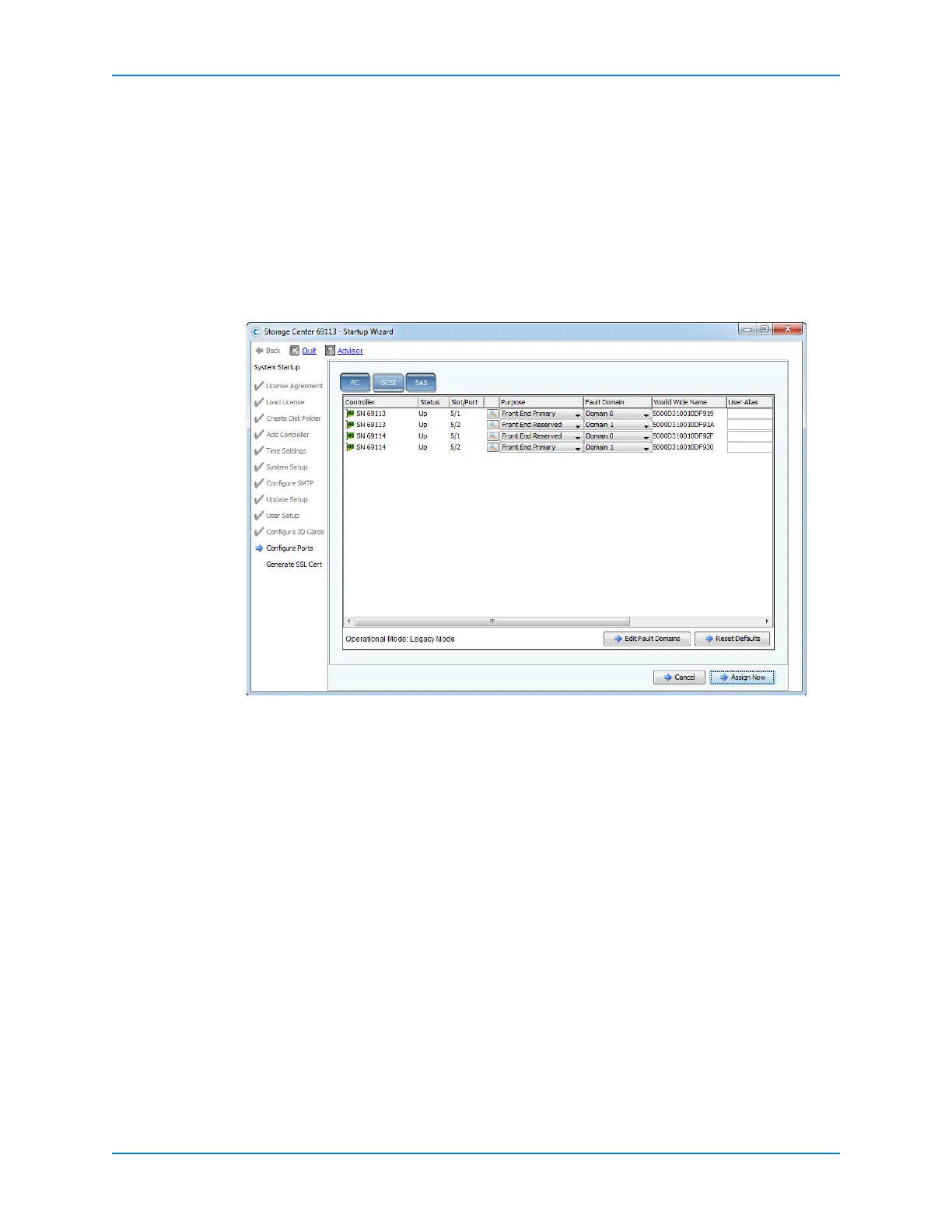
Complete the Startup Wizard
Dell Compellent 157
c Whenyouarefinished,clickApplyChanges.TheiSCSItabappears.
6 ConfigureeachportthatisunusedorusedforIPCbetweencontrollers.
a Setthe PurposefieldtoUnknown.
b ConfirmthattheFaultDomainfieldissetto<none>.
c (Optional)TypeadescriptivenameintheUserAliasfield.
Configure iSCSI Ports — Legacy Mode
UsetheiSCSItabtoconfiguretheiSCSIportsinlegacymode.
1 ClicktheiSCSItab.
2 Create therequiredfaultdomains.Foradual‐controllerStorageCenter,createafault
domainforeachpairofredundantiSCSIports.Forasingle‐controllerStorageCenter,
createasinglefaultdomainforall
iSCSIports.
a ClickEditFaultDomains.Thewizarddisplaysalistofthecurrentlydefinedfault
domains.
b ClickCreateFaultDomain.Adialogboxappears.
c IntheNamefield,typeanameforthefaultdomain.
d FromtheTypedrop‐downmenu,selectiSCSI.
e (Optional)IntheNotesfield,
typeadescriptionofthefaultdomain.
f ClickContinue.Thedialogboxdisplaysasummary.
g ClickCreateNowtocreatethefaultdomain.
h Repeatstepsb–gasneededtocreateadditionalfaultdomains.
i Whenyouarefinishedcreatingfaultdomains,clickReturn.TheiSCSItabappears.
3 Configureeach
front‐endiSCSIport.
a Setthe PurposefieldtoFrontEndPrimaryorFrontEndReservedasappropriate.
b SettheFaultDomainfieldtotheappropriatefaultdomainthatyoucreated.
c (Optional)TypeadescriptivenameintheUserAliasfield.



 To Next Page