Appendix A Adding or Removing an Enclosure
188 Storage Center SC8000 Controller Deployment Guide
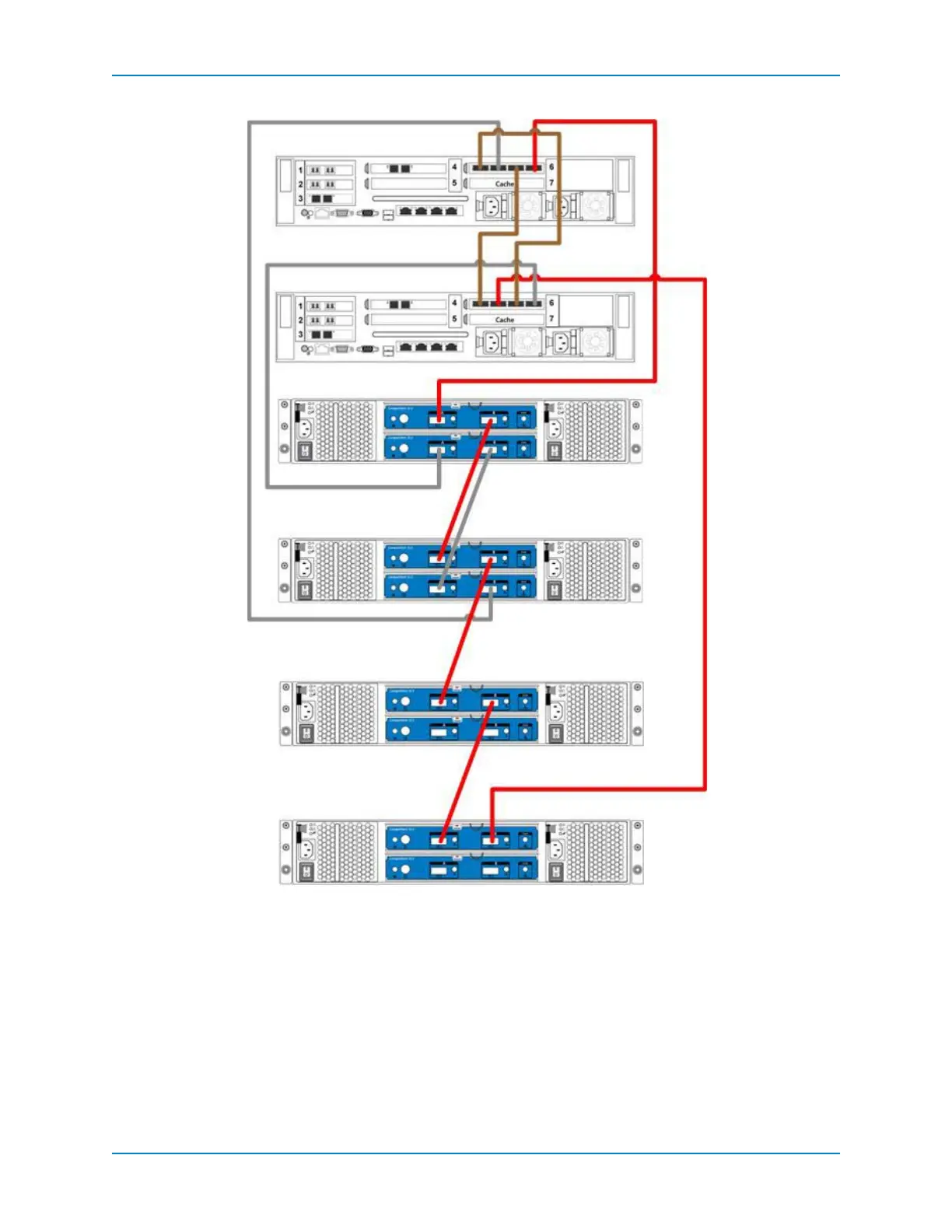
Figure 119. Reconnect SC200/220 A-side Cables to Controllers
6 IntheStorageCenterSystemManager,selectStorageManagement→System→
Setup→ConfigureLocalPorts.
7 Makesurethat:
SlotandslotportsareUpandthePurposeissettoback‐end.
TargetCountequalsthenumberofaddeddrives,demonstratingthatthecontroller
recognizesthenewenclosures.
Enclosure 1
Enclosure 2
Enclosure 3
Enclosure 4
Controller A
Controller B



 To Next Page