User’s Manual
30
5.2.5 Setup the VSS/NVR Site Manually
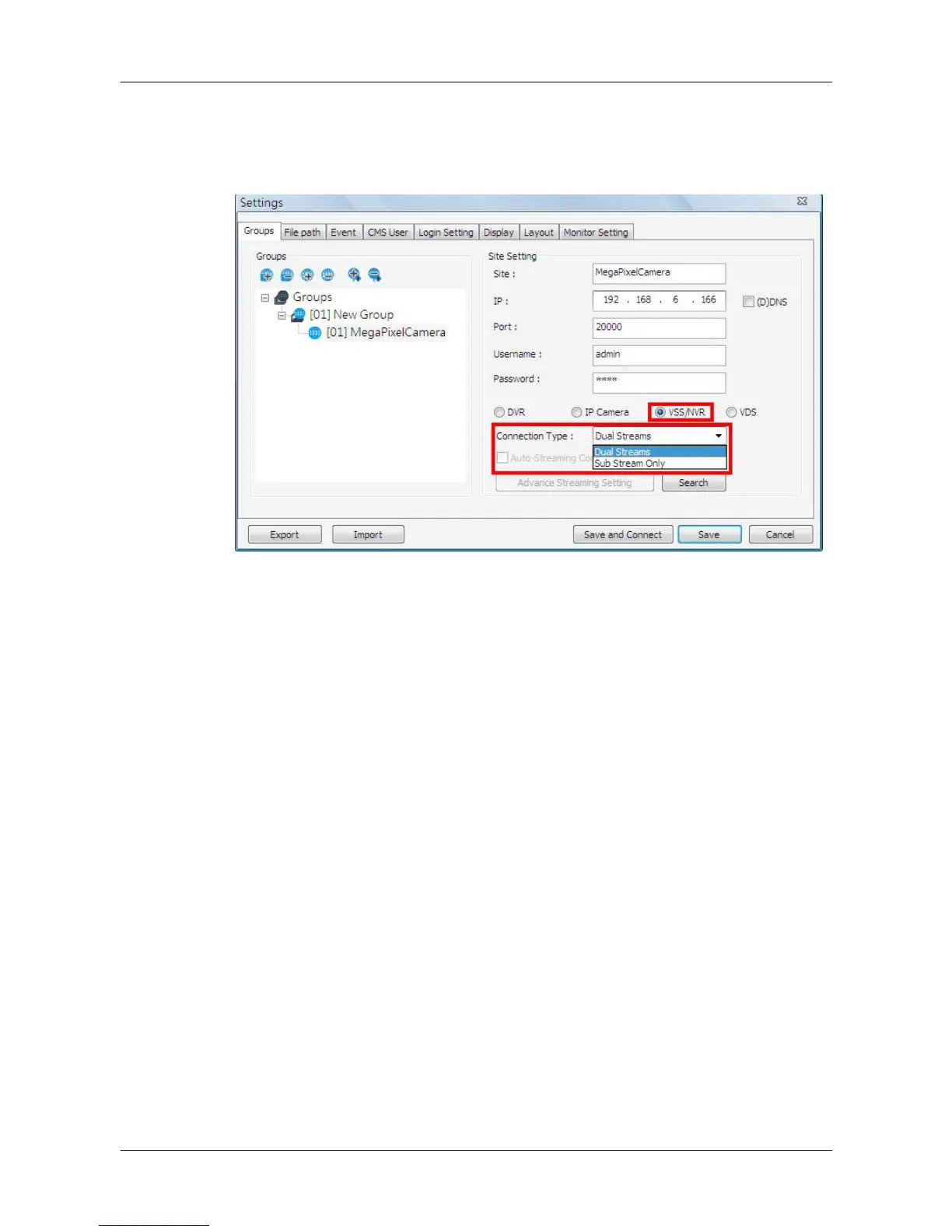
When users are adding a VSS/NVR site, select <VSS/NVR> as marked below.
Then enter IP address, port, username, and password of the VSS/NVR site.
The next step is to setup connection type. Users can select <Dual Streams>
or <Sub Stream Only>. The recording/displaying scenarios are as follows.
When <Dual Streams> is selected:
1. VSS: The recording/displaying streams will follow rules of dual streaming
option selected with predefined main/sub streams at VSS sites.
2. NVR: The recording streams will be whatever streams come in. The
displaying streams will follow rules of dual streaming option selected.
When <Sub Stream Only> is selected:
For both VSS and NVR sites, both recording and displaying streams will be
the sub stream. The dual streaming options will not be available.
Click <Save> to complete the setting.



 To Next Page