User’s Manual
5
2. Software Installation
Follow the steps below to install CMS to the local computer.
Step 1. There are 2 ways to start the installation.
Option 1. Download the compressed file and extract
it. Click on the CMS_Setup.exe file to start
the installation.
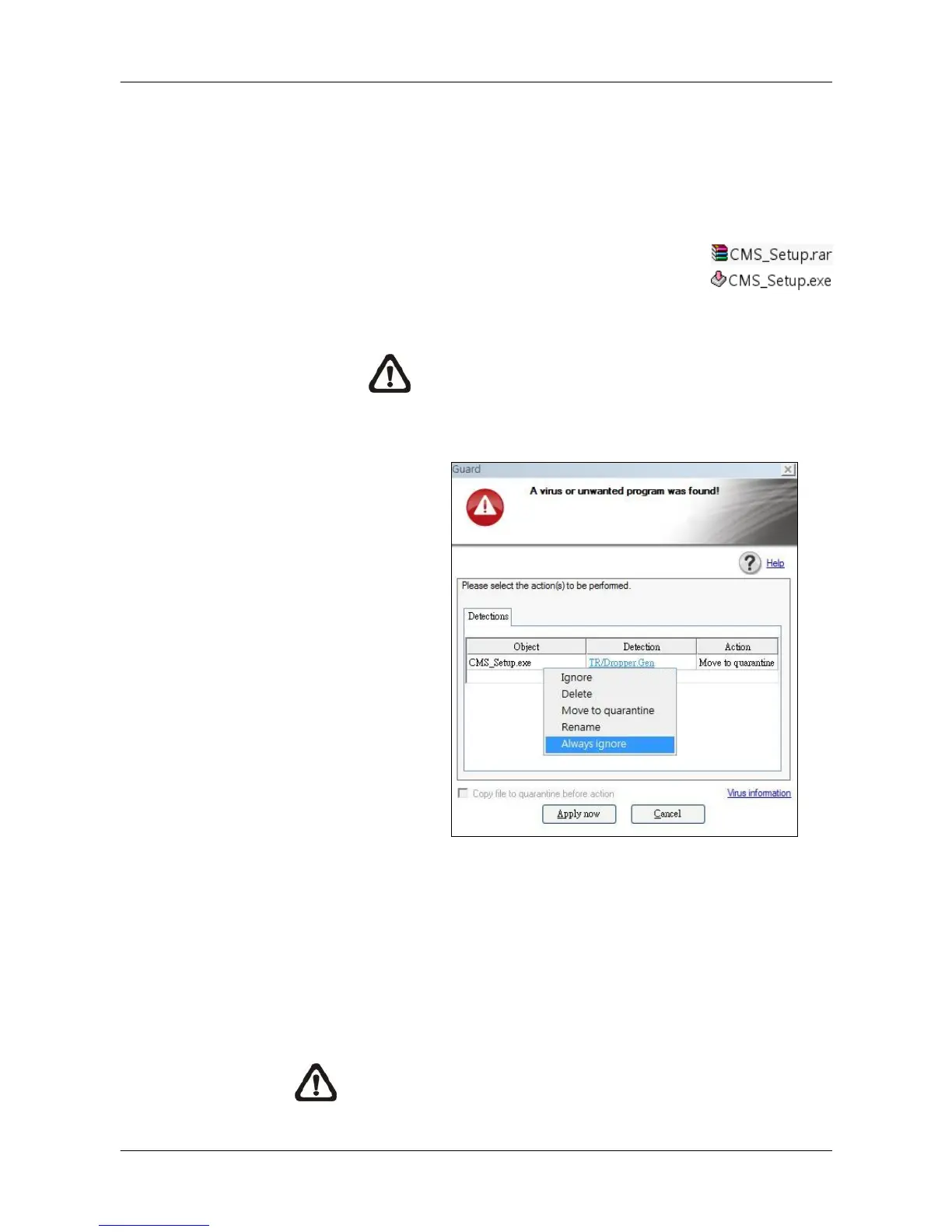
NOTE: Some antivirus software might report false
alarm when users move the mouse cursors over the
CMS_Setup.exe file. Right click and select <Always
ignore> in order to continue the installation.
Option 2. If CMS will be installed via a CD, the installation will startup
automatically when the CD is inserted into the CD-Rom.
The <CMS Setup Menu> window will be displayed. Choose
<INSTALL CMS> to start installing CMS. Choose <CMS
USER’S MANUAL> to open the user’s manual. Choose
<EXIT> to exit the <CMS Setup Menu>.
NOTE: If an older version of CMS had been installed in the
local computer, a message box will be prompt. Click <OK> to
uninstall the previous version.



 To Next Page