User’s Manual
24
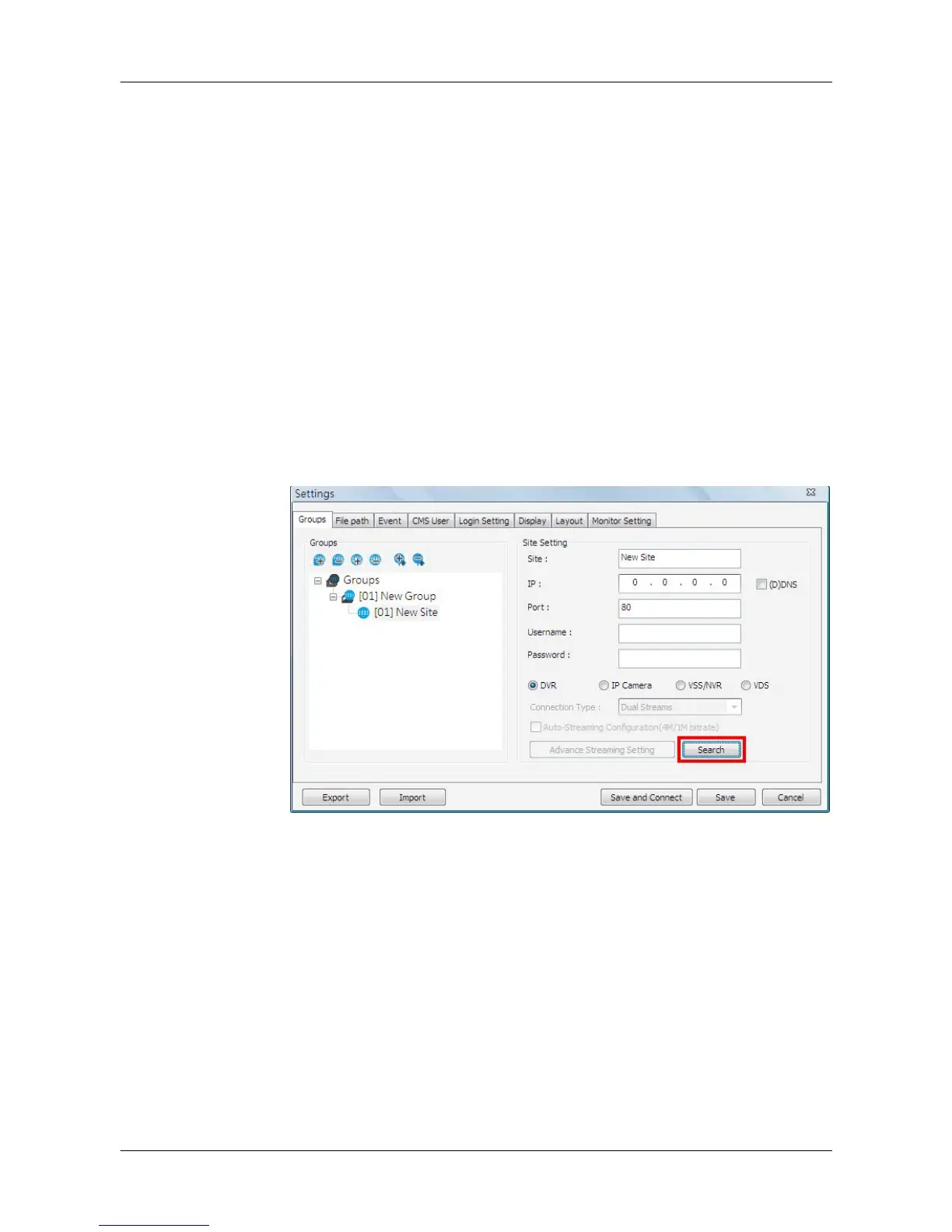
5.2.2 Setup the Site via Device Search
There are two ways to setup a site. The simple way is via Device Search.
CMS is able to search for IP addresses of DVRs, IP Cameras, VSS/NVR, and
VDS connected to the PC’s LAN network. The ports used for device search
are 6666 and 6667. Please make sure that these two ports are not in-use nor
blocked by firewall or virus scan software.
Follow steps below to search for DVR(s), IP Camera(s), VSS/NVR, or VDS.
Step 1. If there are DVRs, IP Cameras, VSS/NVR, and/or VDS installed in the
LAN network, CMS can search for IP addresses of the installed
devices. Click the Search button (on the bottom right) to open the
Search window.



 To Next Page