User’s Manual
113
7. Additional Functions
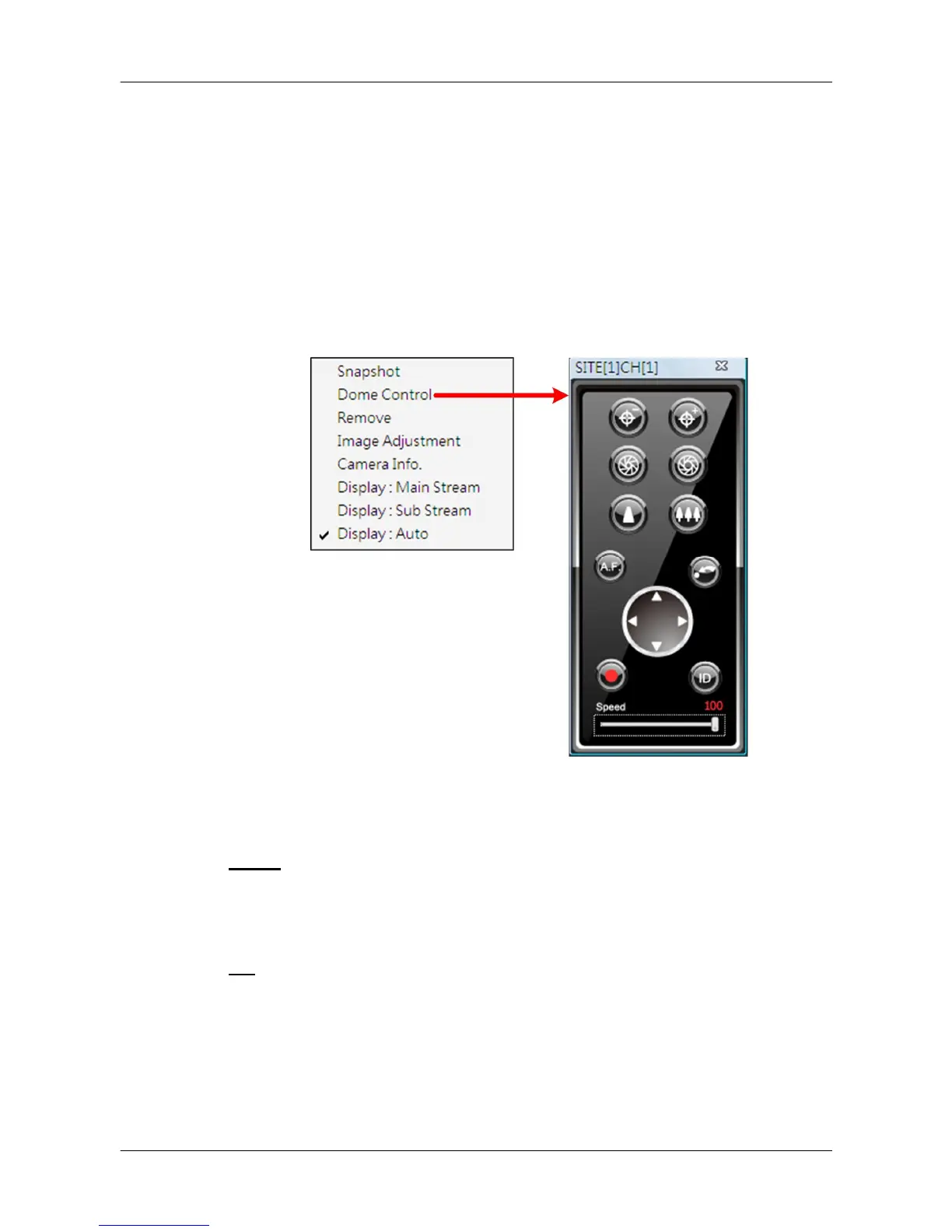
There are more functions available when right clicking on the displaying grids.
Refer to the following subsections for more information.
7.1 Dome Control
Users can also control a dome camera in CMS. Right click on a grid where a
dome camera is properly installed and select <Dome Control>. The dome
control panel will be displayed.
The function of each button on the dome control panel is described below.
Focus
This is used to manually focus on preferred objects. Click on the <Focus
Near> / <Focus Far> icons to adjust the focus.
Iris
This is used to adjust iris of then lens. Click on the <Iris Open> icon let in
more light. Otherwise, click on the <Iris Close> icon to reduce incoming light.



 To Next Page