User’s Manual
21
5.2 Manage the Sites
The following sections are instruction of the management of the sites,
including add or remove sites and configuration.
5.2.1 Add/Remove a Site
This section describes how to add or remove a site. CMS supports at most 64
IP devices to be added to each group. If more than 64 IP devises are added,
error message will be displayed.
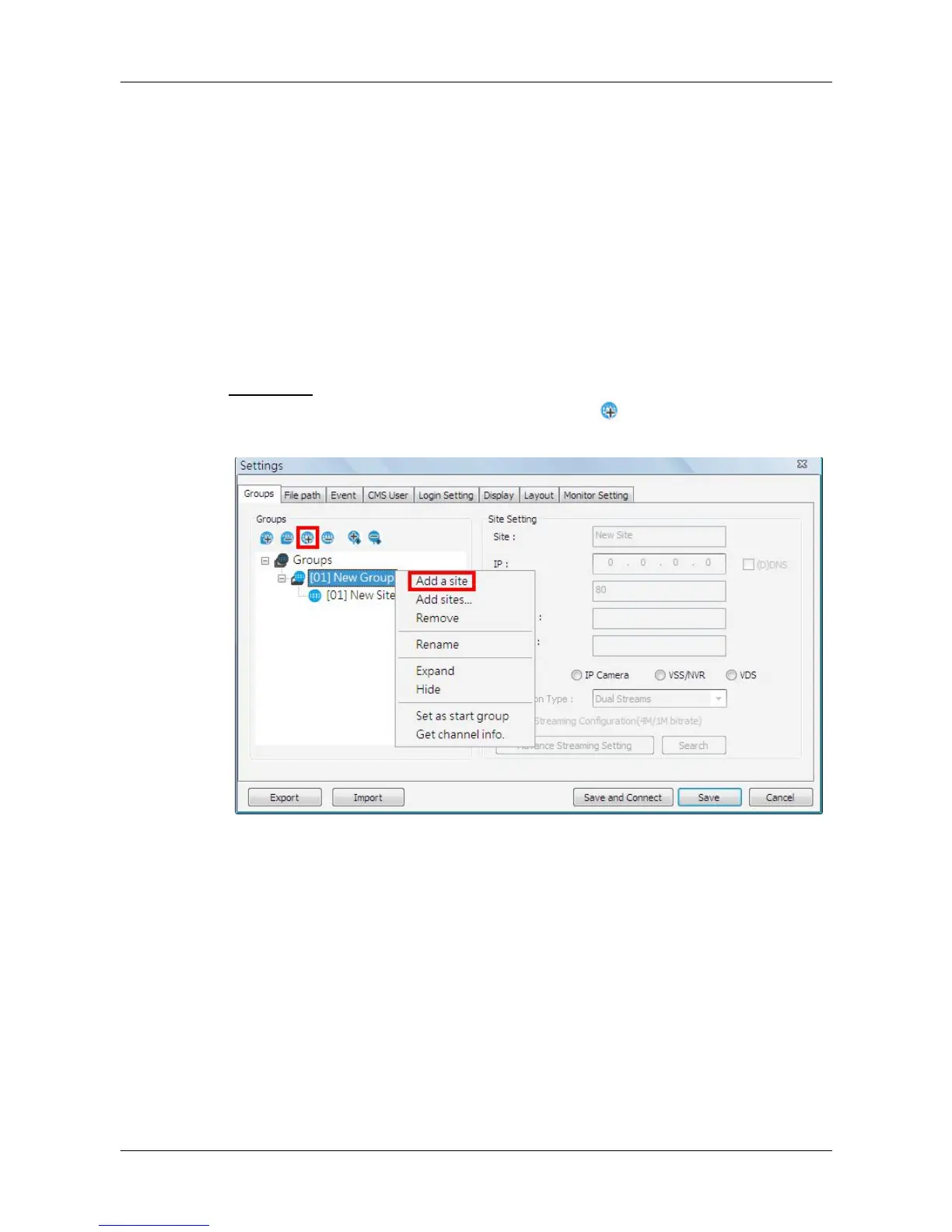
Add a site
Choose a group to add a new site. Click on the button to add a site to this
group. The next section will show how to setup the site step by step.
The other way to add a new site to a group is to right click on the group, and
select <Add a site>.



 To Next Page