User’s Manual
73
6.6 Playback
Click on the <Playback> icon and the pull-down menu
are <Local Playback> and <Remote Playback>.
Details of the menu items are described in the following
subsections.
6.6.1 Local Playback (CMS Player)
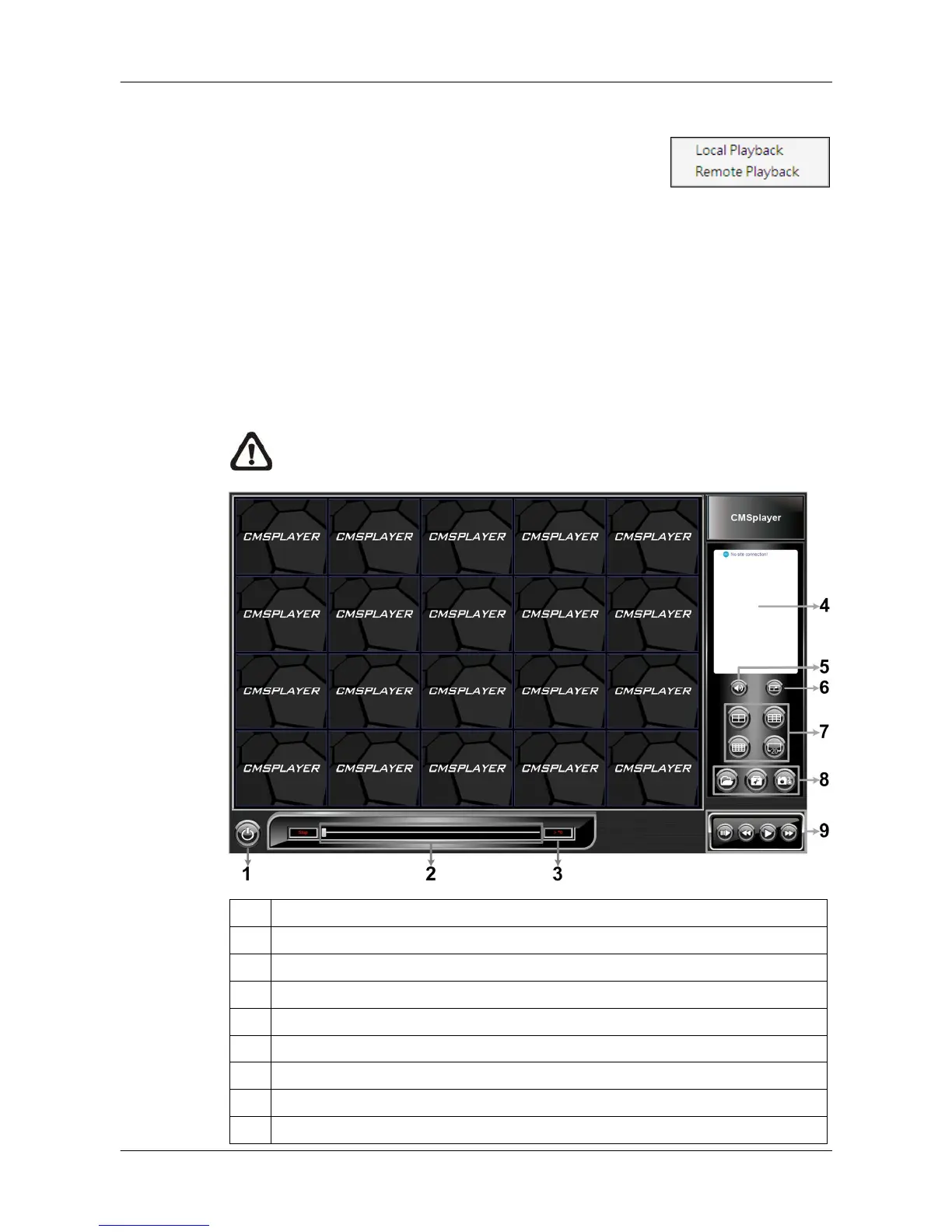
Select <Local Playback> and CMS Player will be launched. When multiple
CMS instances are opened, each CMS can launch 1 CMS Player. The main
window of CMS Player is shown as below.
NOTE: When CMS is terminated, CMS Player will also be ended at the
same time.
1 Power Button
2 Slider Bar
3 Playback Speed Indicator
4 Site Tree
5 Audio
6 Full Screen
7 Display Modes: 2X2, 3X3, 4X4 and 5X4
8 Open Video File, Frame View Setting, Snapshot
9 Playback Controls



 To Next Page