OSD Setup Manual
38
< Advance Schedule Setup >
When <Adv. Schedule> is selected as the option for <Preset Config>, users need to further
configure the schedule and recording setting under this menu. The Advance Schedule
setup menu is shown as below.
Advancce Schedule Setup
Schedule Table
Recording Profile Setup
Holiday Setup
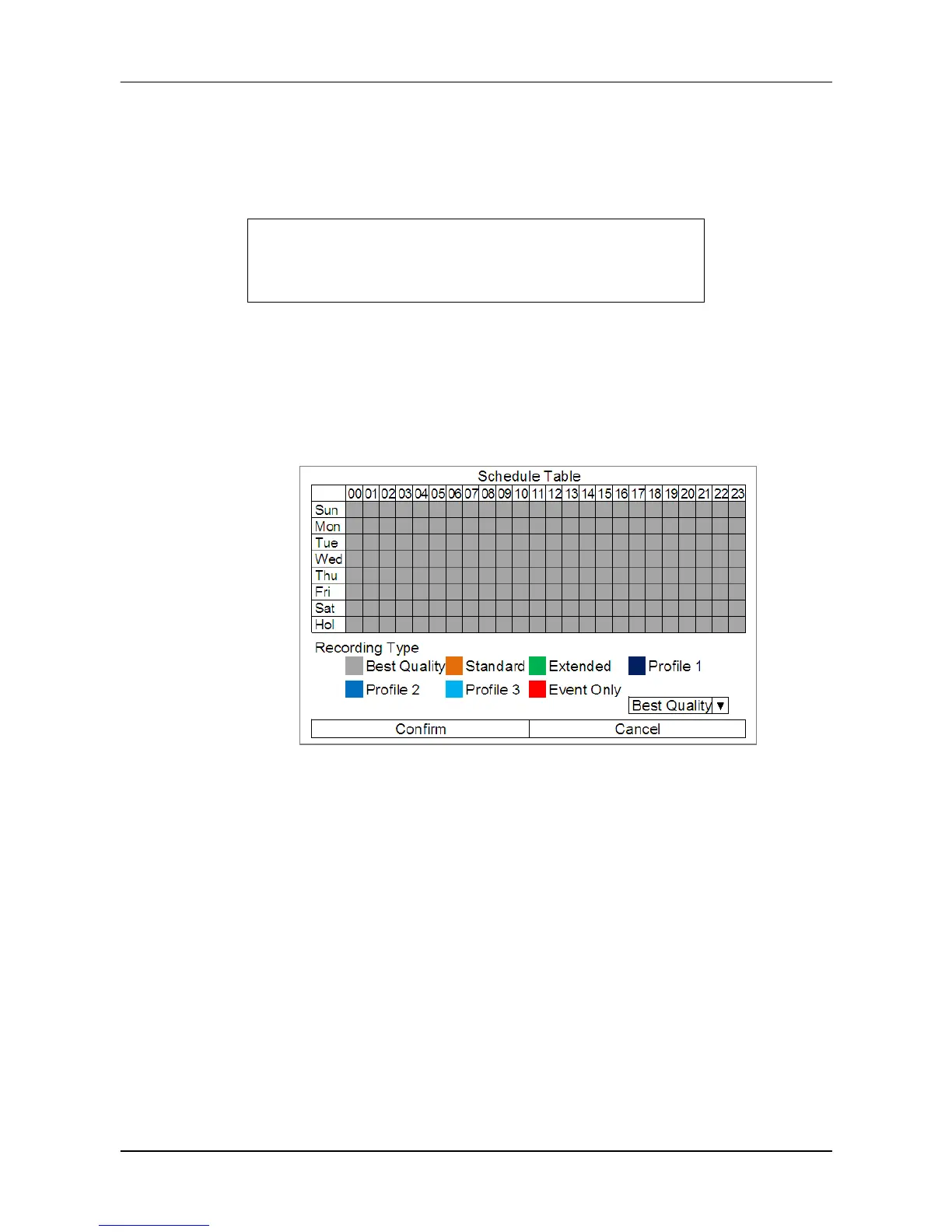
Schedule Table
In this menu, users can assign recording type for days in a week by hours.
Moreover, the recording type for pre-defined holidays can also be specified here.
Refer to the steps below to setup the schedule table.
Click on a preferred recording type at the bottom.
Click at any grid of time to assign the selected recording type.
Click on any hour on the top to fill up the column.
Click on any day on the left to fill up the roll.
Click on the top left grid to always record with the selected recording type.
Click on the <Confirm> button to save the setting.



 To Next Page