User’s Manual
92
6.7 System Information
Click on the <System Information> icon and the
pull-down menu are <Device Health>, <PC system
info.>, <About CMS>, <CMS operator log> and
<Device operator log>. Details of the menu items are
described in the following subsections.
6.7.1 Device Health
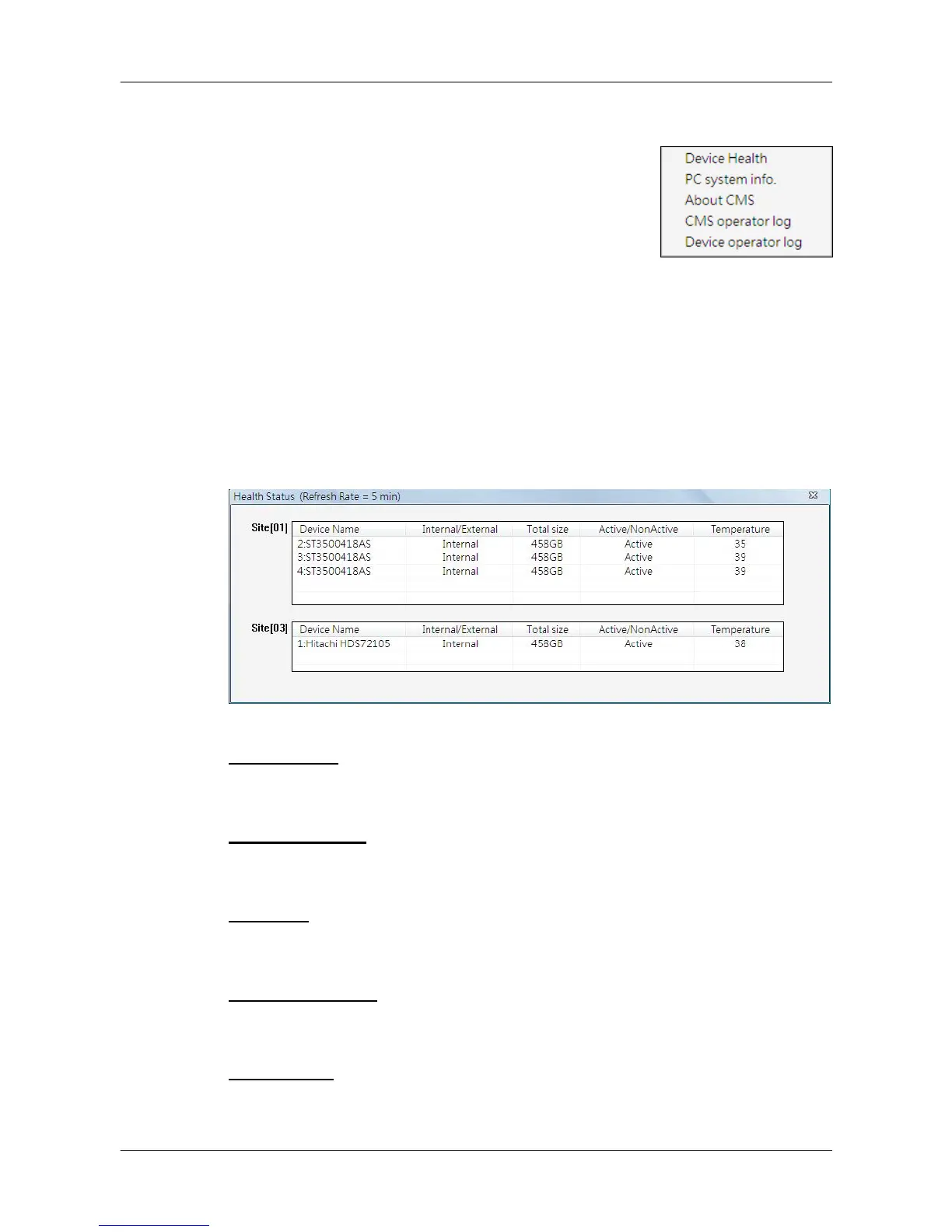
This is a function that allows users to verify the HDD health status of currently
connected DVR and NVR. Select <Device Health> and a progress bar will be
shown to indicate that the information is being retrieving. The following figure
is an example. Note that since IP cameras do not have connected HDD, they
will not be shown in the chart.
Device Name
This item shows the model name of the HDD.
Internal/External
This item indicates whether the HDD is an internal or external device.
Total Size
This item indicates the total size of the HDD.
Active/Non Active
This item indicates whether the HDD is active or non-active.
Temperature
This item indicates the current temperature of the HDD in Celsius degree.



 To Next Page