User’s Manual
59
6.3.5 Sequence Setting
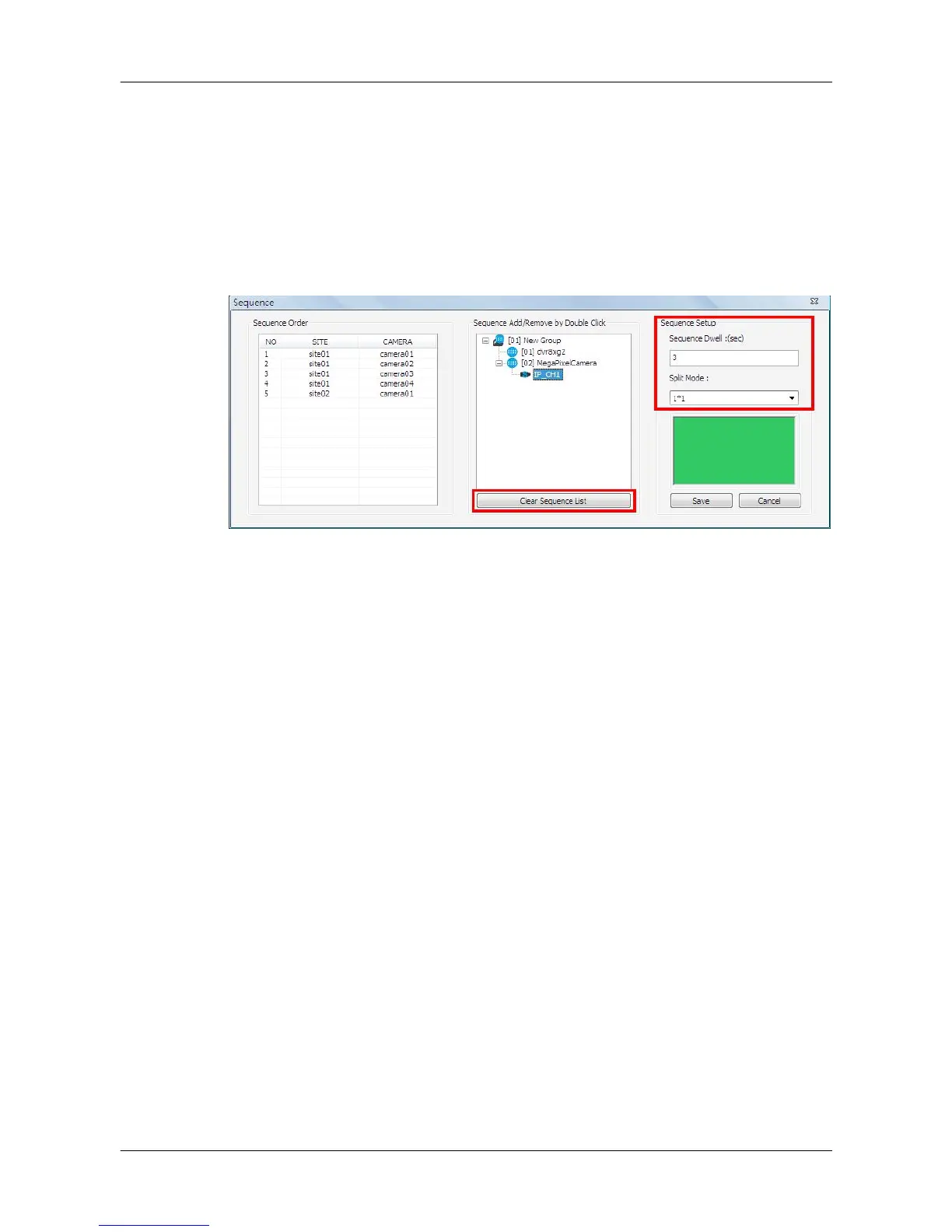
This function is for users to setup the displaying sequence. Before starting
sequence display, users need to add channels to the sequence list. Double
click on any channel in the site tree to add / remove the channel in the
sequence list, shown as below on the left. Note that only channels of the
connected sites will be displayed in the site tree. When a channel is added to
the sequence, a capital “S” will be shown on the channel’s icon.
Under <Sequence Setup> on the right, users can setup the dwell time (1 to
120 seconds) and sequence split mode (1*1, 2*2, 3*3, 4*4 or 5*5). Click on
<Save> to save the settings.
Click on <Clear Sequence List> to empty the sequence list.



 To Next Page