User’s Manual
57
6.3.3 Snapshot
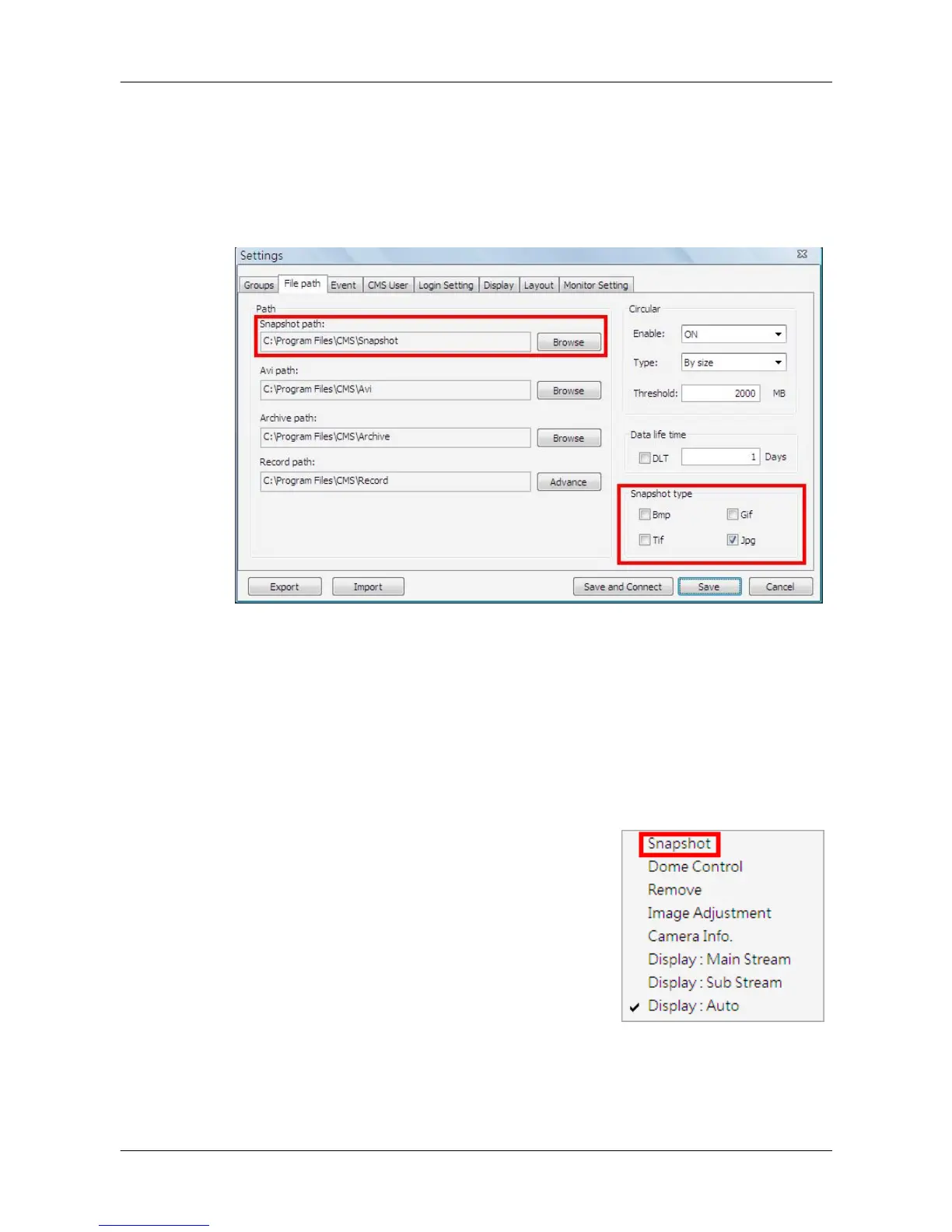
The Snapshot function is a simple screen capture tool. When users click on
<Snapshot>, it will capture the screenshot of the window that users are
currently viewing. The snapshot files will be saved to the default path
“\CMS\Snapshot\” or the folder that users selected in <File Path> setting.
As shown above, the default snapshot type is Jpg. If users have selected
more than one file type, users will get more than one files for one snapshot.
There are 2 ways to take the snapshot. One is to click on the <View
Operator> icon and select <Snapshot>, then the snapshot window will be
displayed. Click on <OK> to save the snapshot.
The other way is to right click on any grid, and
select <Snapshot>. The file(s) will be saved
without showing the confirming window. Note
that it will only capture the image of the selected
channel.



 To Next Page