User’s Manual
122
Appendix A: Install AVI Codec
In order to correctly playback converted AVI files, install K-Lite Codec Pack and select
codec options during installation, as described below.
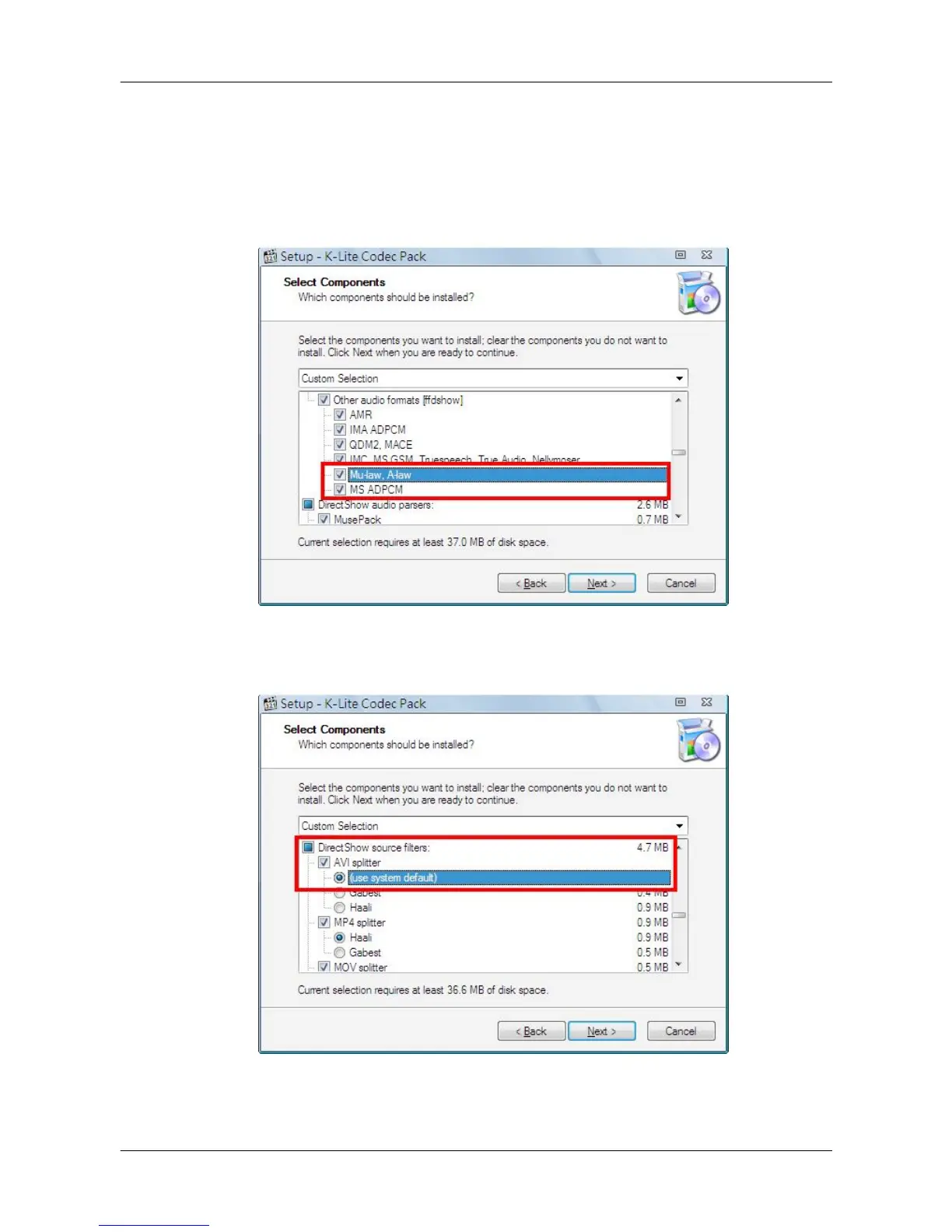
1. Check <Mu-law, A-law> & <MS ADPCM> under <Other audio formats [ffdshow]>.
2. Find <DirectShow source filters:> and select <(use system default)> (some versions
may show <Microsoft>) for <AVI splitter>.



 To Next Page