User’s Manual
123
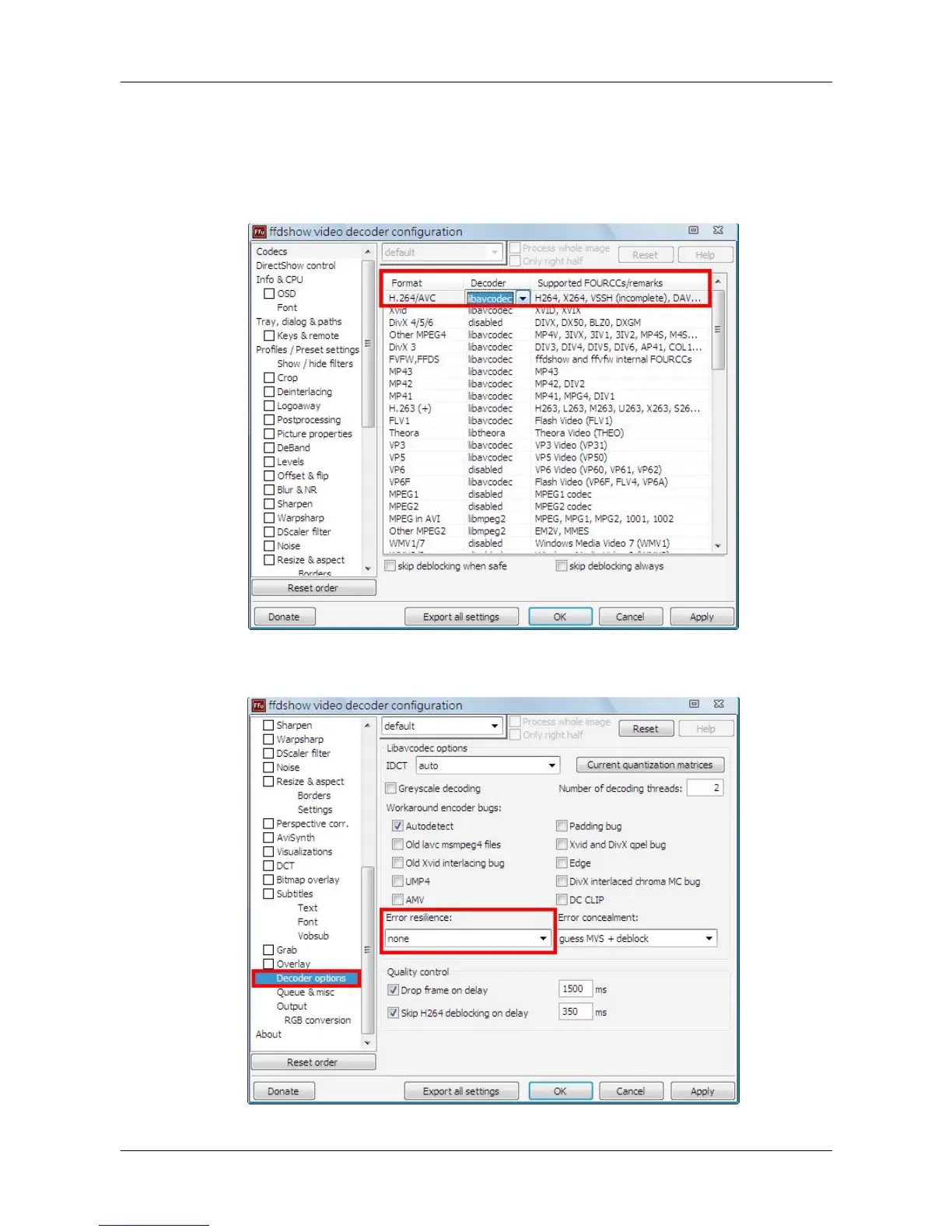
If H.264 AVI files cannot be played or the videos cannot be displayed correctly, please go to
Start menu <K-Lite Codec Pack> <Configuration> <ffdshow video decoder>. Then
change the following settings
1. Under <Codecs>section, select <libavcodec> for H264/AVC Decoder.
2. Under <Decoder options> section, select <none> for <Error resilience>.



 To Next Page